










Content ITV PRO
This is Itvedant Content department
Reporting & Logging
Extent Reports
Learning Outcome
4
Integrate with Selenium WebDriver tests
3
Log test steps using pass, fail, info
2
Configure reports in the framework (setup & reporter)
1
Understand Extent Reports for interactive test reporting
5
Attach screenshots and details to reports
The prerequisites for learning Extent Reports
You should recall these previous topics:
Basic Java programming (OOPs, methods, classes)
Understanding of Selenium WebDriver basics
Knowledge of TestNG or JUnit framework (test annotations, assertions)
Basic idea of Maven/Gradle project setup (dependencies in pom.xml)
Understanding of test execution flow in automation frameworks
Basic knowledge of reporting/logging concepts (helpful but optional)
Awareness of HTML structure (since reports are generated in HTML format)
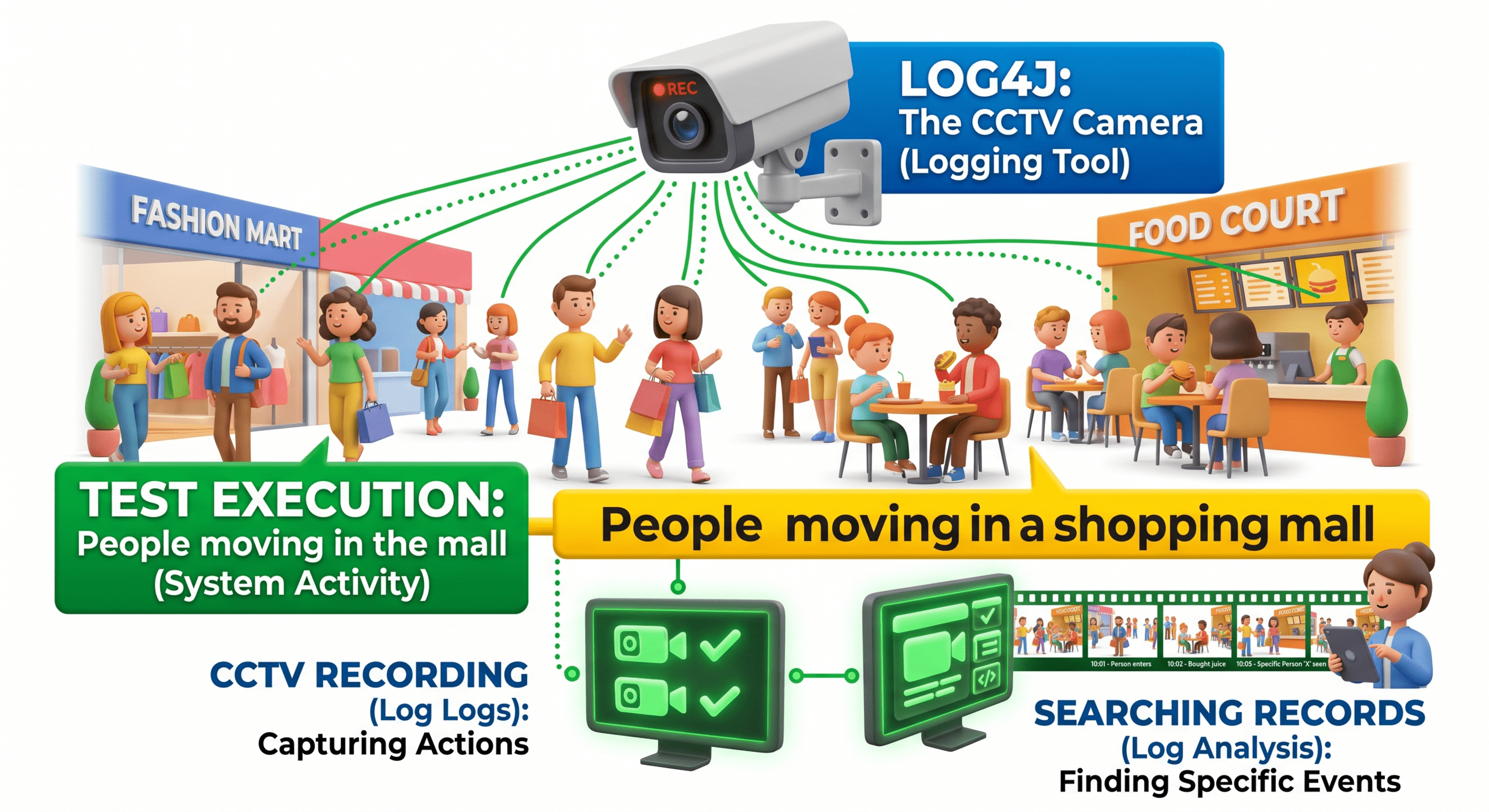
Think of Log4j like a CCTV camera in a shopping mall:
Why do we use Extent Reports?
To generate interactive HTML test reports
To integrate smoothly with Selenium WebDriver and TestNG frameworks
We use Extent Reports in automation testing because it provides a clear, visual, and structured way to analyze test execution results.
To clearly show Pass / Fail / Skip status with colors
To make test results easy to read and understand
To help identify exact step where a test failed
To attach screenshots for failed test cases
To improve debugging speed and test analysis
To share professional reports with teams and stakeholders
What is Extent Reports??
Extent Reports is a reporting library used in automation testing to generate interactive and visually rich HTML test reports.
It is widely used with Selenium WebDriver and TestNG frameworks to present test execution results in a clear and structured format.
Extent Reports Setup
Step 1 : Add Dependency
Add Extent Reports library in pom.xml
Required for enabling reporting in framework
Step 2 : Create Reporter Object
Use ExtentSparkReporter
Define report file location (HTML output)
ExtentSparkReporter spark = new ExtentSparkReporter("test-output/report.html");
Step 3 : Initialize Extent Reports
Create main report object
Attach reporter to it
Step 4 : Add System Information
Add environment details for tracking
extent.setSystemInfo("OS", "Windows"); extent.setSystemInfo("Tester", "QA Engineer"); extent.setSystemInfo("Browser", "Chrome");
ExtentReports extent = new ExtentReports(); extent.attachReporter(spark);
Step 5 : Optional Configuration (Enhancement)
Set report title and name
Set report title and name
Step 6 : Final Step (Flush Report)
Generate final HTML report after execution
extent.flush();
spark.config().setDocumentTitle("Automation Report");
spark.config().setReportName("Selenium Execution Report");
Integrate Extent Reports with Selenium WebDriver Tests
Initialize Extent Reports
Create ExtentReports and ExtentSparkReporter
Setup before test execution
Create Test Instance
Create test using createTest() inside test class
ExtentTest test = extent.createTest("Login Test");Add Logs in Selenium Steps
Log actions while performing Selenium operations
driver.get("https://example.com");

test.info("Opened URL");
driver.findElement(By.id("login")).click();
test.info("Clicked login button");Validate and Log Result
Use assertions and update report
test.pass("Test Passed");
test.fail("Test Failed");
Take screenshot using WebDriver
Attach to report
test.addScreenCaptureFromPath(path);
Capture Screenshot (on Failure)
Flush Report
Generate final HTML report
extent.flush();Summary
4
3
2
1
WebElements represent HTML elements on a web page in Selenium.
5
Perform actions: click, type, clear, submit.
Extent Reports generates interactive HTML test reports
Configured using ExtentReports & ExtentSparkReporter
Logs steps with info(), pass(), fail()
Integrates with Selenium WebDriver
Supports screenshots and execution details
Quiz
What is the main purpose of Extent Reports?
A. To execute test cases
B. To generate visual test reports
C. To write test scripts
D. To manage databases
Quiz - Answer
What is the main purpose of Extent Reports?
A. To execute test cases
C. To write test scripts
D. To manage databases
B. To generate visual test reports
By Content ITV