
Content ITV PRO
This is Itvedant Content department
Company Analysis and Business Evaluation
Business Scenario
You are a financial analyst working for an investment research firm. Your task is to analyse Bajaj Finance Ltd. using its financial statements and annual reports. You will evaluate the company’s business model, financial performance, EPS, asset quality and competitive position against Shriram Finance and Cholamandalam. The analysis will help you determine the company’s overall financial performance and identify the stronger company among the three.
Tools Required:
Pre-Lab Preparation
TradingView
NSE India / BSE India
Company Annual Report
ChatGPT or another AI tool
Topic : Fundamental & Ratio Analysis
1) Company analysis
2) Industry analysis
3) Macroeconomic analysis
4) Revenue and cost drivers
5) Liquidity ratios, Profitability ratios, Leverage ratios, Efficiency ratios
Task 1: Break Down the Business Model
Select an Indian Listed Company
1
Understand the Business
2
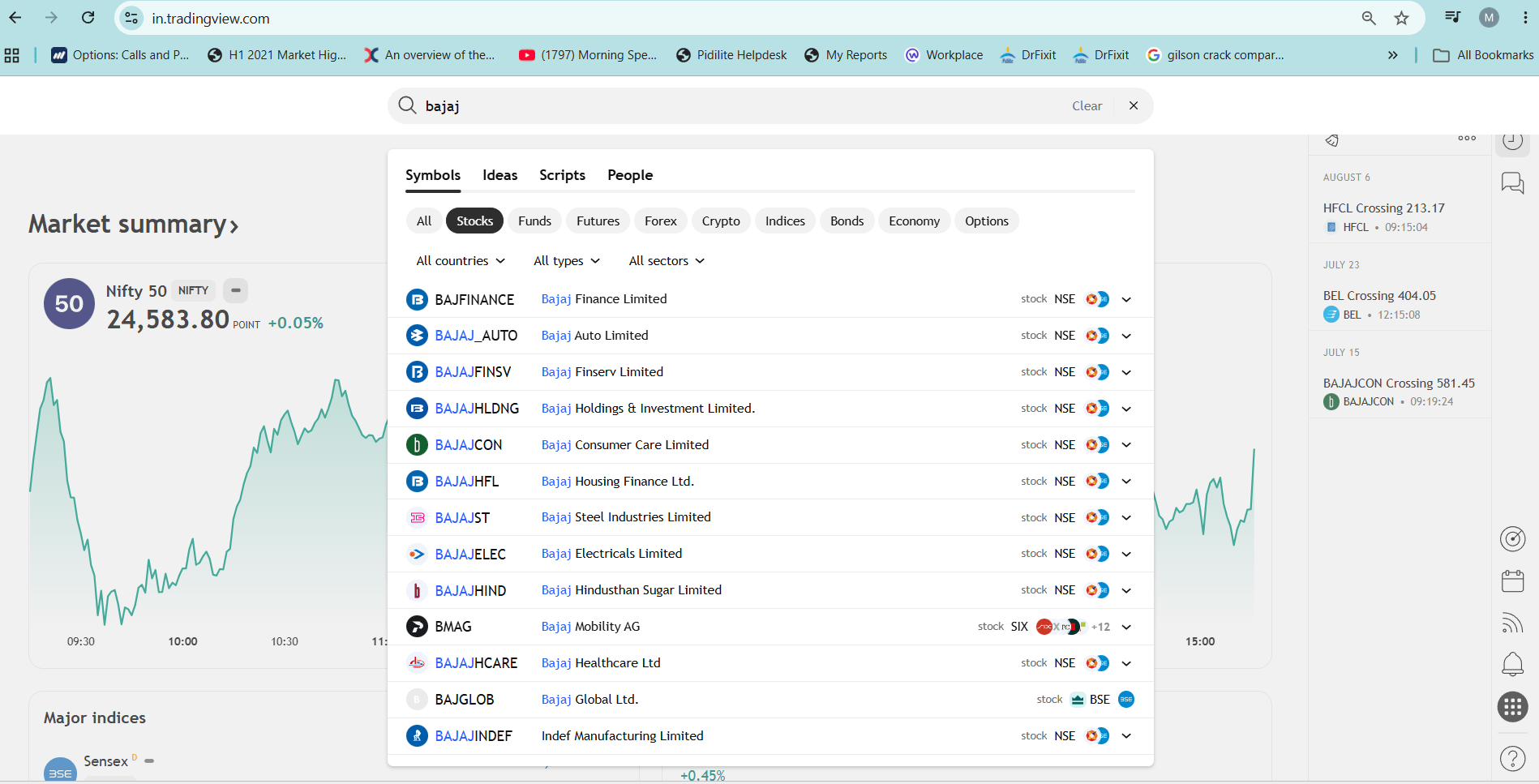
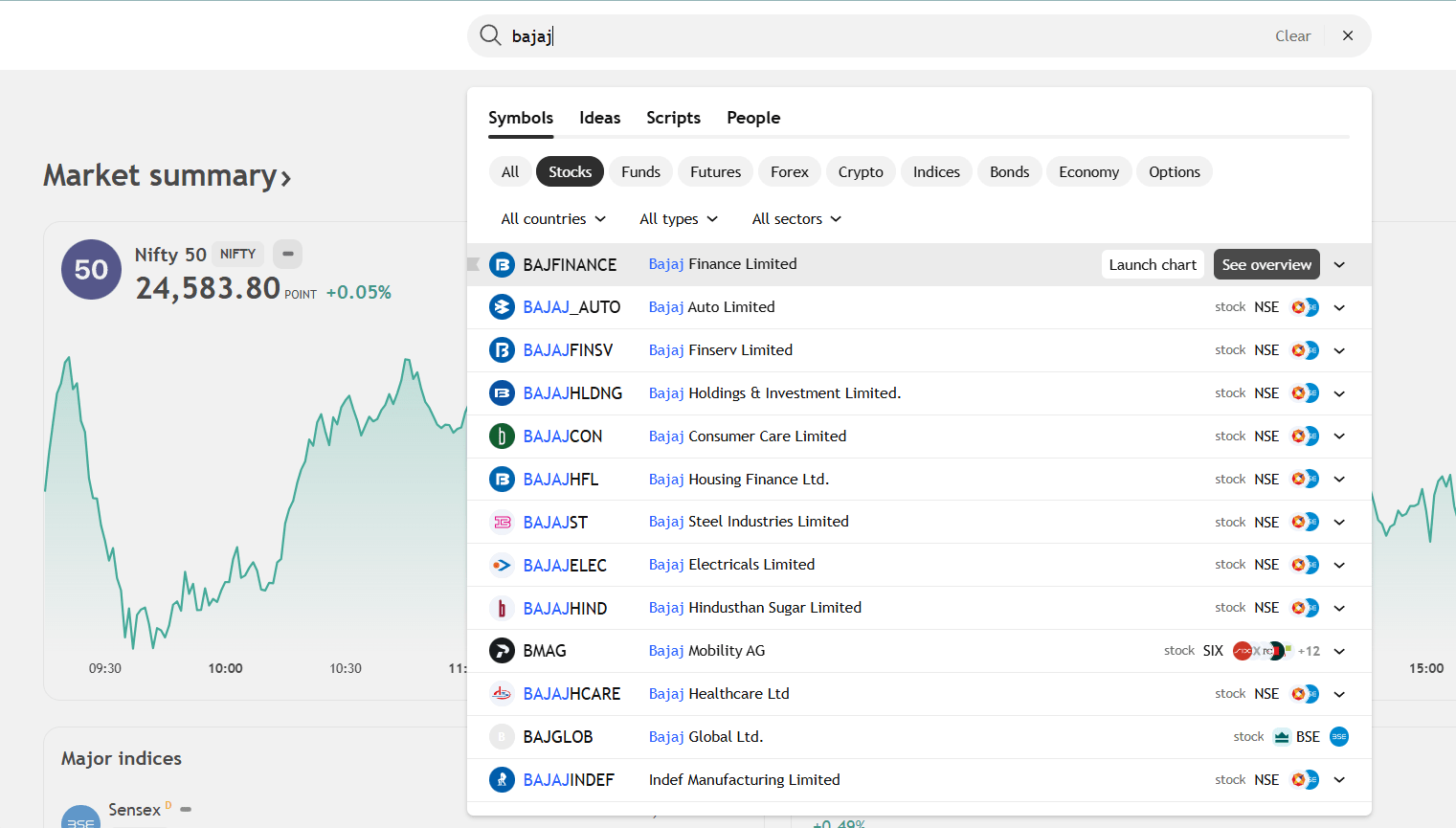
Open TradingView or Screener.in and search for the selected company.
Example:
Company: Bajaj Finance
Note: You can download the annual report for the recent year 2025-26 from the investor section of the Bajaj Finance website, or download it from BSE or NSE
https://cms-assets.bajajfinserv.in/is/content/bajajfinance/annual-report-fy-2026?scl=1&fmt=pdf
Using the company's Annual Report and Investor Presentation, identify:
What products and services does the company offer?
Who are its major customers?
What are its major business segments?
Which segment contributes the highest revenue?
How does the company generate revenue?
Enter a prompt such as:
Companies: Bajaj Finance and its competitors
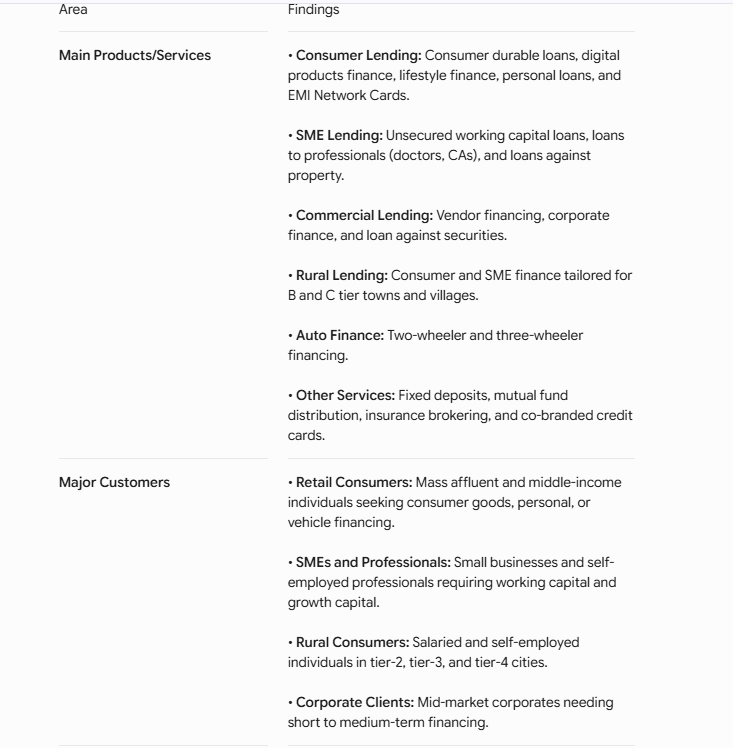
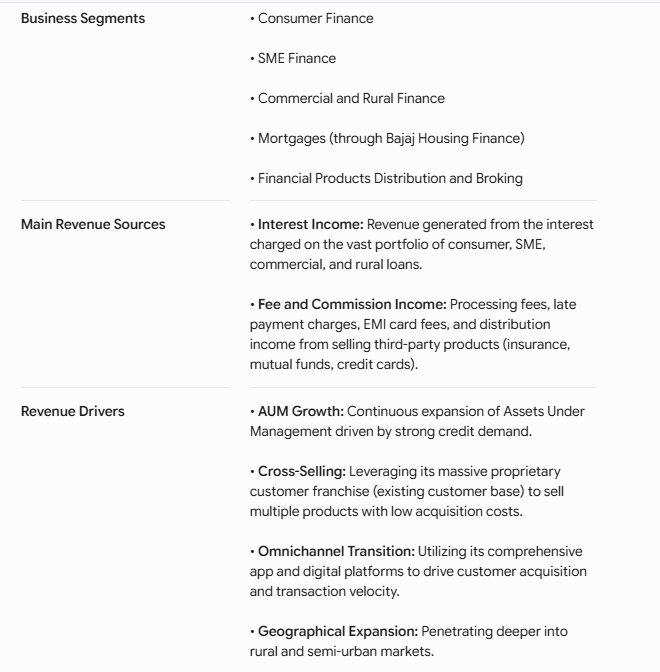
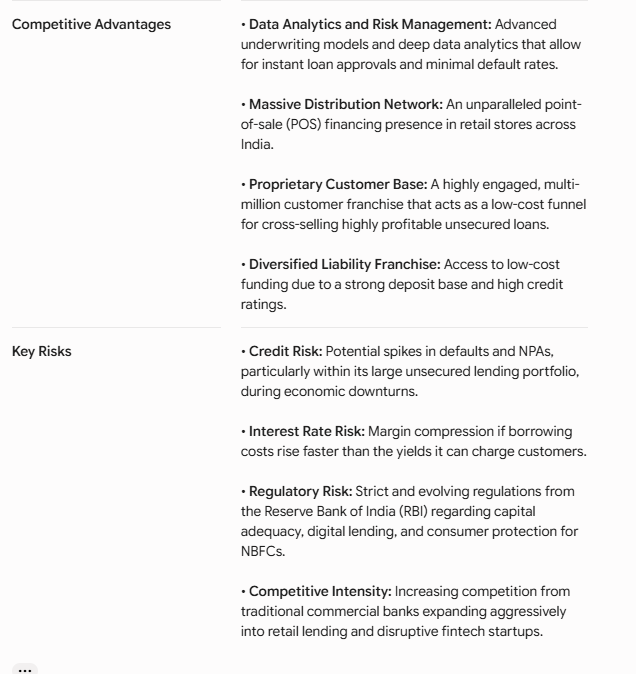
"Analyse the business model of Bajaj Finance using its latest annual report and investor presentation. Explain its main financial products and services, major customer segments, business segments, revenue sources, key revenue drivers, major costs, competitive advantages and key business risks. Present the findings in a concise table."
Student Output:
Prepare a Business Model Snapshot showing:
What are the major factors driving revenue?
What are the company's major operating costs?
What are its key competitive advantages?
What are the major business risks?
Use AI for Business Analysis
3
| Area | Findings |
|---|---|
| Main Products/Services | |
| Major Customers | |
| Business Segments | |
| Main Revenue Sources | |
| Revenue Drivers | |
| Major Costs | |
| Competitive Advantages | |
| Key Risks |
Review AI Output
4
Interpret AI Output
5
| Area | Key Finding |
|---|---|
| Main Products/Services | Consumer, SME, commercial, rural and auto loans; insurance, mutual funds and other financial products |
| Major Customers | Retail consumers, SMEs, professionals, rural customers and corporates |
| Business Segments | Consumer Finance, SME Finance, Commercial & Rural Finance, Mortgages and Financial Product Distribution |
| Main Revenue Sources | Interest income from loans and fee/commission income |
| Revenue Drivers | Growth in loans/AUM, customer base, cross-selling and expansion into new markets |
| Major Costs | Interest on borrowings, credit losses/provisions and operating expenses |
| Competitive Advantages | Strong customer base, digital platforms, distribution network and data-driven credit assessment |
| Key Risks | Credit/default risk, interest-rate risk, regulatory changes and competition |
Takeaway:
Bajaj Finance mainly earns interest by lending money to different customer segments. Its growth depends on expanding its loan book and customer base, while its major risks are credit losses, funding costs and regulation.
Task 2: Analyse Financial Performance
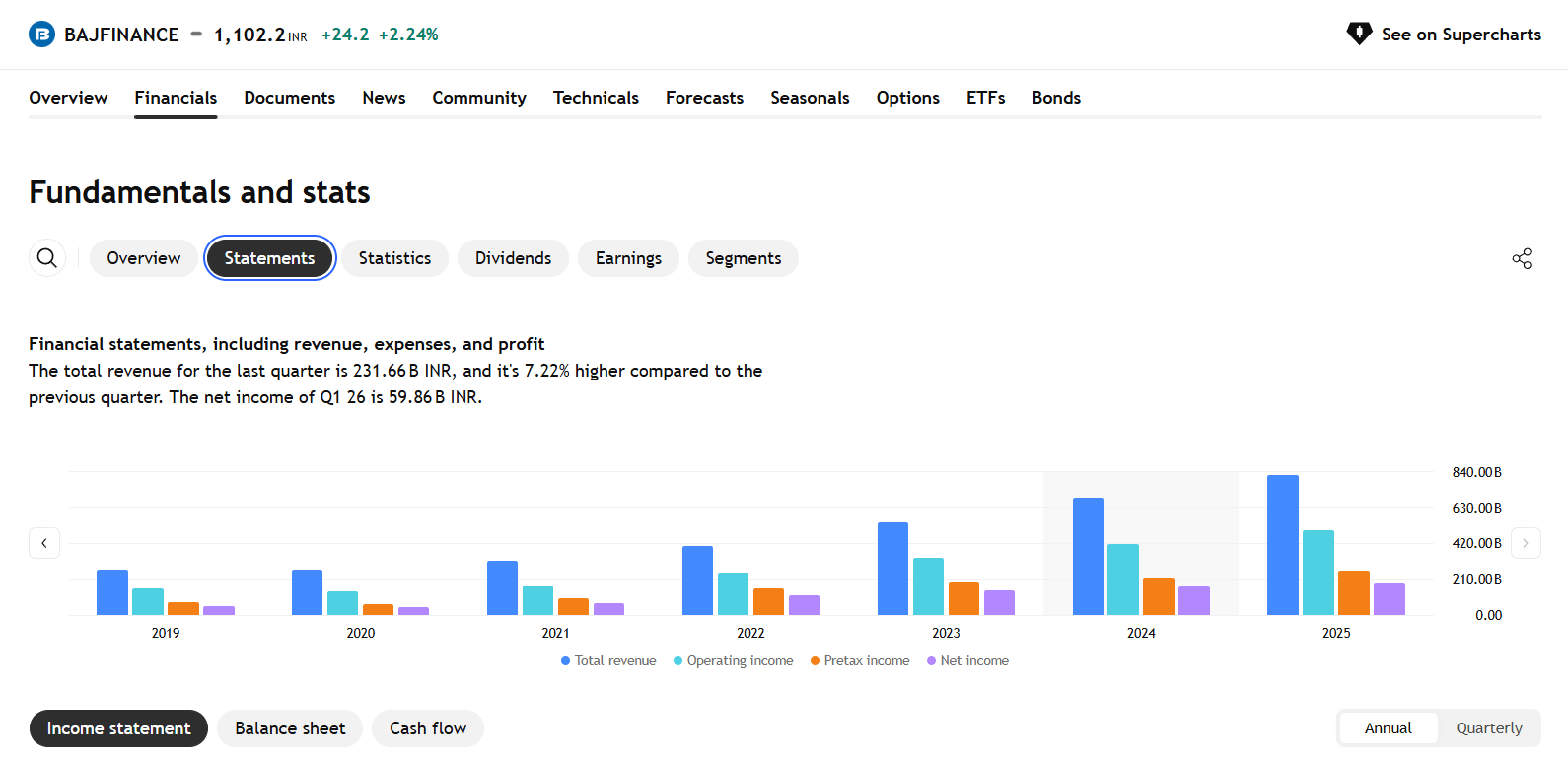
Open TradingView
1
Company: Bajaj Finance Ltd. | Period: Analyse the latest 3–5 financial years available.
1. Open TradingView: https://in.tradingview.com/
2. In the search bar, search for your company (e.g., Bajaj Finance Ltd. – NSE: BAJFINANCE)
3. Open the Overview page.
4. Click Financials.
5. Select “Statements” to view:
Income Statement
Balance Sheet
Cash Flow
6. Select “Annual” (Annual Reports) to view year-wise financial data
7. Understand the financial information for the latest years.
Income Statement Analysis
2
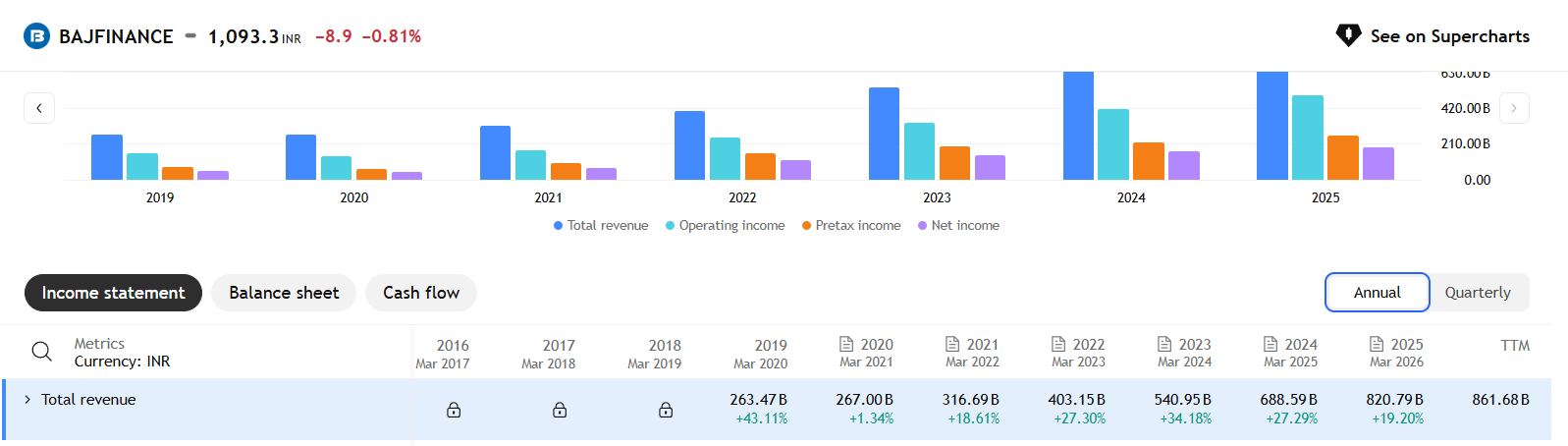
Note for Finance Companies: Unlike manufacturing companies, an NBFC's primary cost is borrowing money. Pay close attention to the "Total interest expense (banks)" line item in TradingView to understand their cost of funds.
Revenue Growth Analysis
a
2024 → ₹540.95B (+34.2%)
2025 → ₹688.59B (+27.29%)
2026 → ₹820.79B (+19.2%)
Find Out the Reason: Investigate why revenue increased using Google Search, Annual Reports, or AI tools.
Open AI Tool – ChatGPT / Gemini / Grok
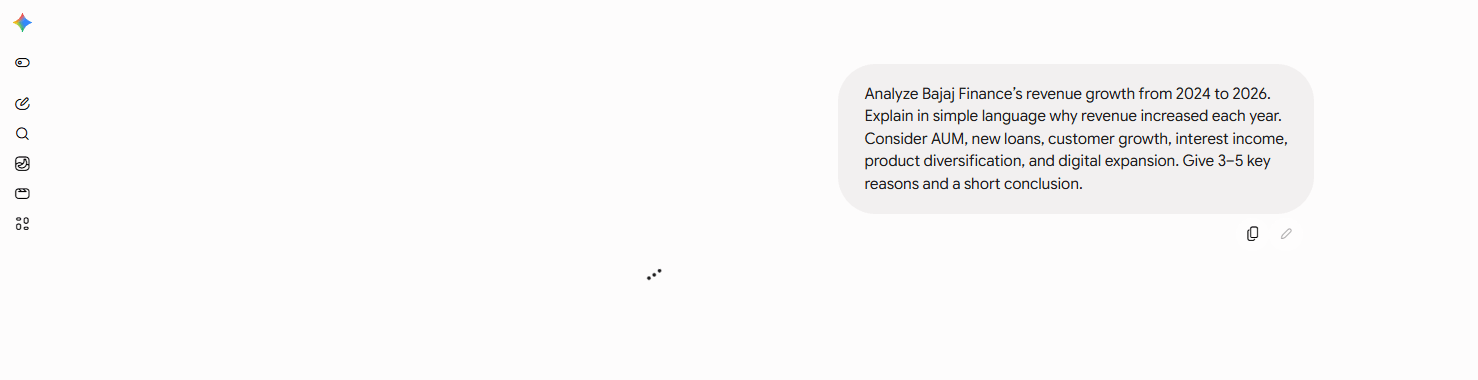
👉 Enter Prompt:
“Analyze Bajaj Finance's revenue growth from 2024 to 2026. Explain why revenue increased each year and identify the major factors responsible for the strong growth, especially from 2024 to 2026. Consider AUM, new loans, customer growth, interest income, product diversification, digital expansion and geographic expansion.”
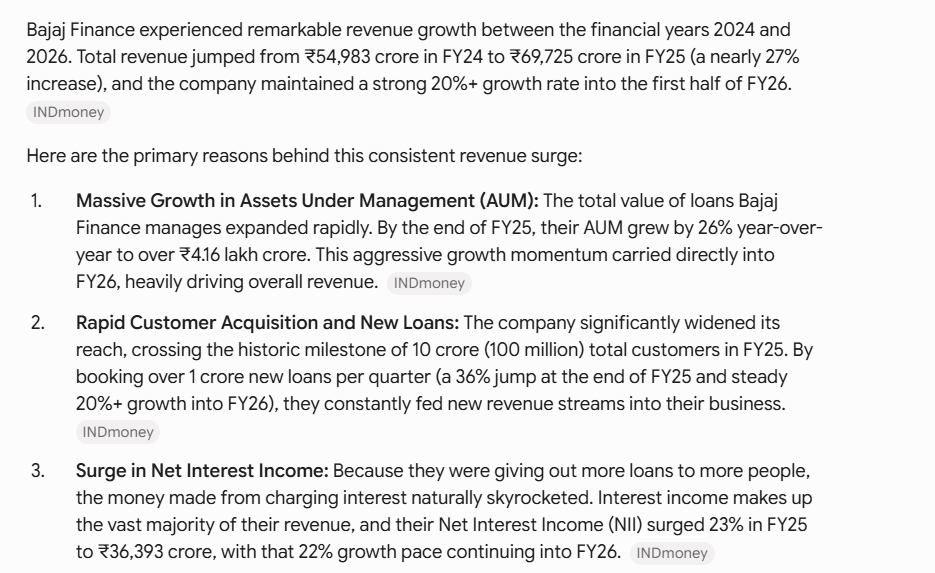
Review AI Output :
Interpret AI Output
Revenue Growth Analysis – Bajaj Finance
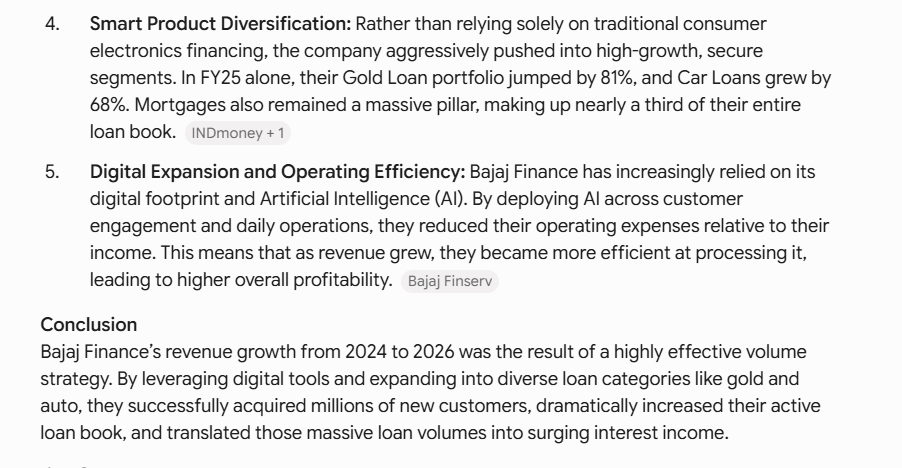
Bajaj Finance’s revenue grew strongly from 2024 to 2026. The main reasons were:
1. Higher AUM – The company’s total loan portfolio increased significantly, generating more income.
2. More customers and loans – A growing customer base and higher number of new loans increased revenue.
new loans increased revenue.
3. Higher interest income – More loans resulted in higher interest earnings.
4. Product diversification – Growth in gold loans, car loans and mortgages helped increase business.
5. Digital expansion – Digital technology and AI helped the company reach customers and operate more efficiently.
Conclusion:
Bajaj Finance’s strong revenue growth was mainly driven by more loans, more customers, higher AUM, increased interest income and expansion into different loan products.
Operating Profit Growth Analysis
b
Calculate the growth for Operating Income. For Bajaj Finance:
2024 → ₹335.63B
2025 → ₹415.66B (+23.8%)
2026 → ₹498.68B (+20.0%)
Task 1: Understanding BRD
Before you start building anything, you need to clearly understand what the client actually wants.So, let’s begin by understanding the BRD (Business Requirement Document) shared by the client.
BRD Full Form is Business Requirement Details.BRD like a plan for building a house. This plan helps the builder understand what to build.In the same way,BRD tells developers what the client wants to build
Click to download BRD : BiteBox_BRD.pdf
Activity
After going through BRD list down the Core Features and Web Pages in the tabulated Format as shown Below.
| Col 1 | Col 2 | Col 3 |
|---|---|---|
| Row 1 | ||
| Row 2 | ||
| Row 3 |
Formula
Profit = Revenue - Cost
Task 2: Create WireFrame
Now that you understand the requirements, don’t jump into coding yet. Before development, we always visualize the layout.
Now lets create a simple wireframe for the homepage.
A wireframe is like a layout plan of a house. Before building, you decide where rooms, doors, and windows will be placed.Similarly, a wireframe helps you plan where elements like headers, images, and buttons will appear on a webpage—before adding design or colours.
Task 3: Code Editor Installation
Good work on completing the planning phase.
Now we will start development. Before that, make sure your system is ready with the required tools.
In this step we will install the VS code editor that will help to Write code efficiently,Organize files , Run and test your application
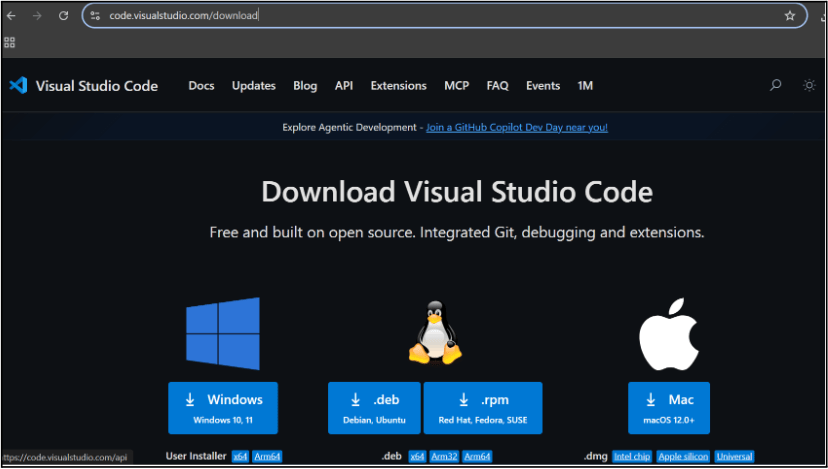
Go to the visual studio code official website
1
Click to download Homepage Wireframe : Homepage Wireframe
Choose your operating system(windows / Mac) and download the installation file.
Double click on the download app and Accept the agreement and click next
2
It is a long established fact that a reader will be distracted
b
Sub Steps
a
Double click on the download app and Accept the agreement and click next
public class MathSample {
    public static void main(String[] args) {
        int x = 10;
        int y = 20;
        int sum = x + y;

        System.out.println("The sum is: " + sum);
    }
}
public class MathSample {
public static void main(String[] args) {
int x = 10;
int y = 20;
int sum = x + y;
System.out.println("The sum is: " + sum);
}
}
public class MathSample {
public static void main(String[] args) {
int x = 10;
int y = 20;
int sum = x + y;
System.out.println("The sum is: " + sum);
}
}
Great job!
You have successfully completed your first lab on BiteBox Project Onboarding.
In this lab, you have: Understood the BRD, Created a wireframe, Set up your development environment, Organised your project structure, Run your first program
You are now ready to move to the next stage of development
Checkpoint
Next-Lab Preparation
Git Push
git push origin branchNameTopic : Working with a Text and Listin HTML
1) Power of HTML text tags
2) Customizing your style with CSS
3) Listing it right using HTML
4) HTML Link up , attributes of tag, block vs inline elements
Text box Width : 887
Business Scenario, Pre-lab Preparation, Next-lab Preparation, Task, Activity, Checkpoint : 90%.
Steps : 1,2,3 [Sub Steps - a,b,c]
Normal Text, Topic Name : 80%
Subtopic : 70%
Code Box font Size : 16px
By Content ITV