


































Content ITV PRO
This is Itvedant Content department
Learning Outcome
5
Avoid unnecessary hard waits like Thread.sleep().
4
Handle dynamic elements and changing page conditions.
3
Use Playwright’s auto-waiting feature effectively.
2
Identify different types of waits available in Playwright.
1
Understand concept of waits & why they are required in automation.
Recall
Playwright Basics → Browser, Context, Page
Locators → CSS, XPath, Text
Web Elements → Click, Fill, Select, Check
Page Navigation → URLs, Multiple Pages
Assertions → Text, Visibility, State
DOM Structure → Elements, Hierarchy
CSS Selectors → Pages, Frames
Wait Concepts
Reach the airport
Like Open the webpage
Wait for check-in counter to open
Like Wait for the element to become available
Counter opens
Like Element is ready for interaction
Like Perform the action
Complete check-in
Go to security
Like Continue to the next step
Similarly, in Playwright, instead of performing an action immediately, Playwright waits until the required element or page condition is ready.
Topic Name-Recall(Slide3)
Topic Name-Recall(Slide3)
Handle slow-loading elements
Wait until elements are ready.
1
Handle dynamic content
Wait for content that loads after the page opens.
2
Avoid timing errors
Prevent actions from happening before elements are ready.
3
Why Are Waits Required ?
Waits are required because web pages do not always load or respond immediately. Elements may take time to appear, become visible, or become ready for interaction.
Improve test stability
Make automation more reliable.
4
Synchronize test and application
Ensure Playwright performs the next action at the right time.
5
Auto-Waiting in Playwright
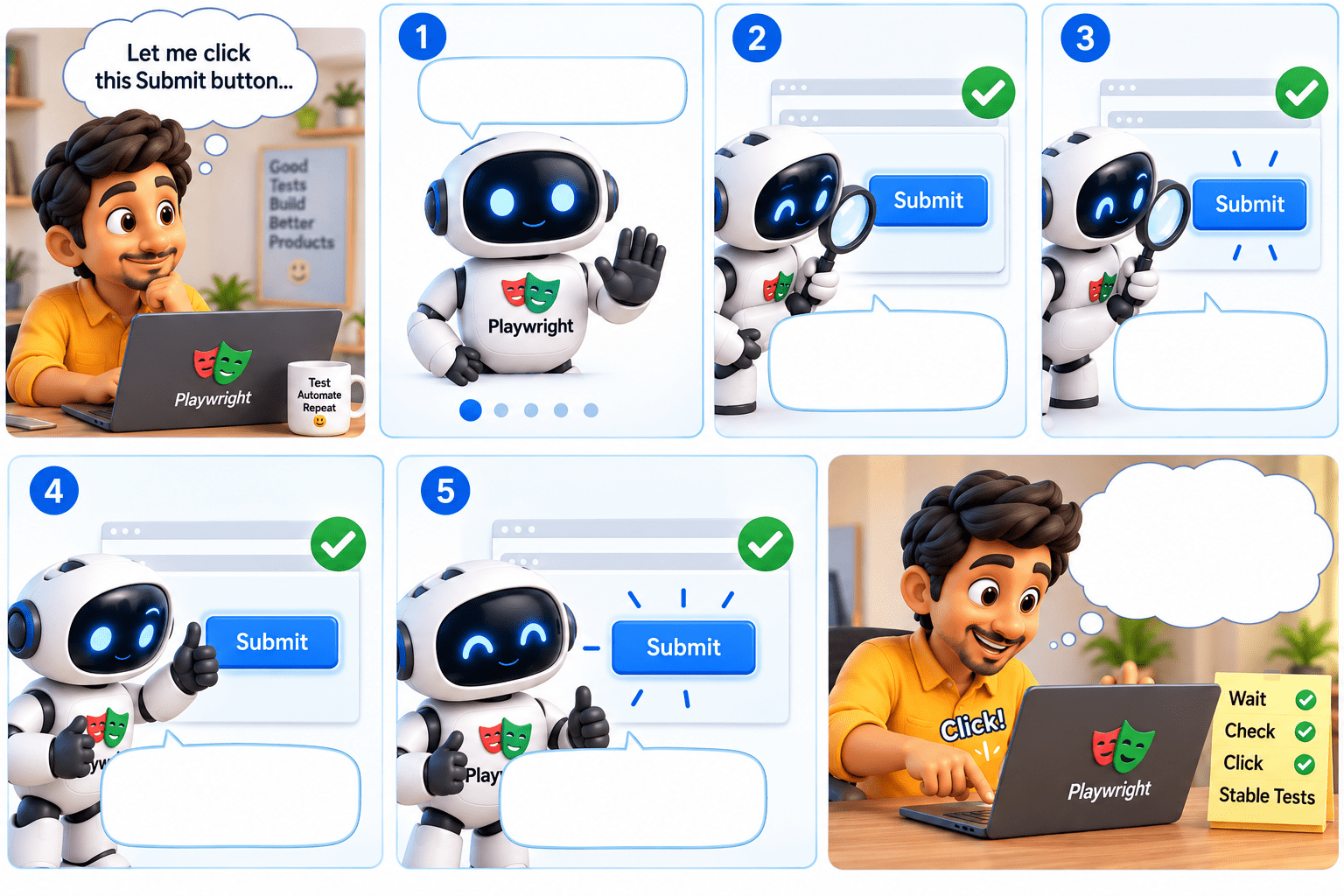
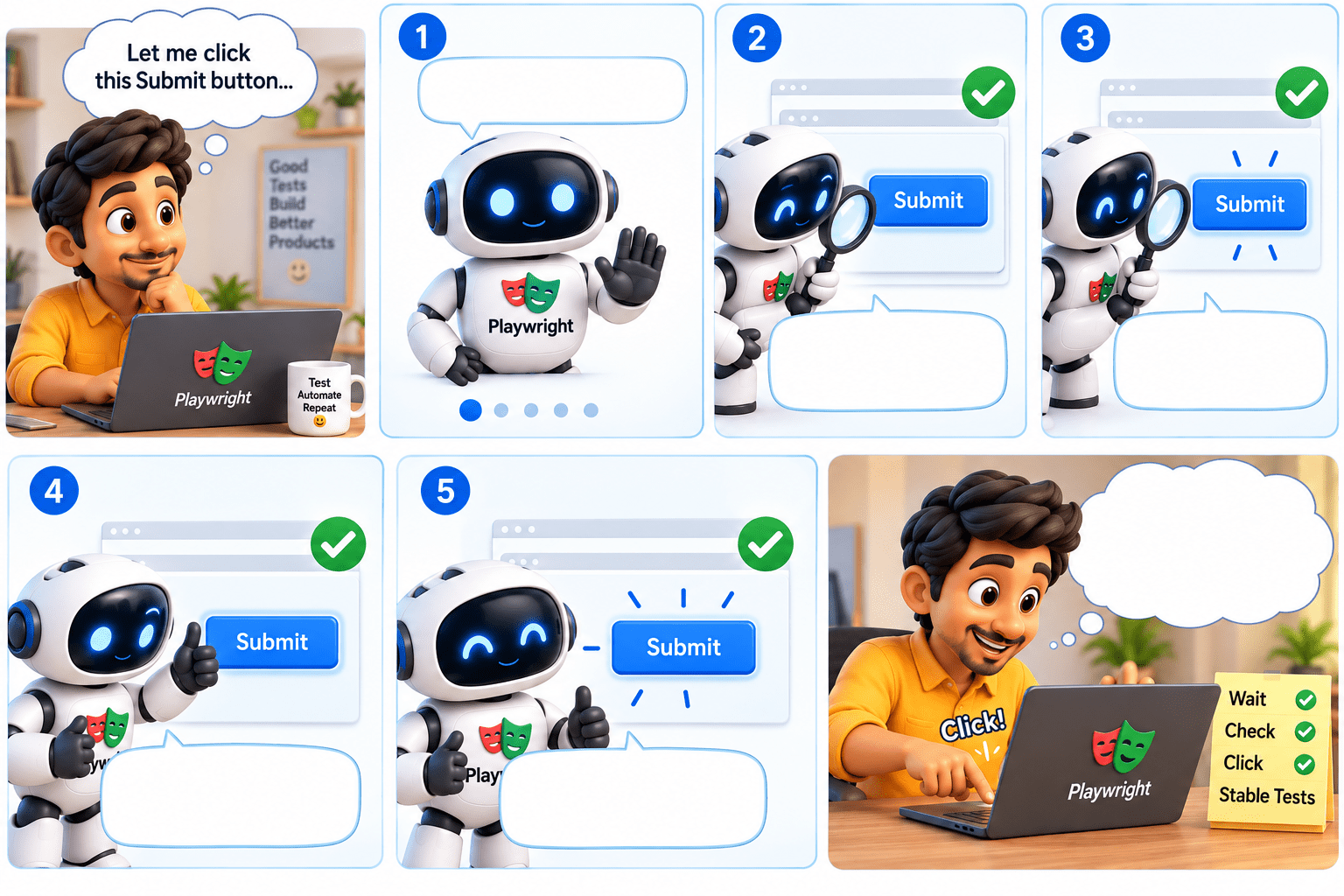
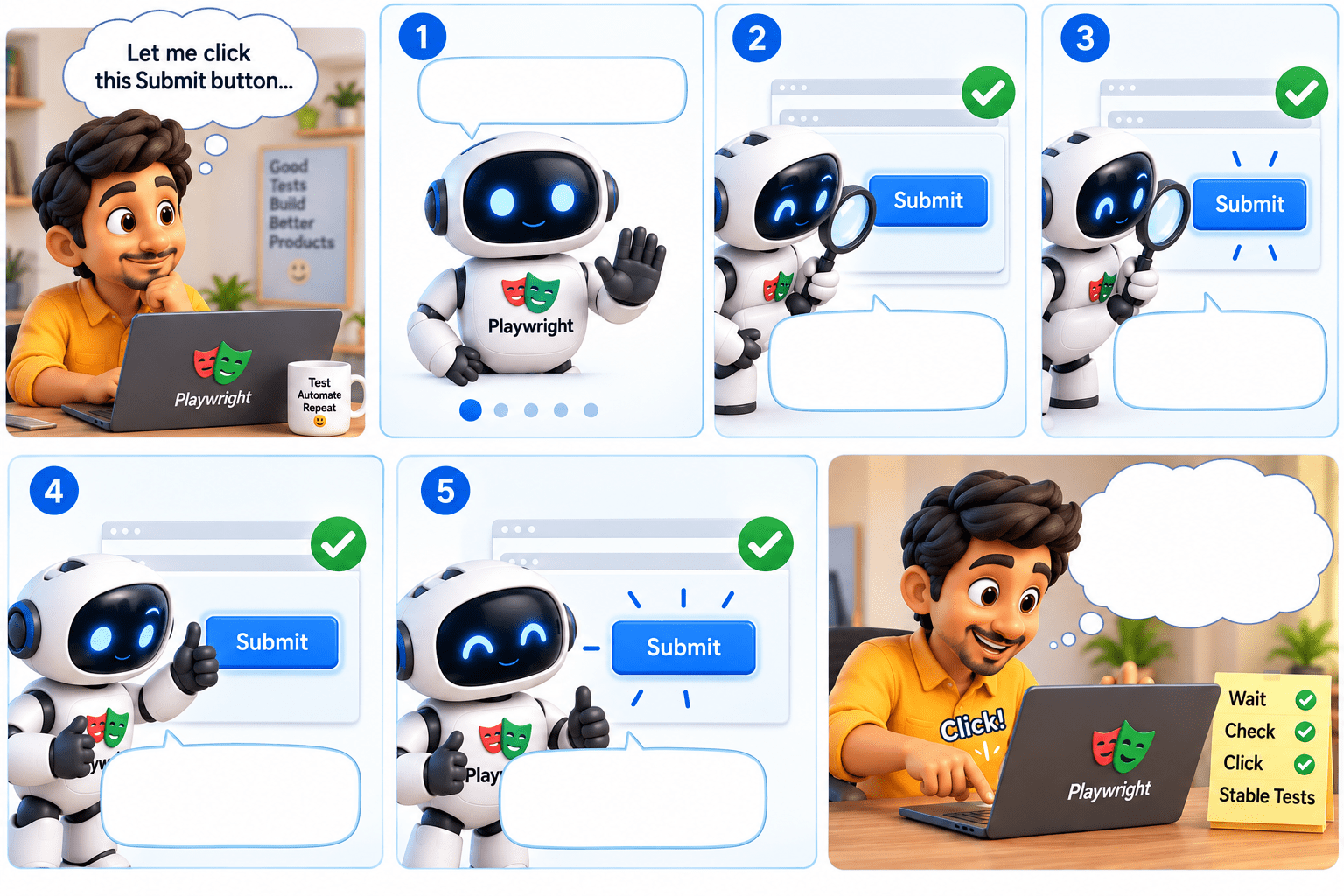
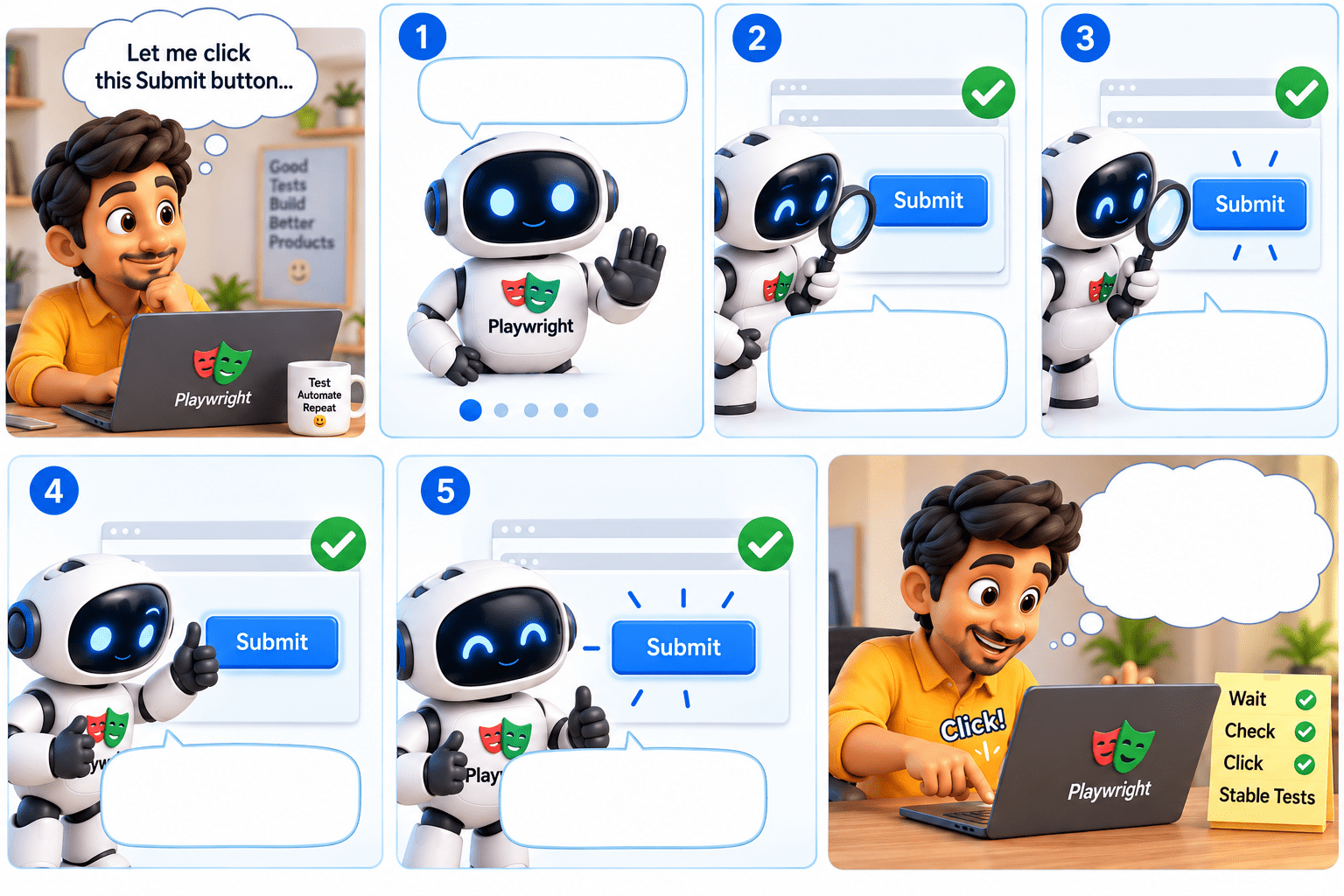
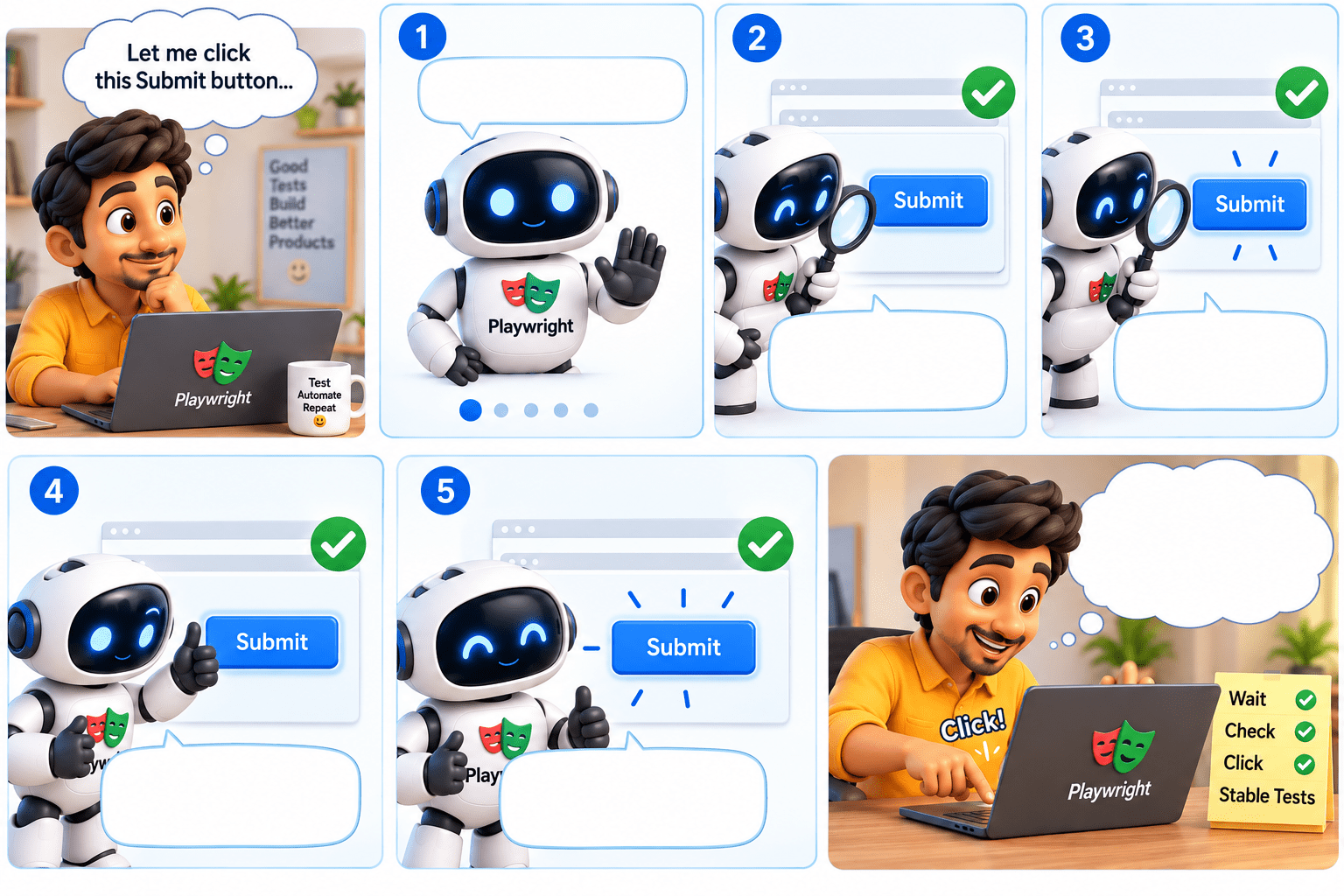
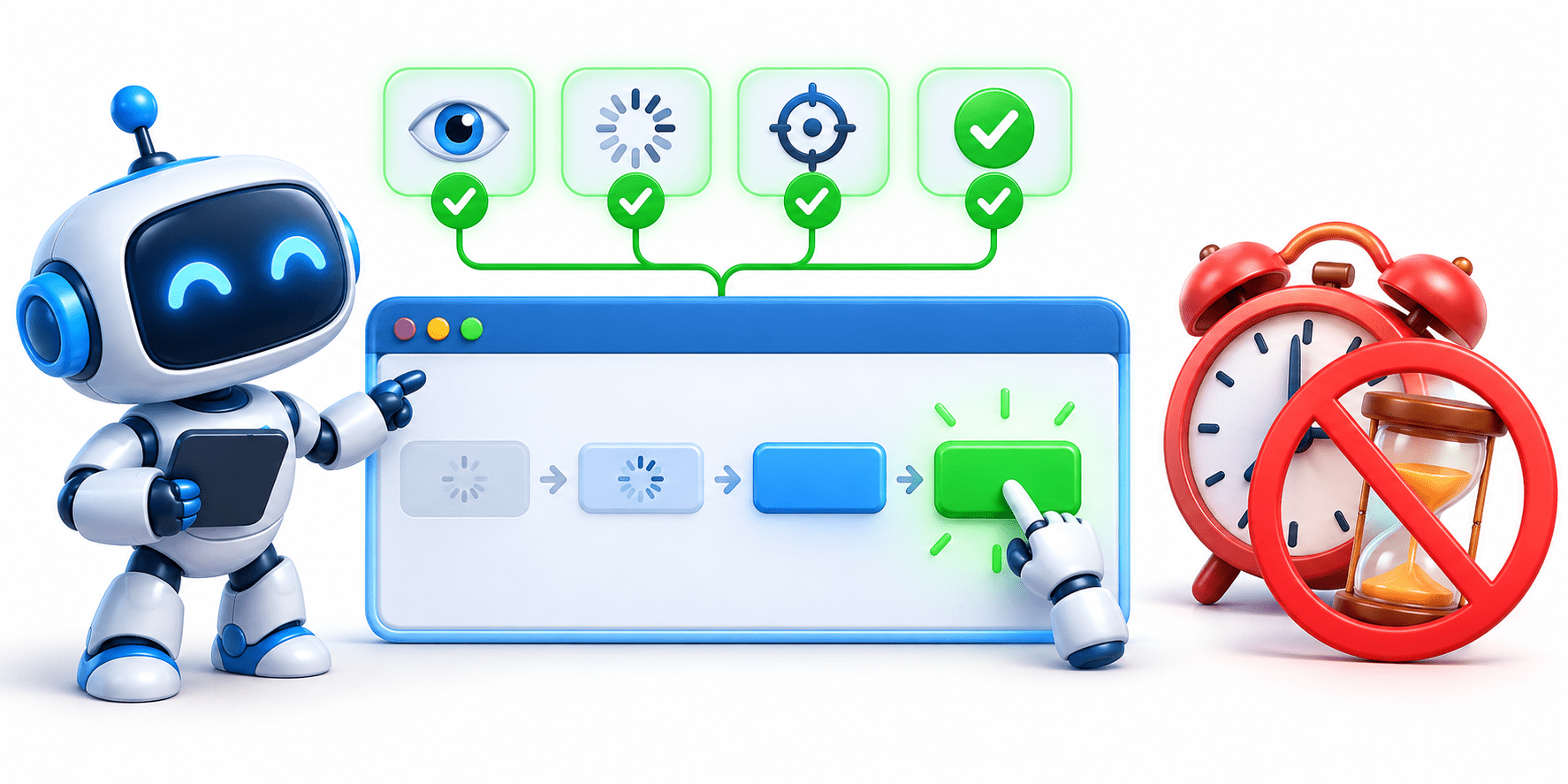
Auto-waiting is a built-in feature of Playwright where Playwright automatically waits for an element to be ready before performing an action.
Wait! Let me check if the button is ready before clicking
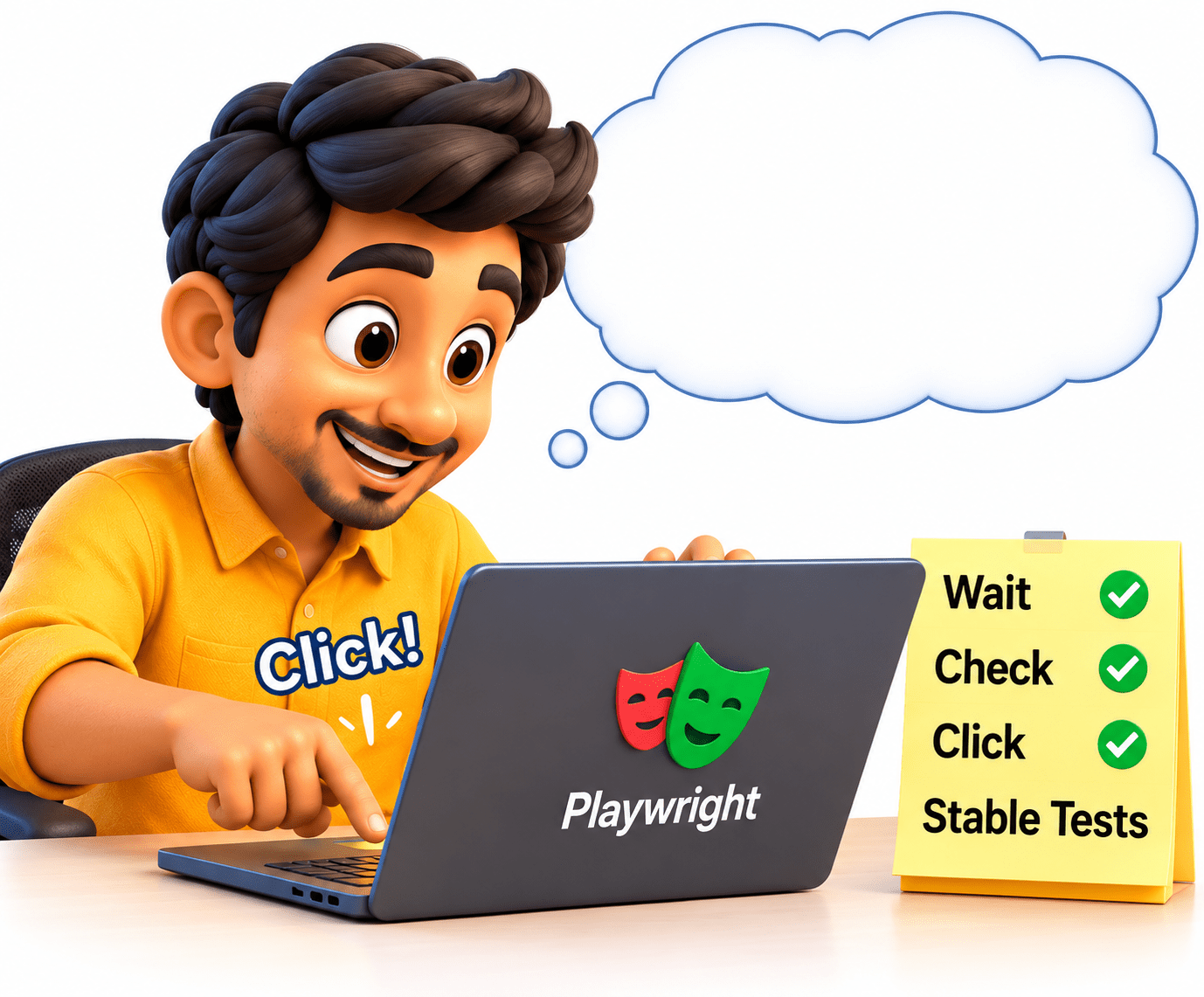
Let me click this Submit button...
Yes! The button is Present in the page.
Present in the page
Yes! The button is visible on the screen
Visible
Yes! The button is enabled(Clickeable)
Enabled
Great! The button ready to recieve action
Ready to recieve action
Click works Perfectly
Example
page.locator("#loginBtn").click();Playwright automatically waits for #loginBtn to become ready before clicking it.
Benefits
Reduces timing-related failures
No need to add waits for every action
Makes tests more stable
Avoids unnecessary Thread.sleep()
Playwright waits automatically for elements to be ready before performing most actions.
Common Wait Methods
waitFor()
Waits for an element to be available and ready before performing an action.
waitForLoadState()
Waits until the page reaches a specific loading state, such as load or networkidle.
waitForURL()
Waits until the page navigates to the expected URL.
waitForTimeout()
Pauses the test for a fixed amount of time. It should be avoided when condition-based waits are available.
Use condition-based waits whenever possible to make Playwright tests faster and more reliable.
Types of Waits
Auto-Waiting
Playwright automatically waits for elements to be ready before performing actions.
Eg.page.locator("#loginBtn").click();
1
Explicit Wait
Tester specifically waits for a particular condition.
Eg.page.locator("#message").waitFor();
2
Wait for Page Load
Waits until a specific page loading state is reached.
Eg.page.waitForLoadState();
3
Playwright mainly provides the following ways to handle waiting
Wait for URL
Waits until the page navigates to the expected URL.
Eg.page.waitForURL("**/dashboard");
4
Fixed/Timeout Wait
Waits for a specified amount of time.
Eg.page.waitForTimeout(2000);
Use this only when necessary because it can make tests slower.
5
Prefer Playwright's auto-waiting and condition-based waits instead of unnecessary fixed delays like Thread.sleep().
Handling Dynamic Elements in Playwright
Dynamic elements are elements whose visibility, position, content, or availability changes while the web page is loading or during interaction.
Playwright handles dynamic elements mainly through its built-in auto-waiting and condition-based waits.
Wait for elements
Playwright waits until an element is ready for interaction.
Handle changing content
Useful when data loads dynamically through APIs.
Use stable locators
Prefer id, role, text, or other reliable locators.
Wait for conditions
Wait for an element, URL, or page state instead of using fixed delays.
Avoid Thread.sleep()
Fixed delays can make tests slow and unreliable.
Example
page.locator("#searchResults").waitFor();
page.locator("#searchResults").click();
Here, Playwright waits for #searchResults to become available before clicking it.
For dynamic elements, wait for the required condition rather than waiting for a fixed amount of time.
Summary
5
They make tests stable, reliable, and efficient.
4
Waits can handle page loads and URL changes.
3
Condition-based waits handle dynamic elements.
2
Playwright automatically waits for elements to be ready.
1
Waits help synchronize tests with the application.
Quiz
After clicking the Login button, the application navigates to /dashboard. Which method is most suitable to wait for the navigation?
A. waitForSelector()
B. waitForURL()
C. waitForTimeout()
D. locator.waitFor()
Quiz-Answer
After clicking the Login button, the application navigates to /dashboard. Which method is most suitable to wait for the navigation?
A. waitForSelector()
B. waitForURL()
C. waitForTimeout()
D. locator.waitFor()
By Content ITV