

Content ITV PRO
This is Itvedant Content department
Identifying Business Insights with Conditional Formatting
Business Scenario
Welcome to your next task as a Junior Data Analyst at DMart…
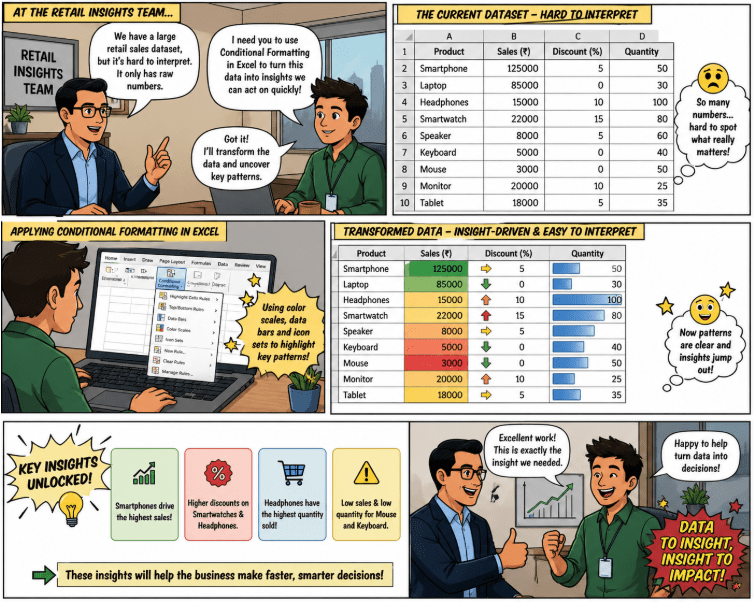
Your reporting manager from the Retail Insights Team has approached you with a key requirement. The team is working with a large retail sales dataset containing important business fields such as Sales, Discount, and Quantity.
However, the current dataset is difficult to interpret because it only contains raw numerical values.
The manager wants you to transform this data into a more visual and insight-driven format so that important business decisions can be made quickly.
Your task is to use Conditional Formatting in Excel to highlight key patterns and extract meaningful business insights from the dataset.
Pre-Lab Preparation
Topic : Conditional Formatting and Visual Analytics
1) Understanding Conditional Formatting
2) Highlighting patterns using Color Scales
3) Applying Top/Bottom Rules
4) Interpreting visual business insights
Task 1: Highlight High Discount Values Using Conditional Formatting
Your first objective is to identify areas where the business is offering high discounts, which may impact profitability.
Your manager explains that excessive discounts can reduce margins, so it is important to quickly detect such cases without manually reviewing each value.
Step 1
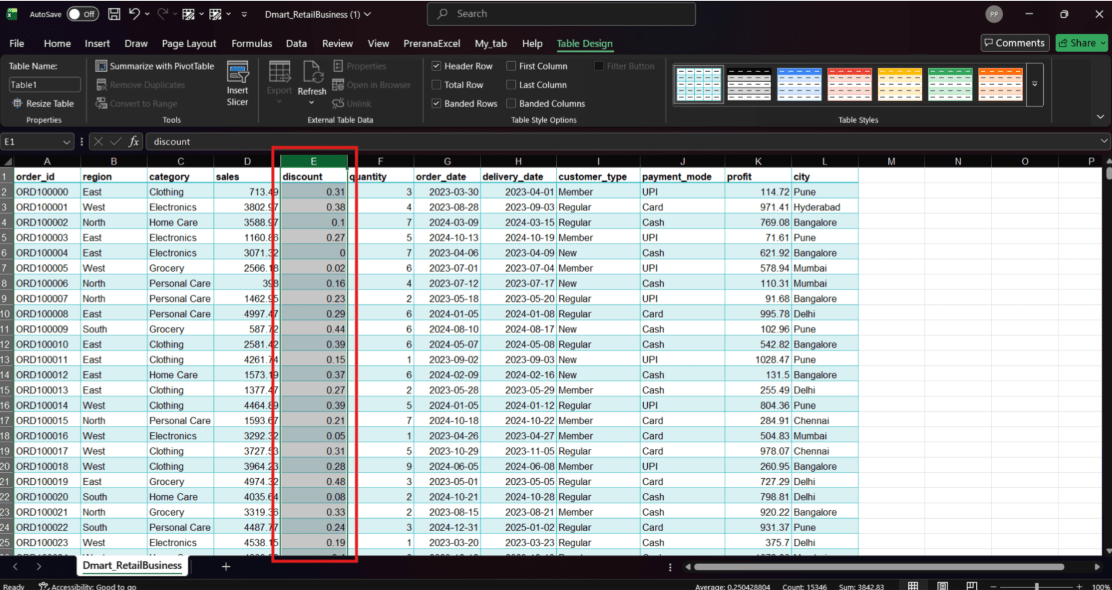
Open the Excel dataset and select the entire Discount column that contains the discount values.
Task 2: Create WireFrame
Now that you understand the requirements, don’t jump into coding yet. Before development, we always visualize the layout.
Now lets create a simple wireframe for the homepage.
A wireframe is like a layout plan of a house. Before building, you decide where rooms, doors, and windows will be placed.Similarly, a wireframe helps you plan where elements like headers, images, and buttons will appear on a webpage—before adding design or colours.
Task 3: Code Editor Installation
Good work on completing the planning phase.
Now we will start development. Before that, make sure your system is ready with the required tools.
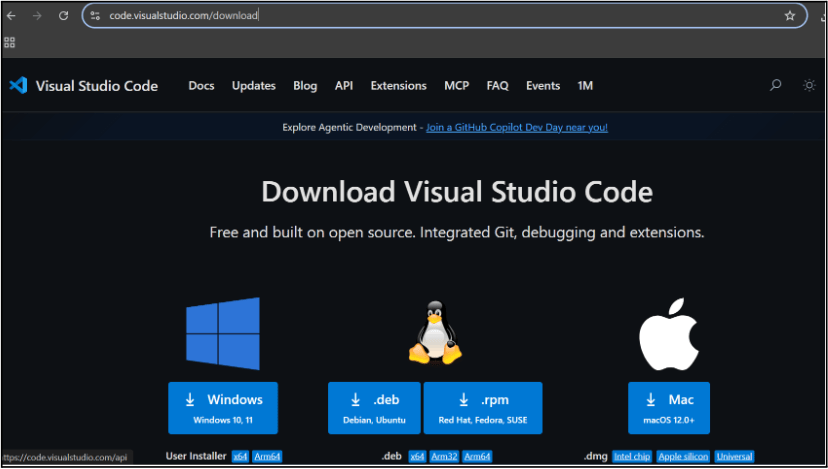
In this step we will install the VS code editor that will help to Write code efficiently,Organize files , Run and test your application
Go to the visual studio code official website
1
Click to download Homepage Wireframe : Homepage Wireframe
Choose your operating system(windows / Mac) and download the installation file.
Double click on the download app and Accept the agreement and click next
2
It is a long established fact that a reader will be distracted
b
Sub Steps
a
Double click on the download app and Accept the agreement and click next
public class MathSample {
    public static void main(String[] args) {
        int x = 10;
        int y = 20;
        int sum = x + y;

        System.out.println("The sum is: " + sum);
    }
}
public class MathSample {
public static void main(String[] args) {
int x = 10;
int y = 20;
int sum = x + y;
System.out.println("The sum is: " + sum);
}
}
public class MathSample {
public static void main(String[] args) {
int x = 10;
int y = 20;
int sum = x + y;
System.out.println("The sum is: " + sum);
}
}
Great job!
You have successfully completed your first lab on BiteBox Project Onboarding.
In this lab, you have: Understood the BRD, Created a wireframe, Set up your development environment, Organised your project structure, Run your first program
You are now ready to move to the next stage of development
Checkpoint
Next-Lab Preparation
Git Push
git push origin branchNameTopic : Working with a Text and Listin HTML
1) Power of HTML text tags
2) Customizing your style with CSS
3) Listing it right using HTML
4) HTML Link up , attributes of tag, block vs inline elements
Text box Width : 887
Business Scenario, Pre-lab Preparation, Next-lab Preparation, Task, Activity, Checkpoint : 90%.
Steps : 1,2,3 [Sub Steps - a,b,c]
Normal Text, Topic Name : 80%
Subtopic : 70%
Code Box font Size : 16px
By Content ITV