























Content ITV PRO
This is Itvedant Content department
TestNG Integration
Assertions and Reporting
Learning Outcome
4
Analyze results using TestNG HTML/XML reports.
3
Use methods like assertEquals, assertTrue, and assertFalse
2
Apply hard and soft assertions appropriately.
1
Use assertions to compare expected and actual results.
5
Improve test quality with assertions and reporting
Recall
Assertions and Reporting
Awareness of basic test validation concept (checking expected vs actual results)
Basic understanding of TestNG test execution flow using annotations like @Test, @BeforeMethod, and @AfterMethod
Knowledge of Java fundamentals, especially boolean conditions and comparison operators
Familiarity with running TestNG test cases and observing pass/fail outcomes
Understanding of simple debugging using console output (System.out.println)
Basic idea of test execution results and logs generated after running tests
These concepts help in better understanding how assertions validate results and how reporting reflects test execution outcomes.
@BeforeClass
Set up camera, lights, location
@BeforeMethod
Prepare actors before each scene
Why do we use assertions in TestNG?
@Test → Shoot the actual scene
@AfterMethod
Reset actors & scene after each shot
@AfterClass
Pack up equipments
@Test → Shoot the actual scene
@AfterTest
Wrap up shooting schedule
@AfterClass
Pack up equipment
TestNG annotations in Selenium WebDriver are like a movie shoot where setup happens first, scenes are executed, and cleanup happens in a proper sequence.
Why are TestNG annotations used in Selenium WebDriver?
TestNG annotations are used to control test execution flow, manage setup and teardown, and support test reporting in a structured way.
Control the order of test execution
Handle setup and cleanup (before/after tests)
Reduce repeated code in test scripts
Organize and structure automation tests
Support test execution reporting and results generation
What is TestNG?
TestNG is a testing framework inspired from JUnit and NUnit but introducing some new functionality that makes it more powerful and easier to use.
It is an open-source automated testing framework; where NG of TestNG means Next Generation.
TestNG is similar to JUnit but it is much more powerful than JUnit but still, it's inspired by JUnit.
It is designed to be better than JUnit, especially when testing integrated classes.
Pay special thanks to Cedric Beust who is the creator of TestNG
List of TestNG Annotations
@BeforeSuite → Runs before all tests in suite
@AfterSuite → Runs after all tests in suite
2. Test Level
@BeforeTest → Runs before test section
@AfterTest → Runs after test section
3. Class Level
@BeforeClass → Runs before first method in class
@AfterClass → Runs after all methods in class
List of TestNG Annotations
@BeforeMethod → Runs before each test method
@AfterMethod → Runs after each test method
5. Test Execution
@Test → Marks a test case
6. Additional (Advanced)
@DataProvider → Supplies data to test methods
@Parameters → Passes parameters from XML
@Listeners → Used for reporting and event handling
Execution Order of TestNG Annotations
In TestNG, annotations control how and when different parts of your test code are executed. Understanding their execution order is essential for designing clean and predictable test suites.
@BeforeSuite
@BeforeTest
@BeforeClass
@BeforeMethod
@Test
@AfterMethod
(repeat BeforeMethod → Test → AfterMethod for each test)
@AfterClass
@AfterTest
@AfterSuite
TestNG Priority
We can have multiple @Test annotations in a single TestNG file
By default, methods annotated by @Test are executed alphabetically .
Methods can be executed in a different order, by using parameter "priority" .
@Test(priority=0)
TestNG will execute the @Test annotation with the lowest priority value up to the largest
Dependent Test
TestNG allows to specify dependencies with attributes dependsOnMethods.
@Test(dependsOnMethods={'openBrowser'}
public void closeBrowser()
{
driver.close();
}
@Test
public void openBrowser()
{
driver = new FirefoxDriver();
}
The collection of TestNG Tests together is called a Test Suite.
A test suite can run multiple tests at once by executing the test suite.
Additionally, these test cases can be dependent on each other or may have to be executed in a specific order independently.
It is important to remember that the we need to create a TestNG XML file for test suite to be run
Grouping of Tests
Groups in TestNG denote the process of grouping different tests together into a straightforward group and running these tests together by just running the group in a single command
<?xml version="1.0" encoding="UTF-8"?>
<suite name="Sample Suite">
<test name="testing">
<groups>
<run>
<include name="Regression"/>
</run>
</groups>
<classes>
<class name="com.example.tests.SampleTest"/>
</classes>
</test>
</suite>
Passing Parameters In TestNG
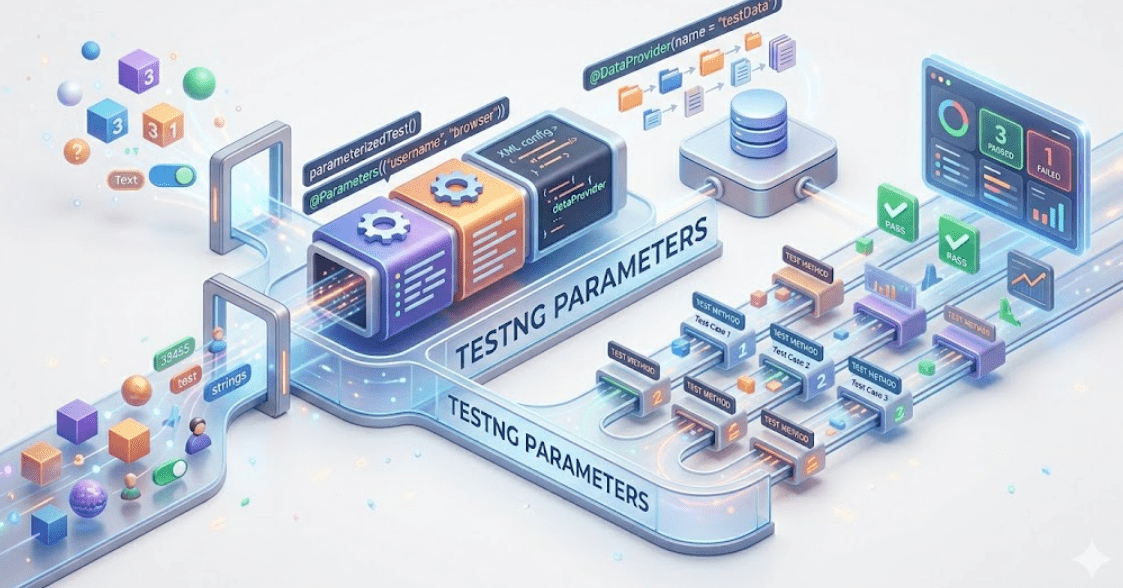
There are two ways to pass the parameters in TestNG:
TestNG Parameters
TestNG DataProviders
DataProviders pass the different parameters on a single test in a single execution, whereas parameters pass the parameters just once per execution in TestNG
TestNG Parameters
Parameters in TestNG are similar to annotations in TestNG in their declaration.
Similar to parameters in any other programming language, they are declared to pass some values onto the function.
A simple reason to use parameters is that they let us run a function many times with different values or to run different functions with the same values.
An example of using the parameters in TestNG can be entering different values in an input box .
Parameters pass the values in the runtime.
@Parameters ({"a", "b"})
where a and b are the values that pass to the function.
TestNG Parameters are run through the TestNG XML file and not from the test case files directly.
NOTE
TestNG Dataprovider
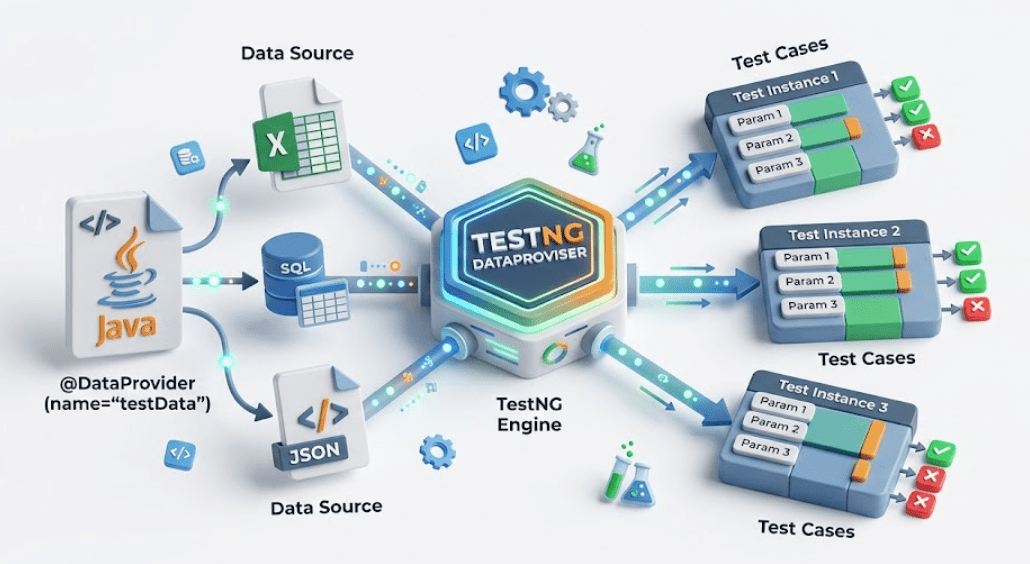
The DataProviders in TestNG are another way to pass the parameters in the test function, the other one being TestNG parameters.
DataProviders pass different values to the TestNG Test Case in a single execution and in the form of TestNG Annotations.
DataProvider Syntax:
The TestNG DataProvider is used in the following manner:
@DataProvider (name = "name_of_dataprovider")
public Object[][] dpMethod()
{
return new Object [][] { values}
}
Summary
4
3
2
1
WebElements represent HTML elements on a web page in Selenium.
5
Check element states: displayed, enabled, selected.
Perform actions: click, type, clear, submit.
1
TestNG annotations help organize test execution.
2
@Test defines the test cases.
3
@BeforeMethod and @AfterMethod handle setup and teardown.
4
@BeforeClass and @AfterClass manage class-level execution.
5
Annotations improve readability, reusability, and maintainability.
Quiz
What will happen if a test method depends on another method that fails?
A. Dependent test will still execute
B.Dependent test will be skipped
C. Dependent test will pass automatically
D.Entire test class will stop execution
Quiz - Answer
What will happen if a test method depends on another method that fails?
A. Dependent test will still execute
C. Dependent test will pass automatically
D.Entire test class will stop execution
B.Dependent test will be skipped
By Content ITV