Content ITV PRO
This is Itvedant Content department
Learn how to detect, prevent, and control network traffic using security tools
Business Scenario
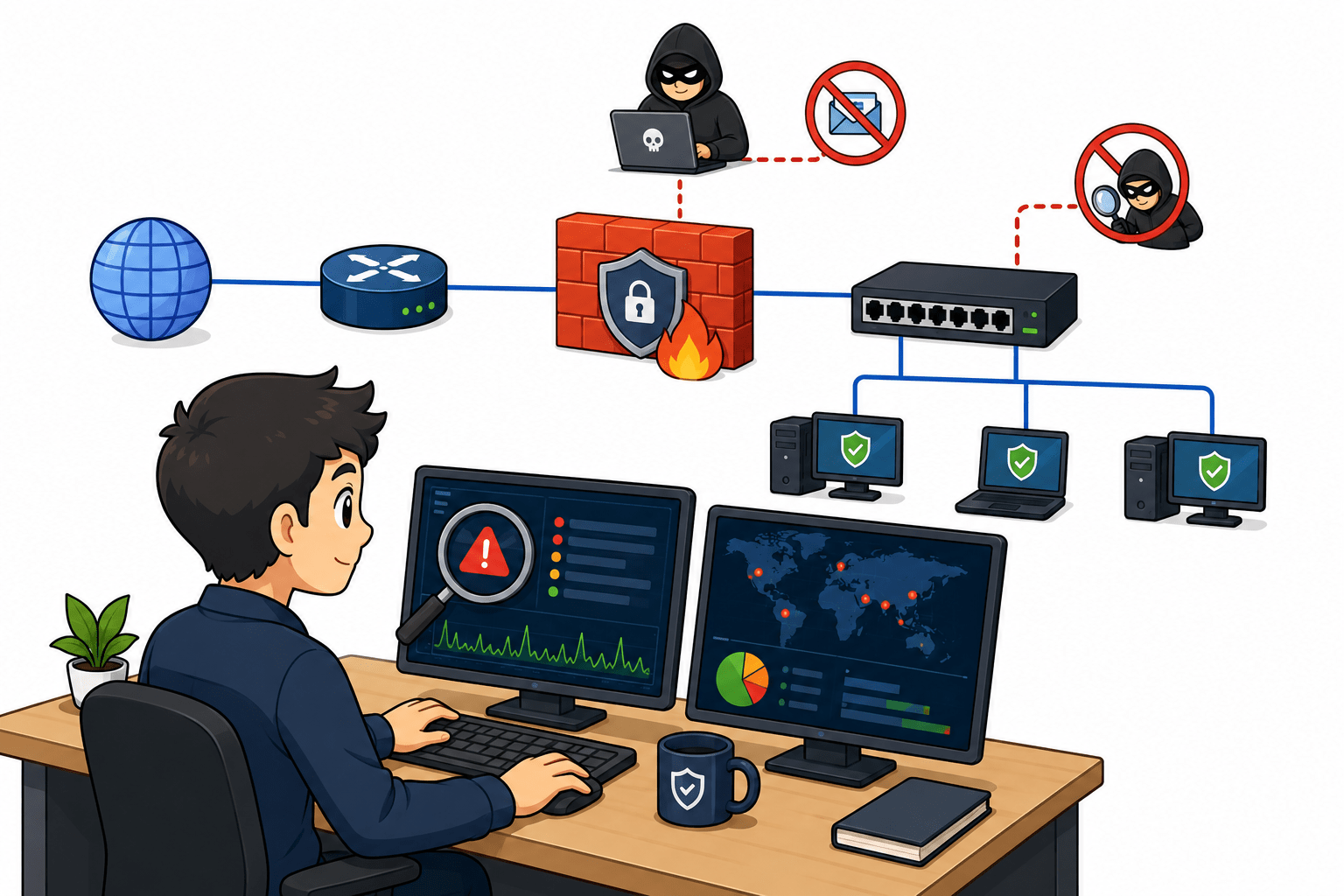
You are a cybersecurity analyst at CyberShield Labs, where your task is to monitor and secure the organization’s network from potential threats. You implement Snort in IDS mode to detect suspicious traffic and analyze real-time network activity. Additionally, you configure firewall rules to block ICMP requests and prevent unauthorized network scanning. Through this practical setup, you strengthen network security and ensure safe communication across systems.
Pre-Lab Preparation
Topic : Network Security & Protection
Task 1: Implement Snort in IDS mode on Windows to monitor and detect suspicious traffic
1
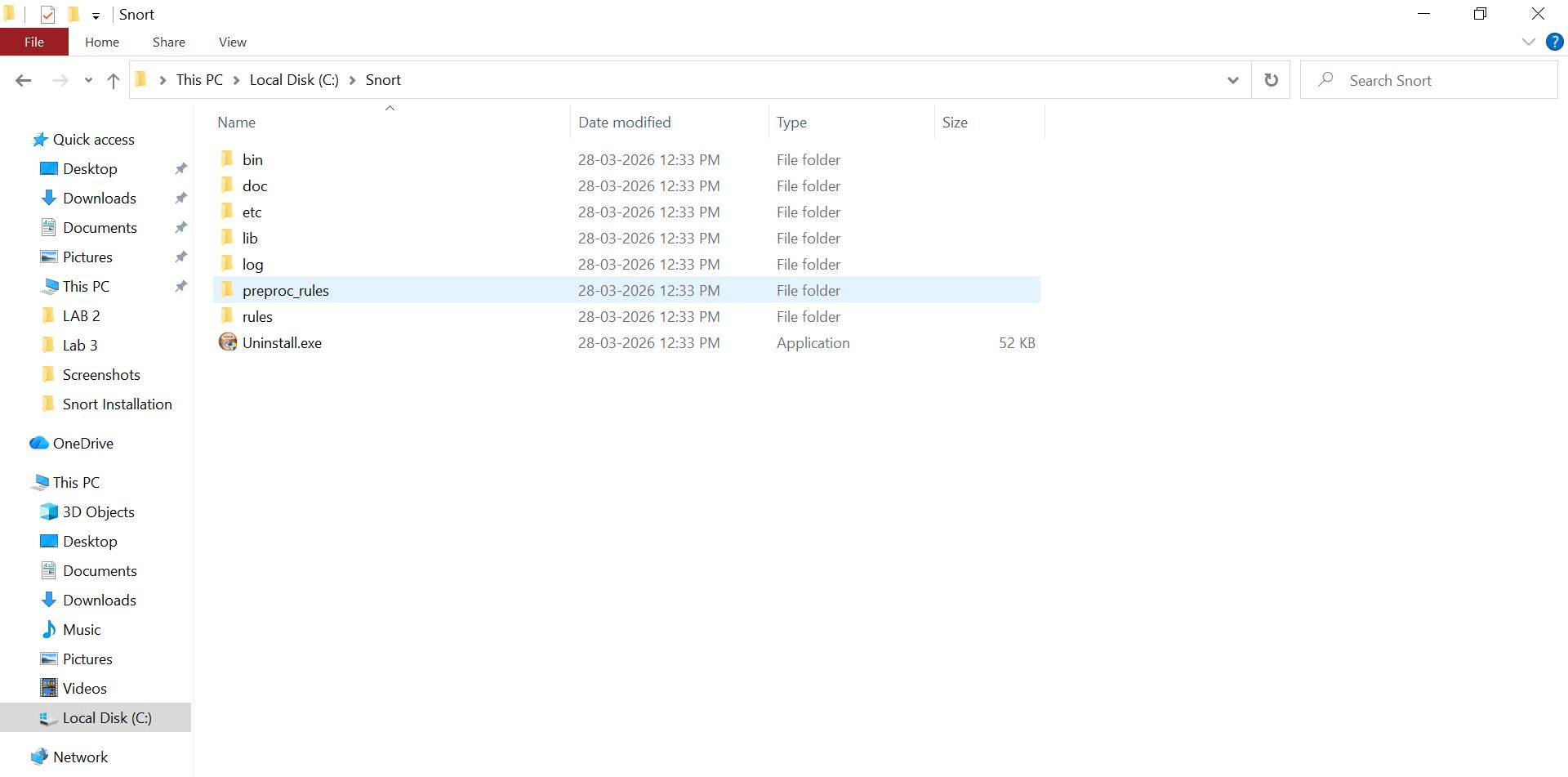
Verify Snort Installation
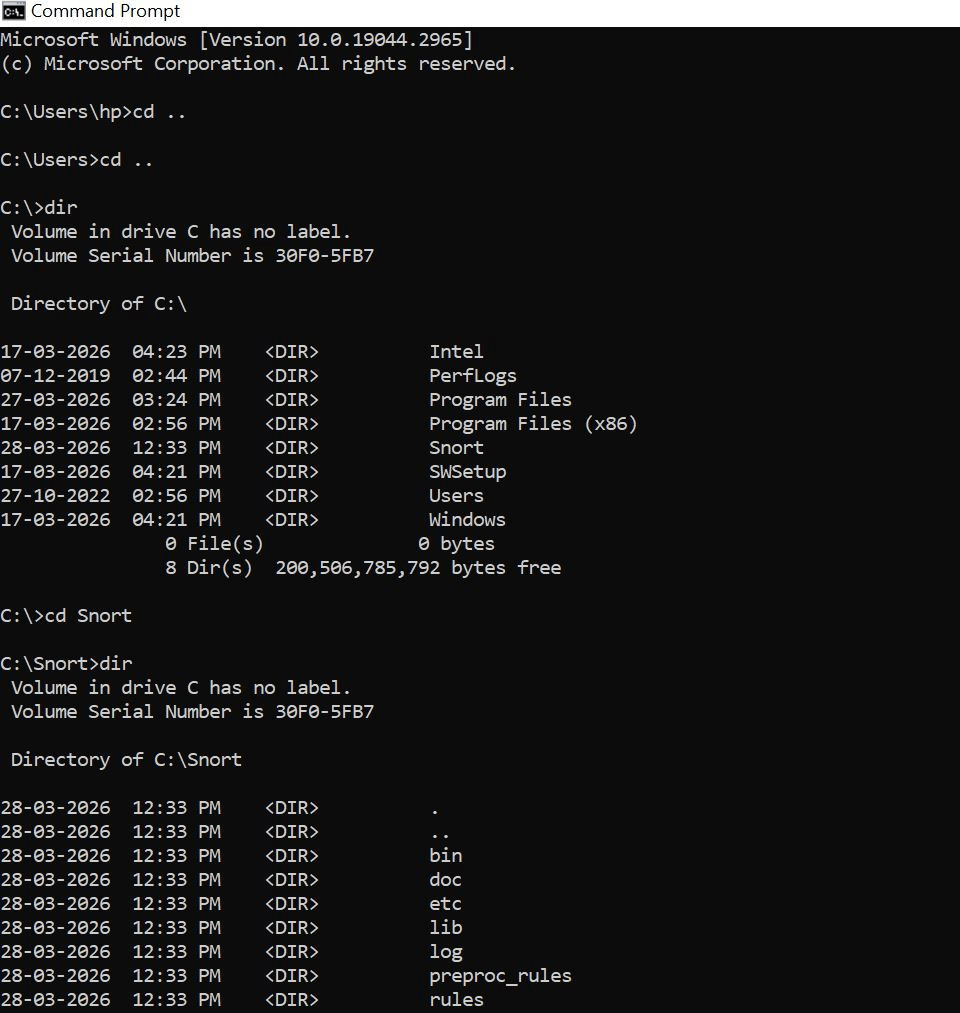
Check folders: C:\Snort
Should contain:
bin
etc
rules
Log
2
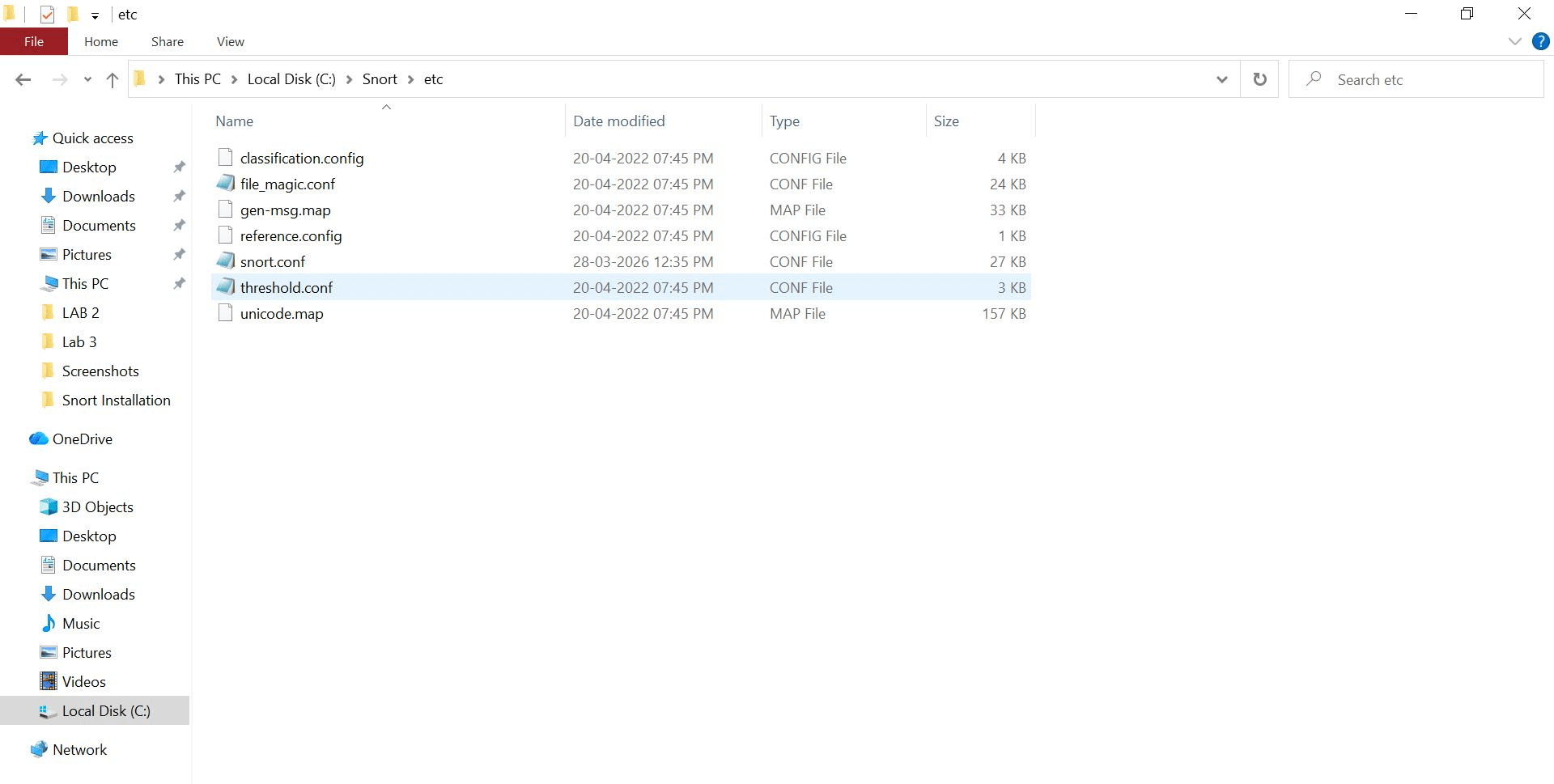
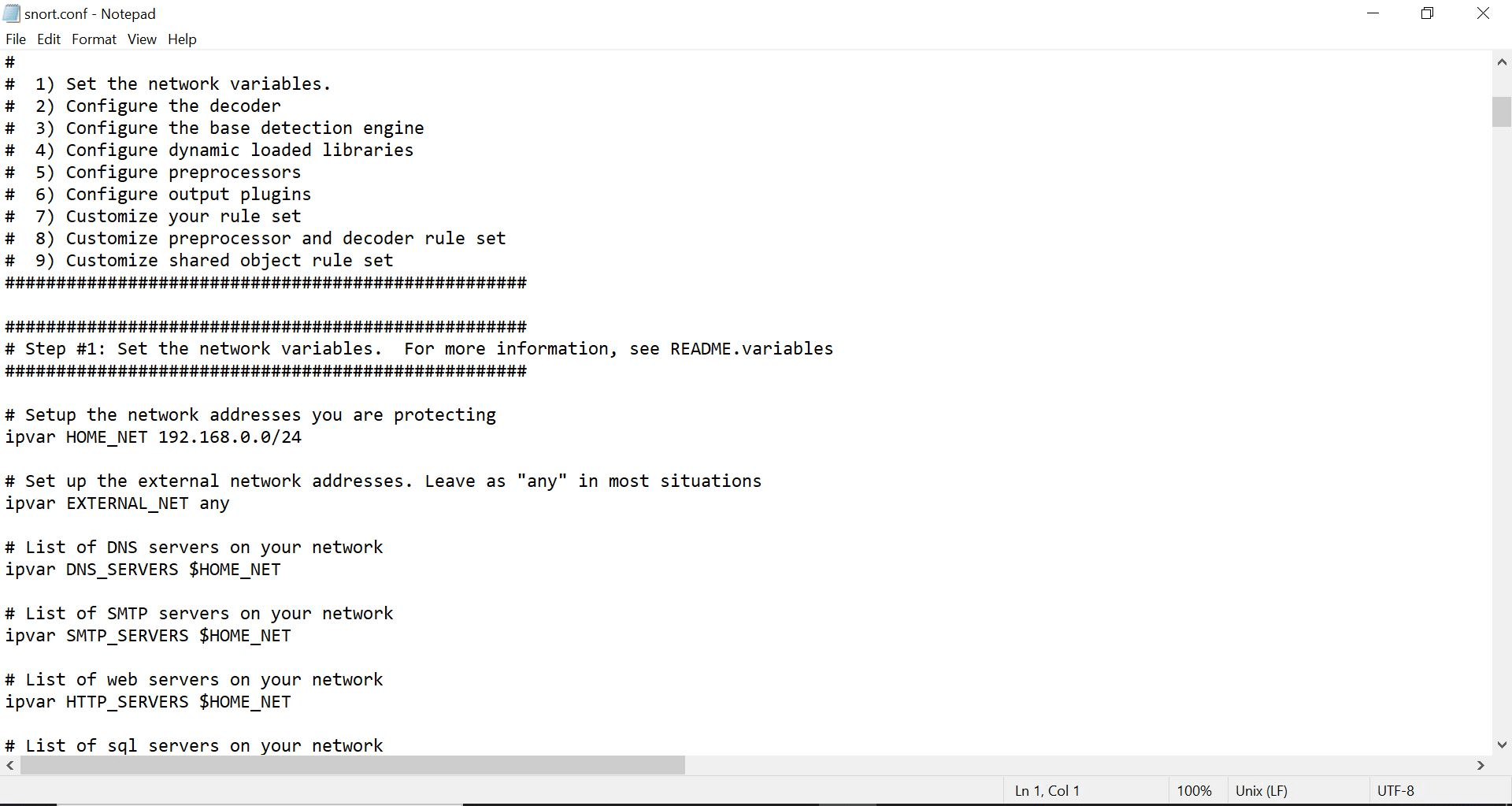
Edit Snort Configuration File
Go to:
C:\Snort\etc\snort.conf
a
Open in Notepad and update:
b
Find:
ipvar HOME_NET any
Replace with your IP range:
ipvar HOME_NET 192.168.x.x/24
3
Open Command Prompt
Press Win + R
Type cmd
Press Enter
Navigate to Root Directory
4
5
Command used:
Purpose:
Move from C:\Users\hp → C:\
Enter Snort Directory
Command:
cd ..
cd ..
cd Snort
cd dirNavigate to Snort Folder:
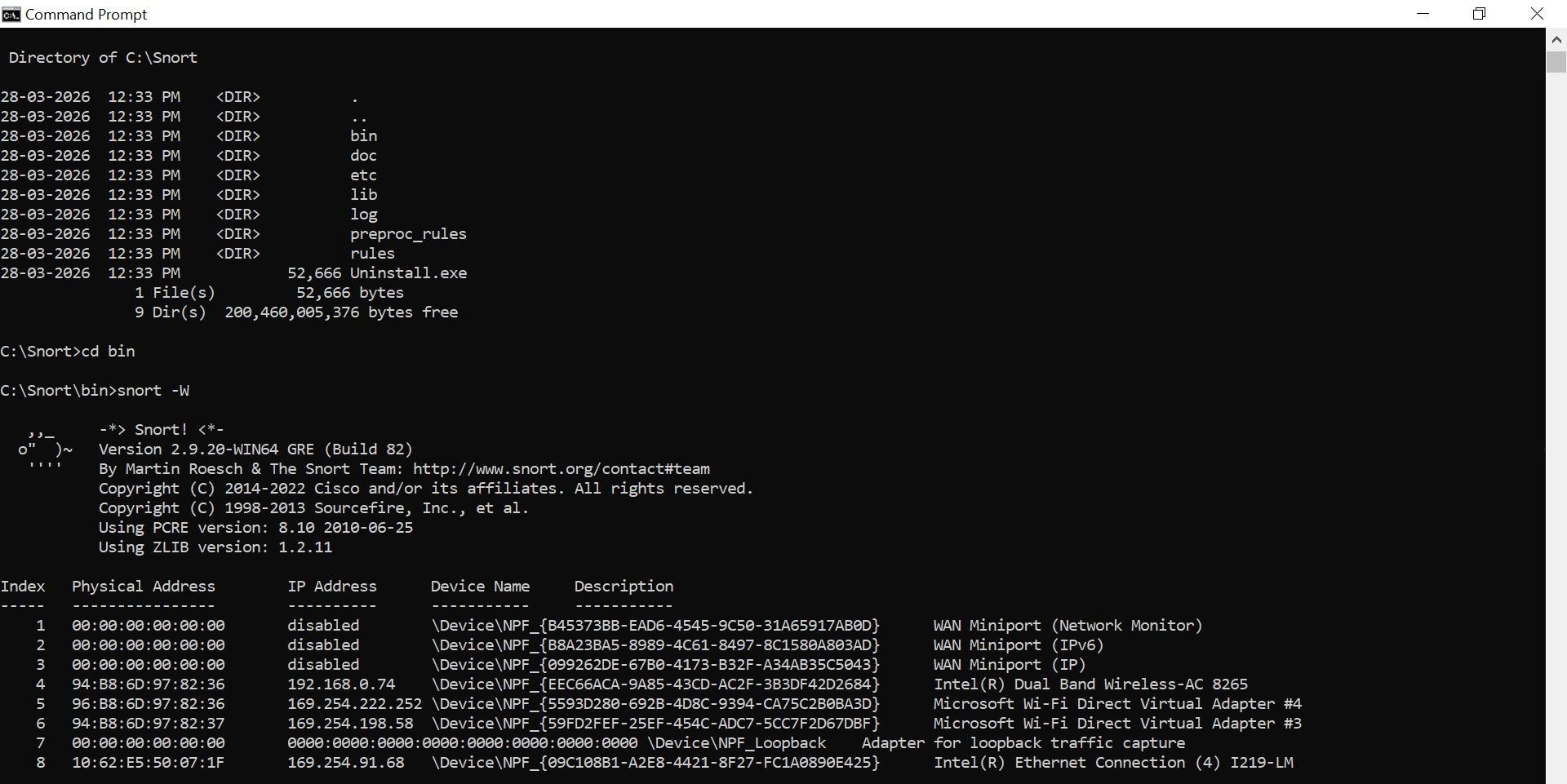
cd C:\SnortGo to Binary Folder
cd binThis is where snort.exe is located
Run Interface Listing Command
snort -WAnalyze Output
From your screenshot, Snort displays:
a
b
c
d
Execute Snort Command
6
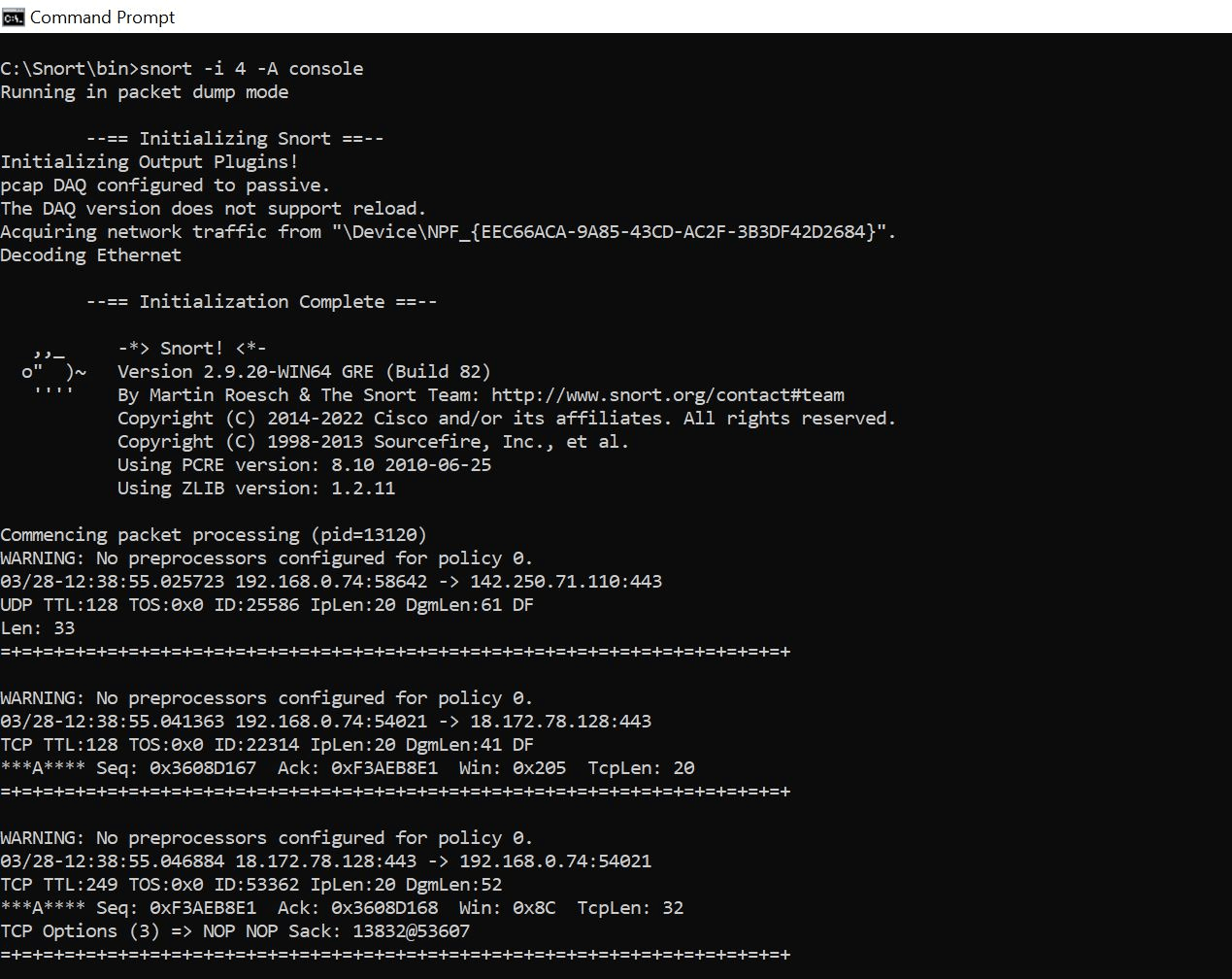
Command used:
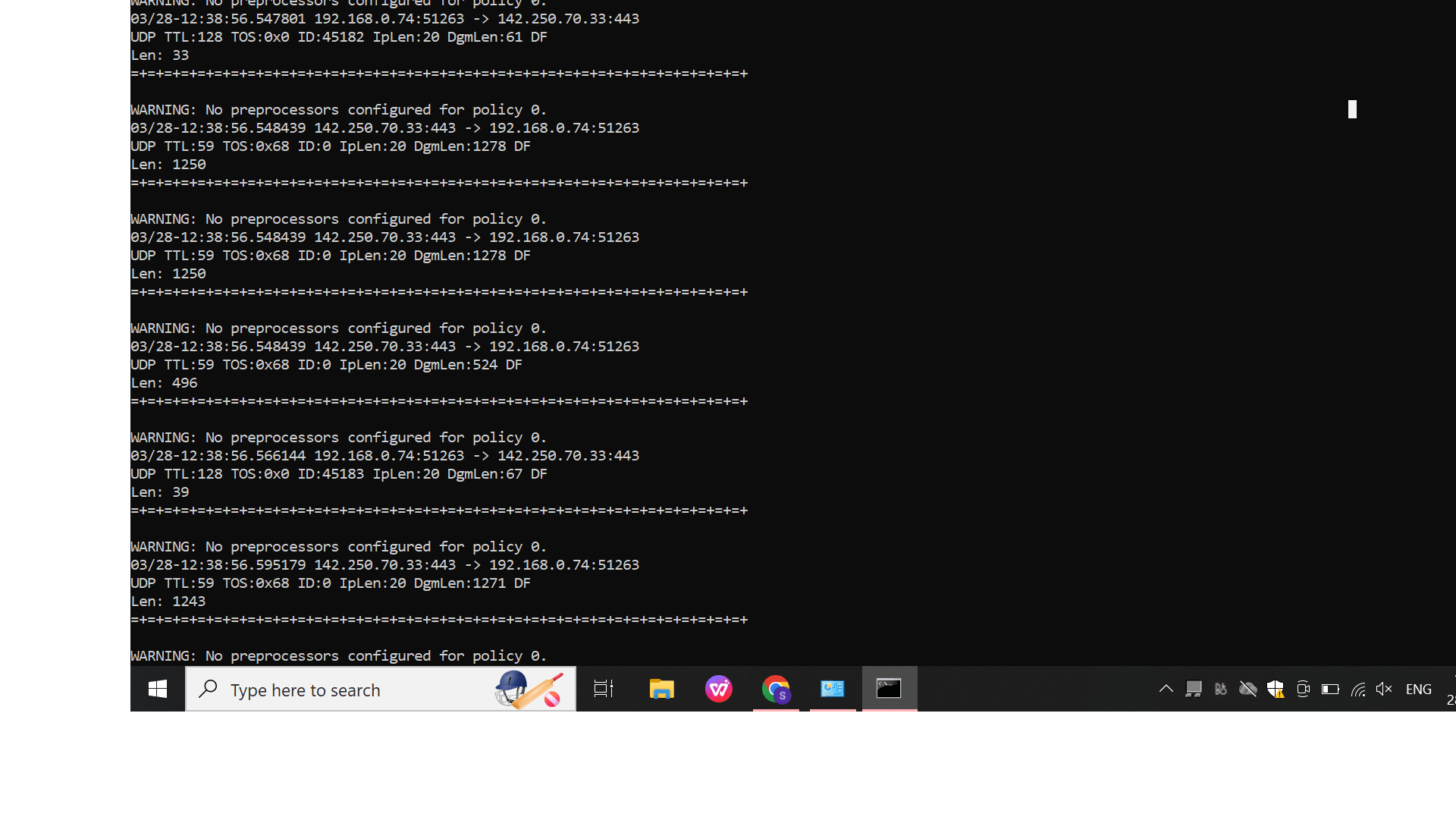
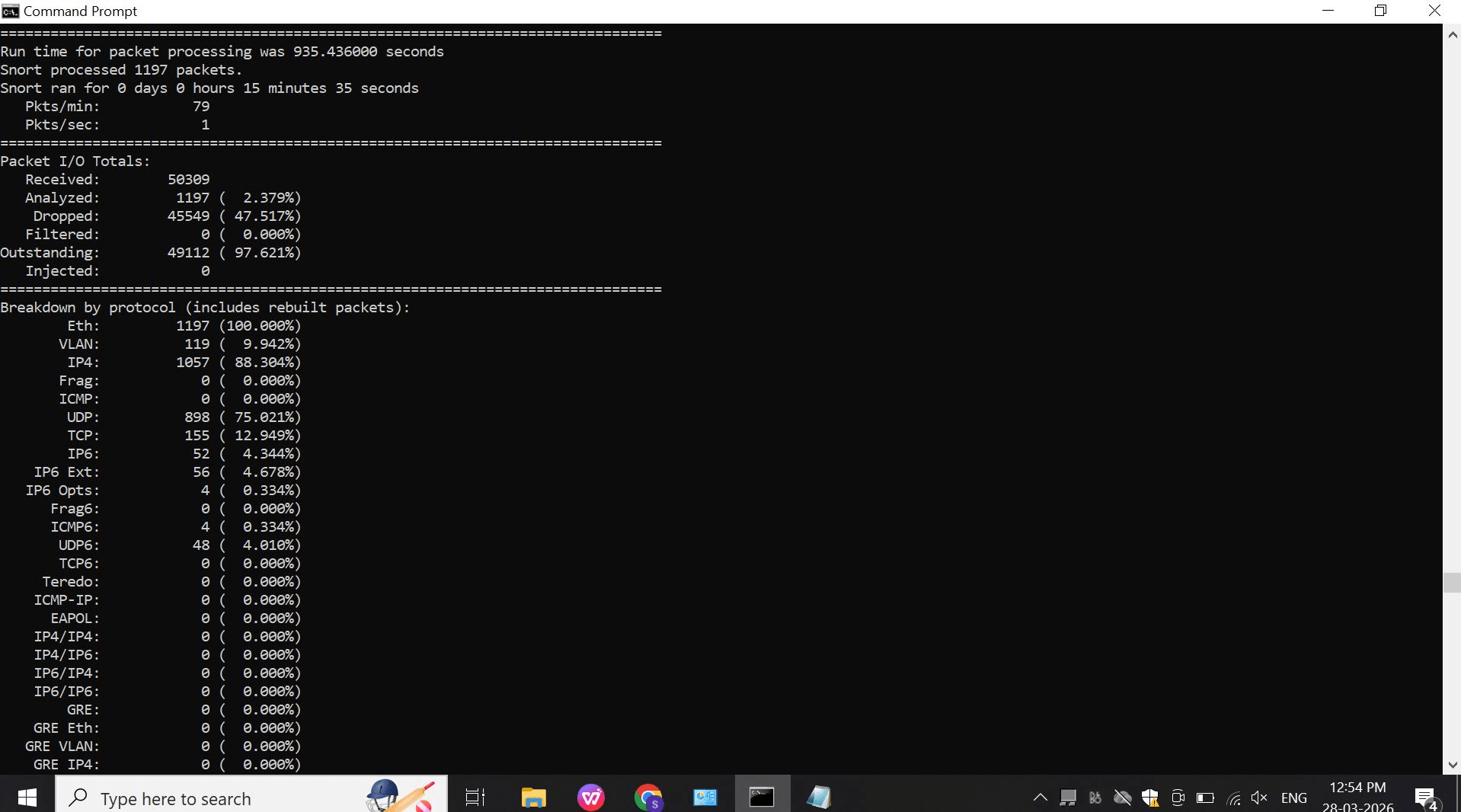
snort -i 4 -A consoleTraffic Monitoring Output
7
Example from your screen:
192.168.0.74:58642 -> 142.250.71.110:443
Meaning:
Source: Your system
Destination: External server
Port 443 → HTTPS traffic
Task 2: Controlling Network Traffic Using Firewall Rules
Aim To block ICMP (ping) requests to prevent network scanning.
Steps1
1
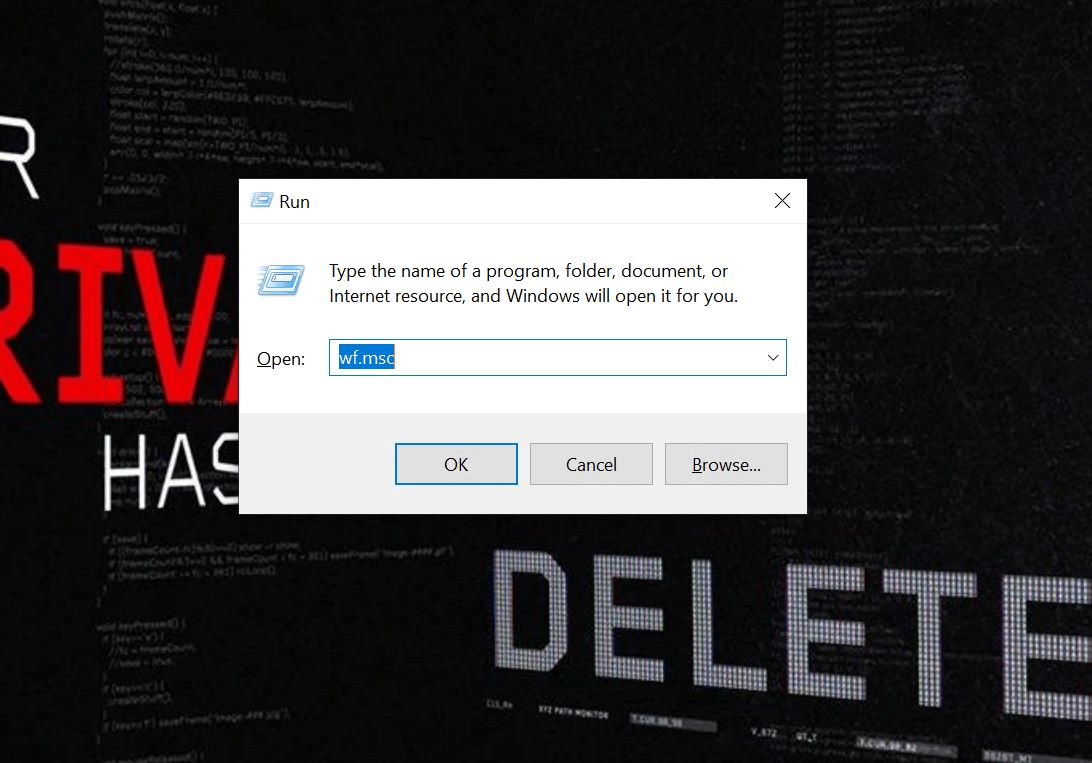
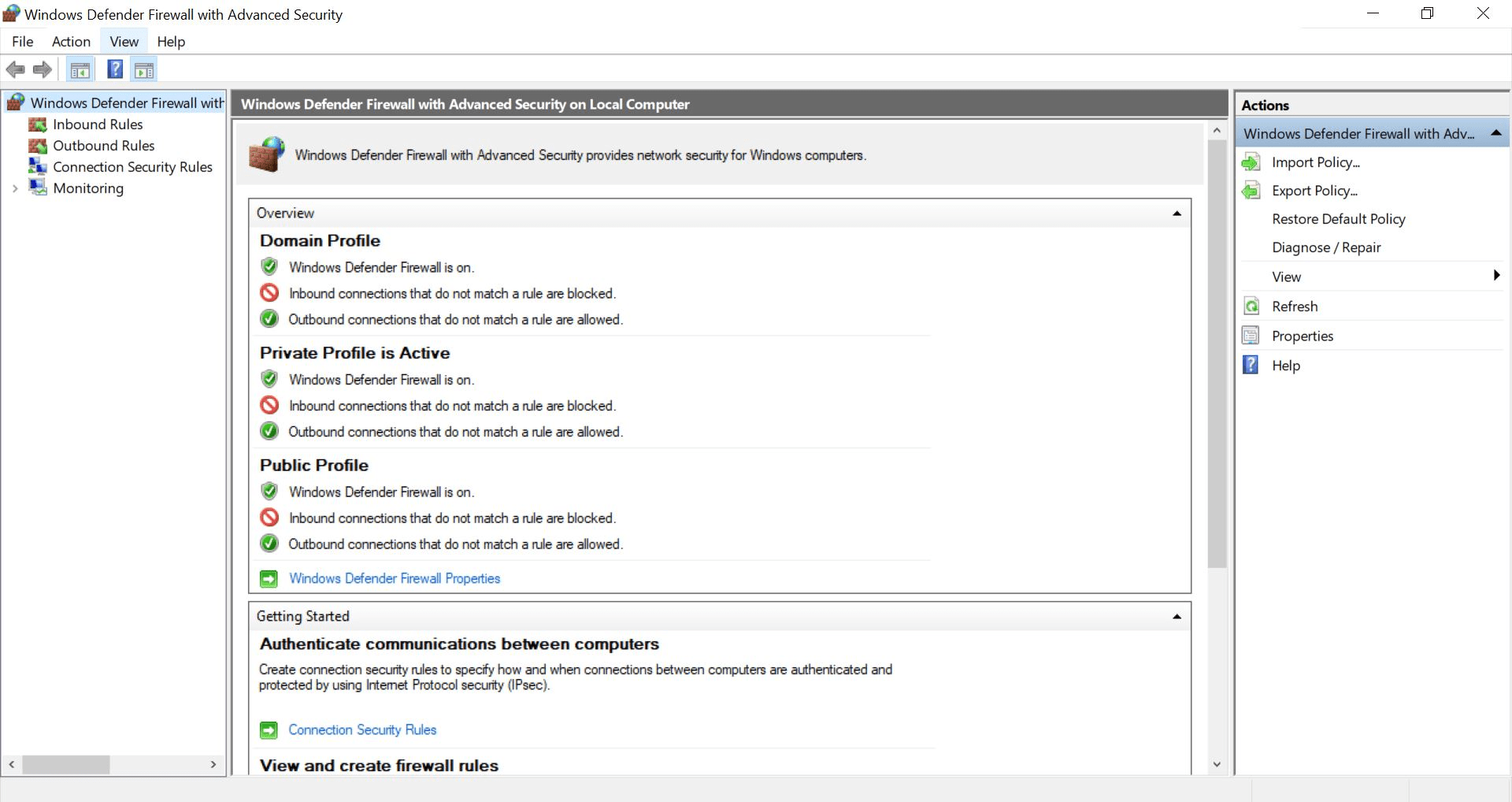
Open Run → wf.msc
a
Step 2 :
2
3
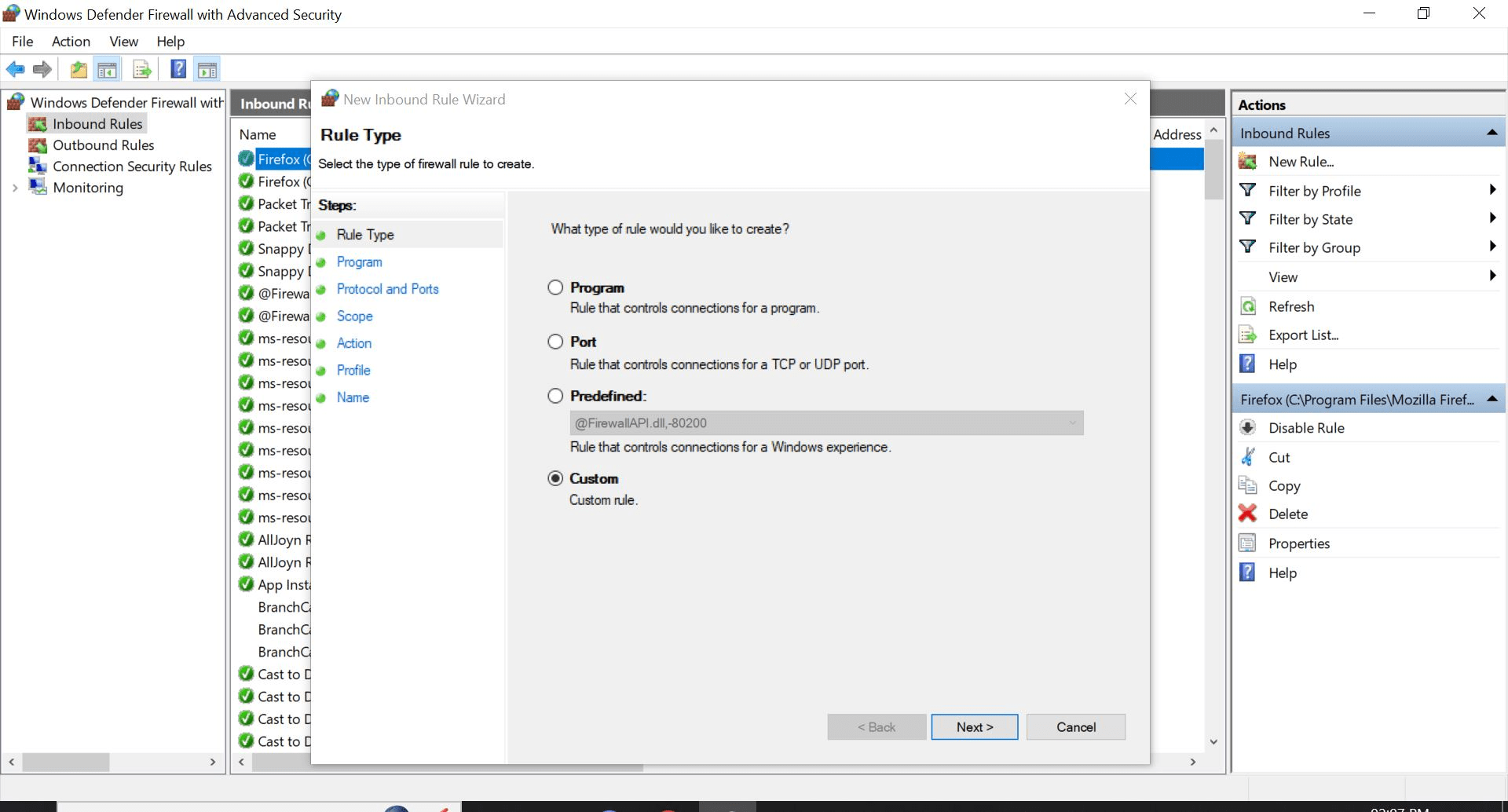
Go to Inbound Rules → New Rule
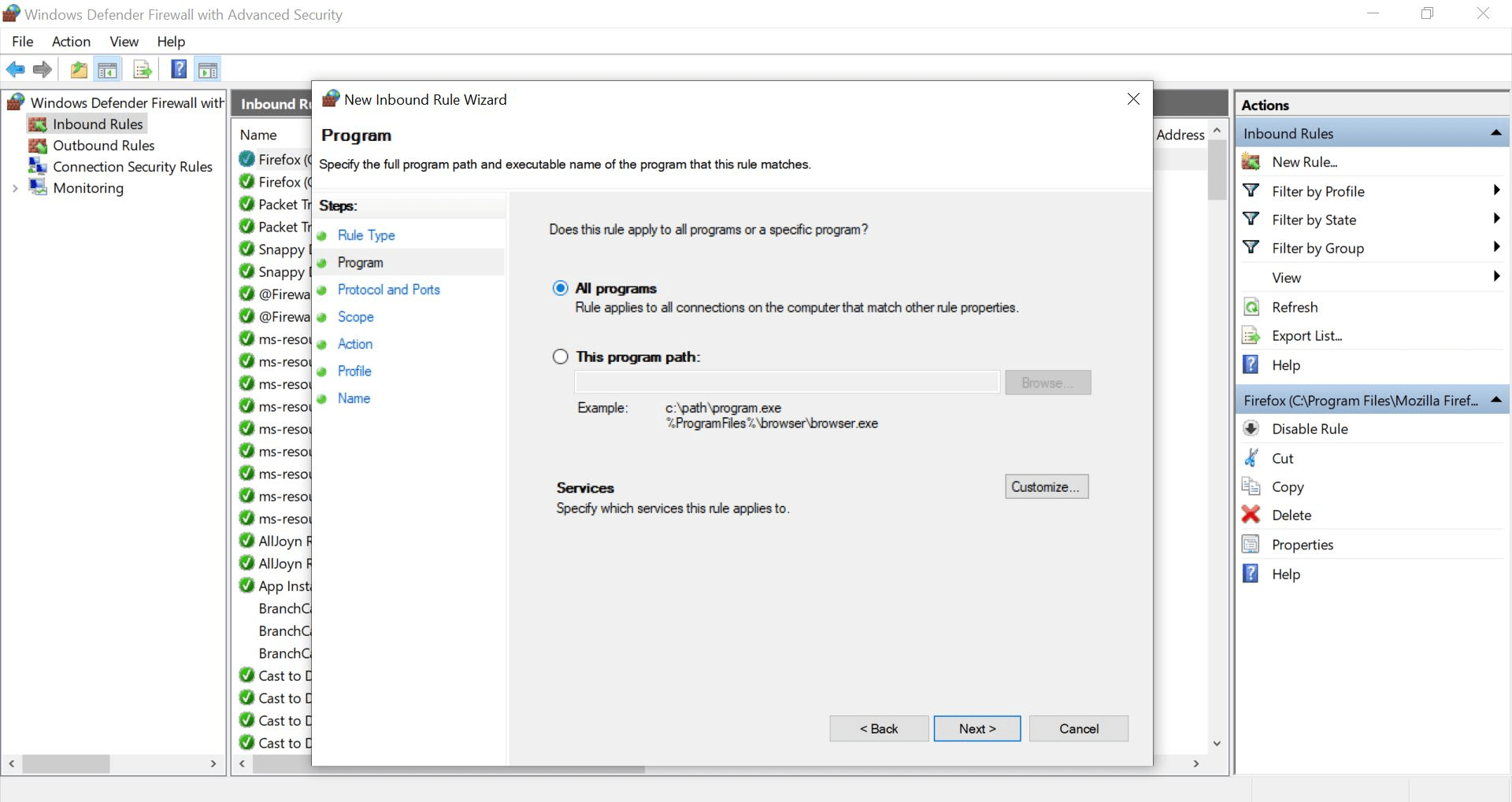
Select Custom
Step 4:
4
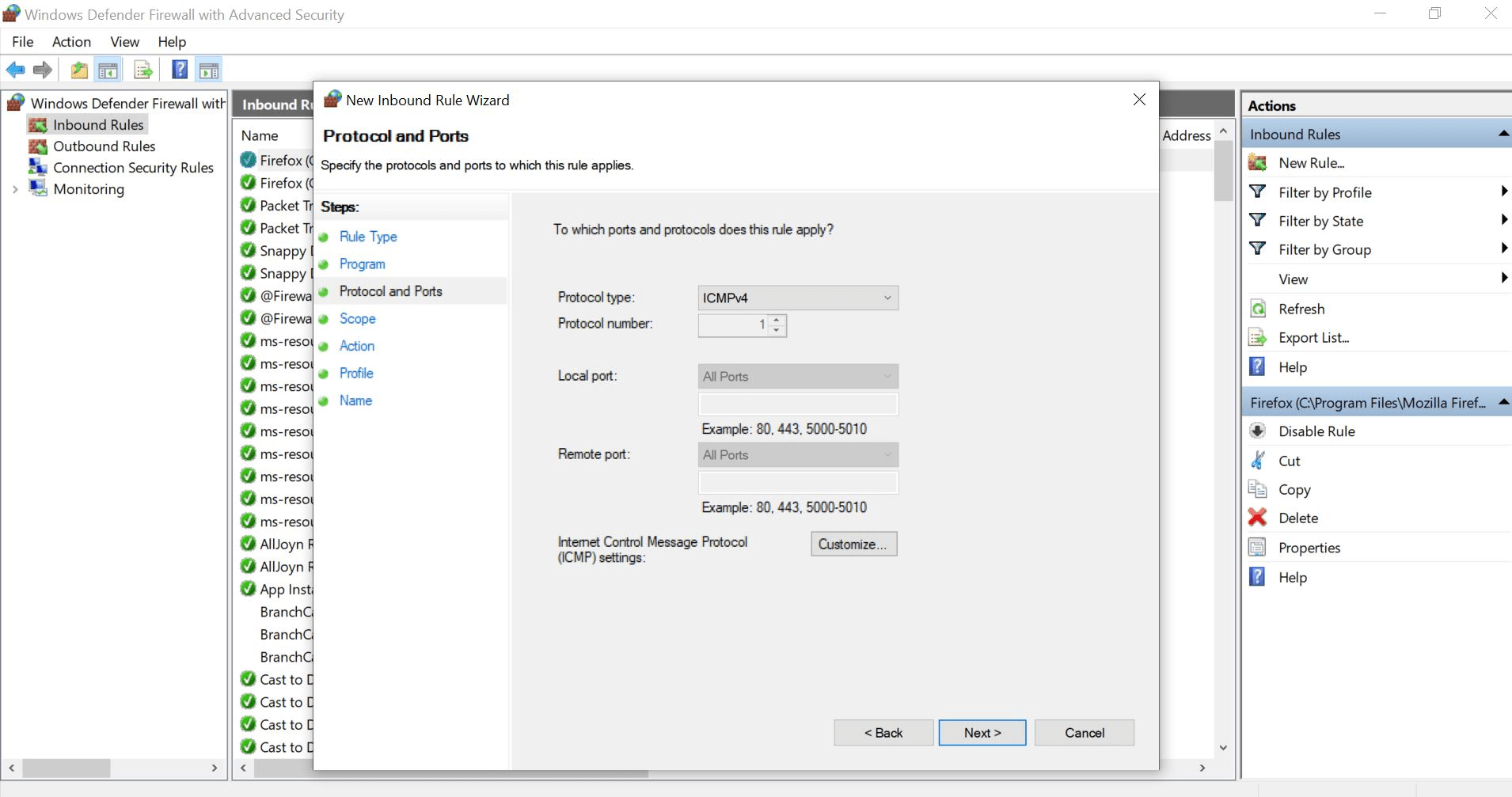
Protocol → ICMPv4
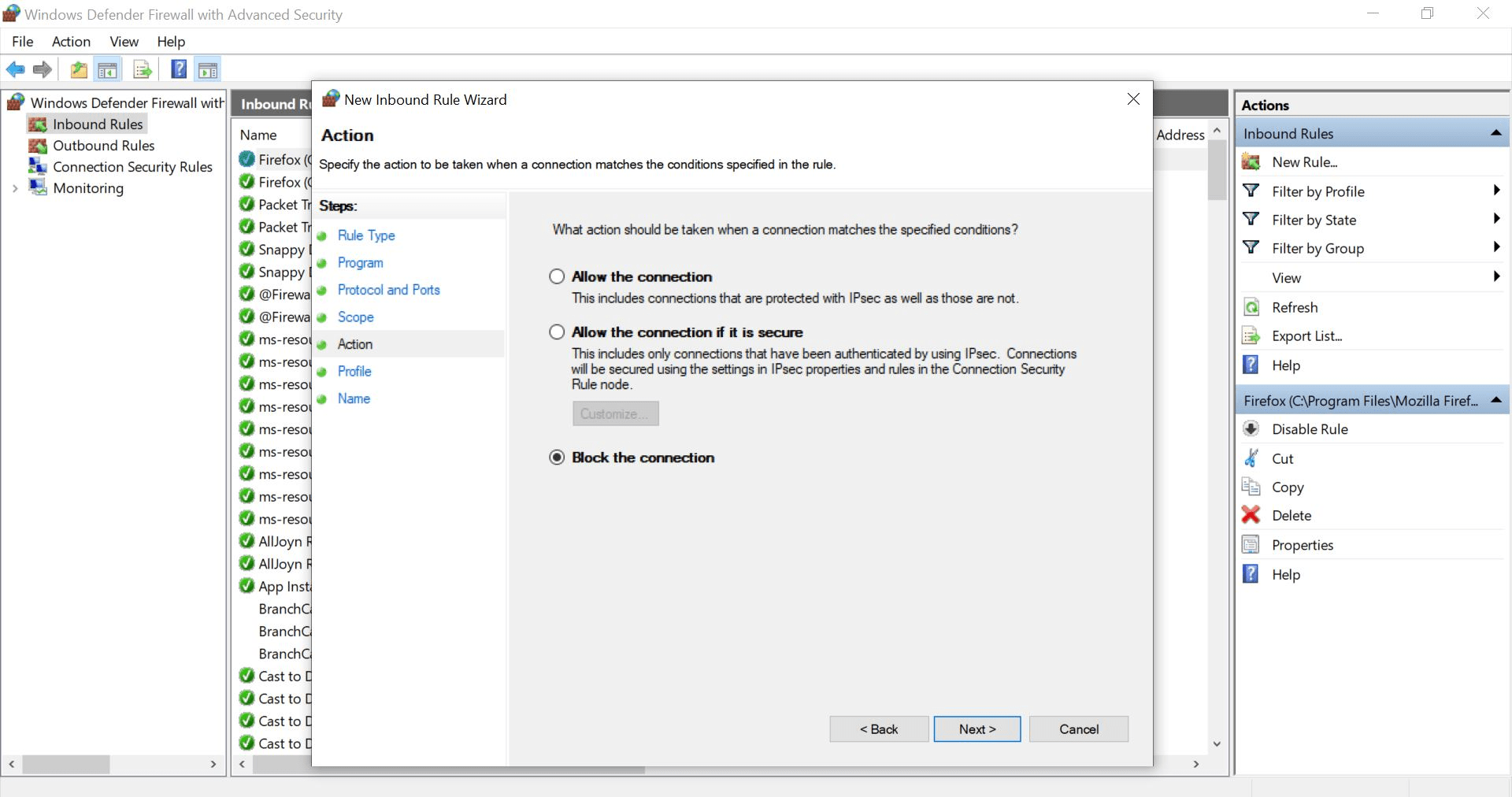
Action → Block the connection
Protocol
ICMPv4
Action
Block connection
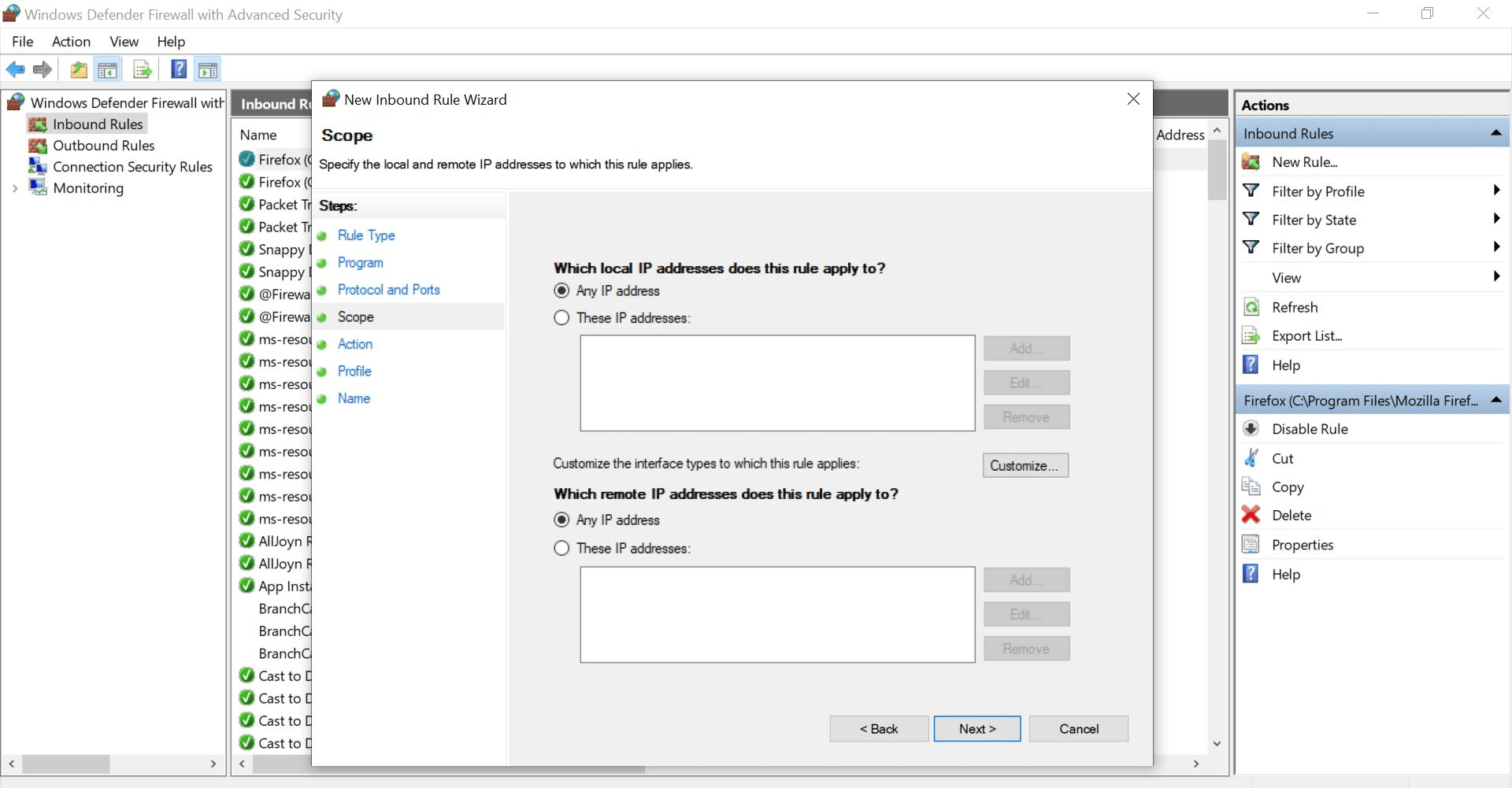
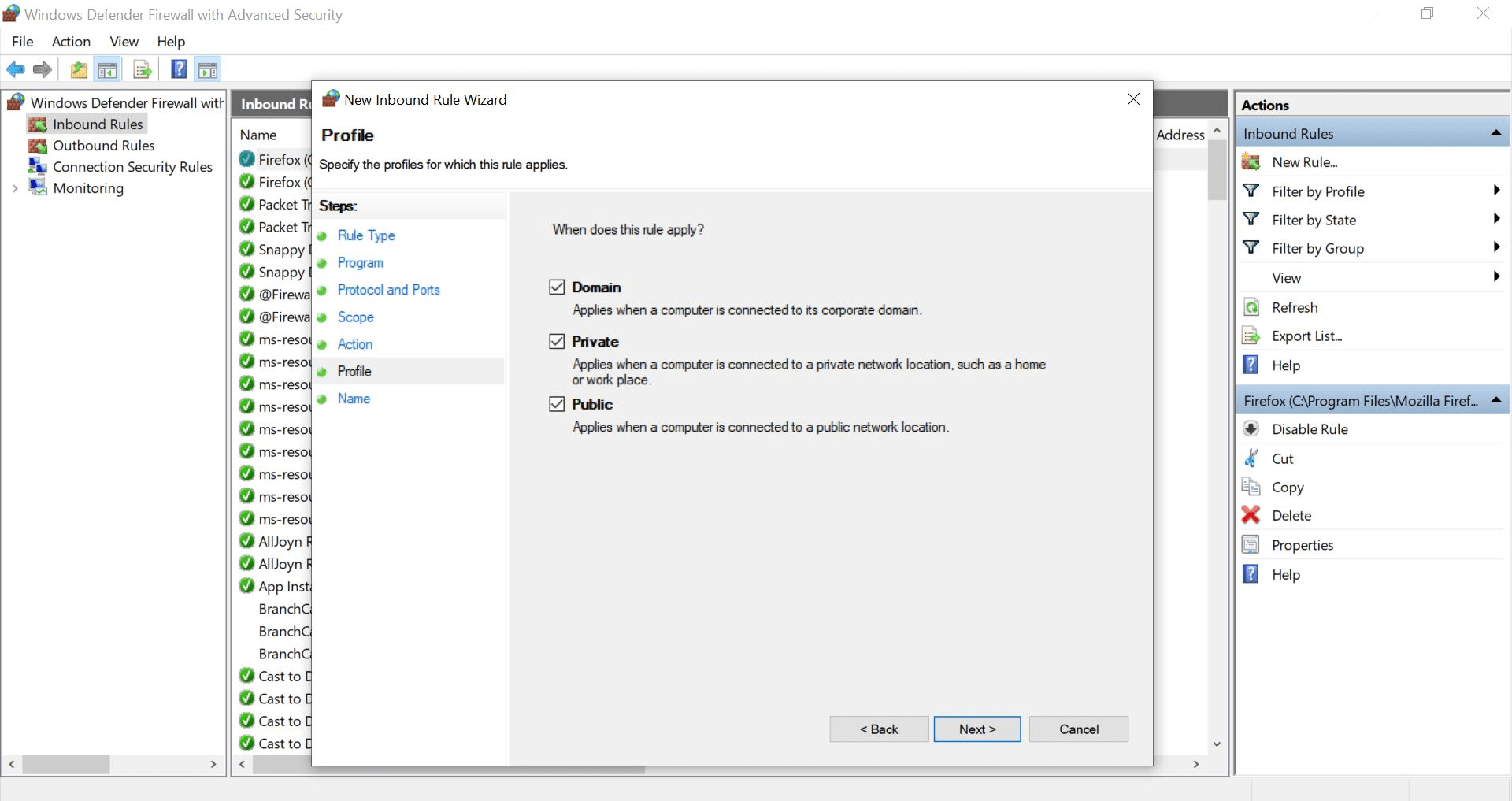
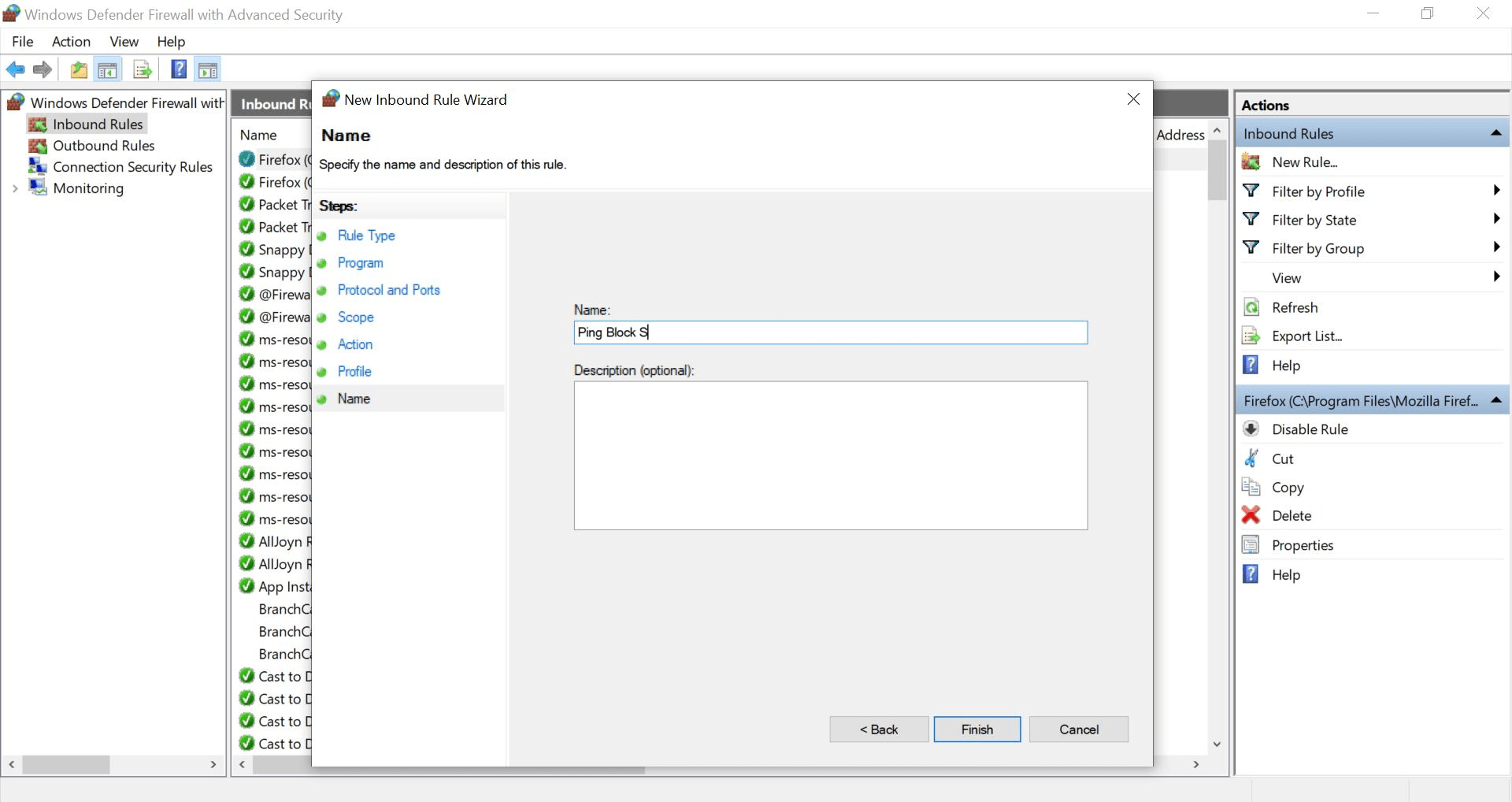
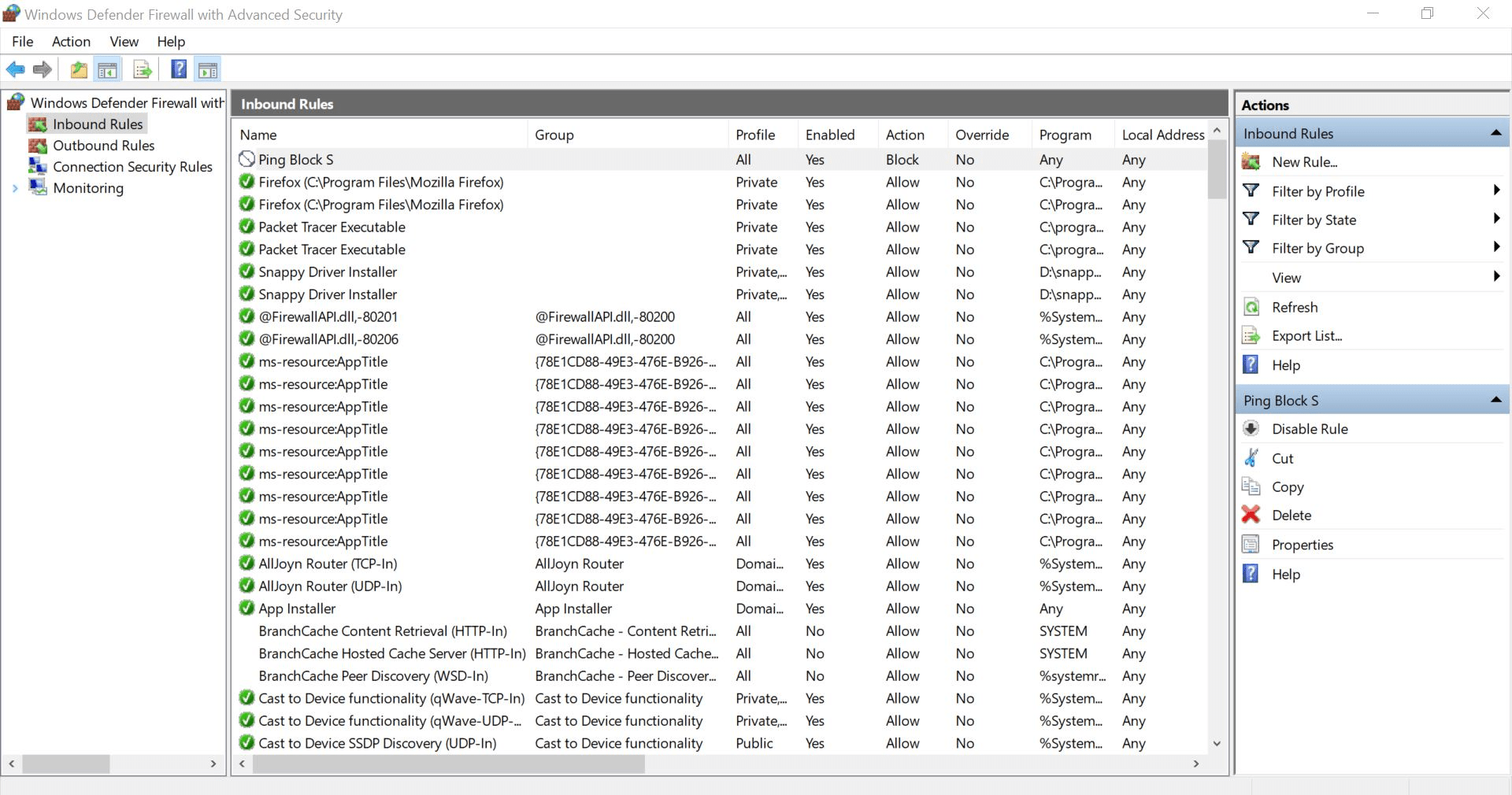
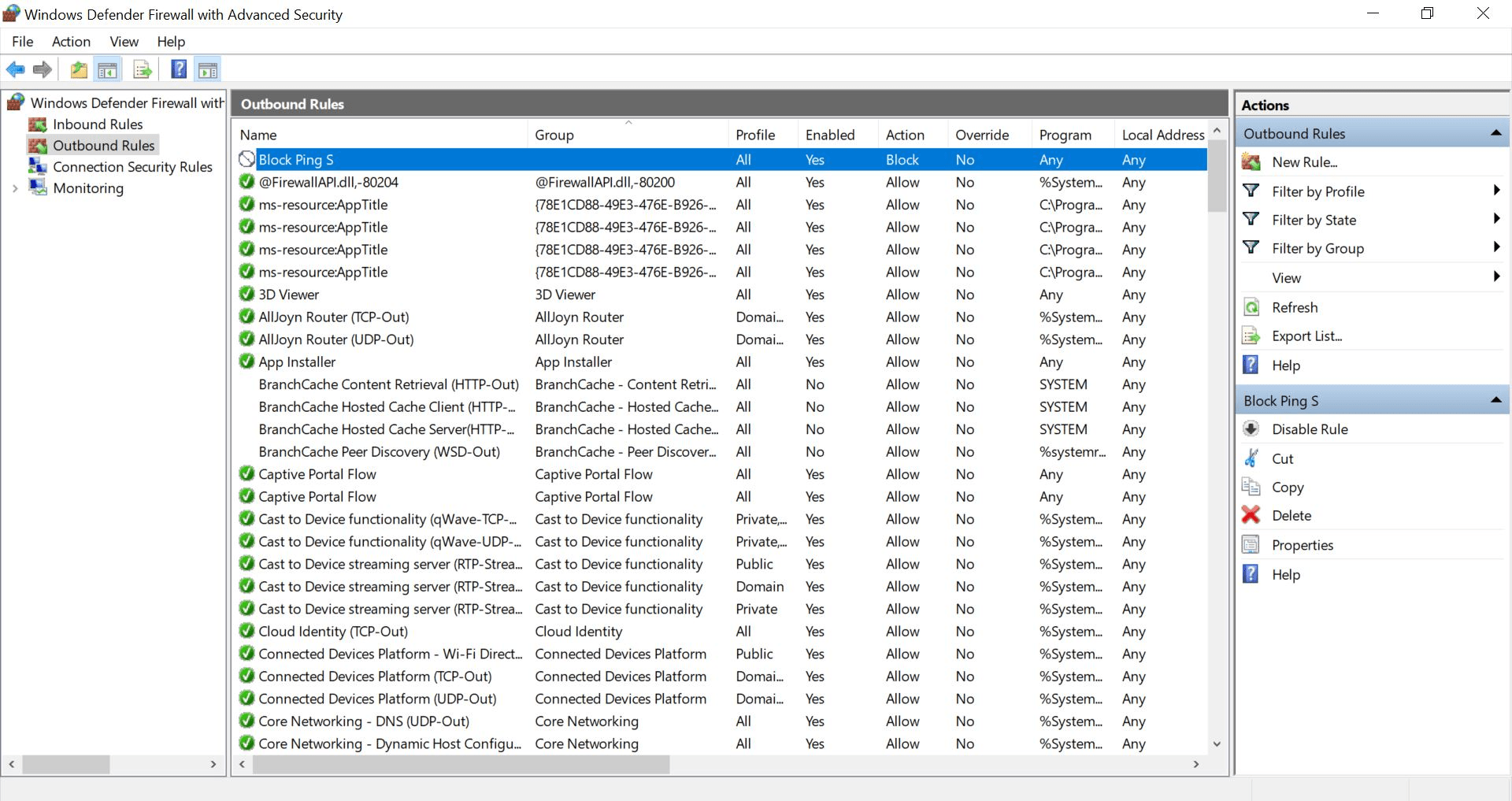
Apply to all profiles Name: Block Ping
5
6
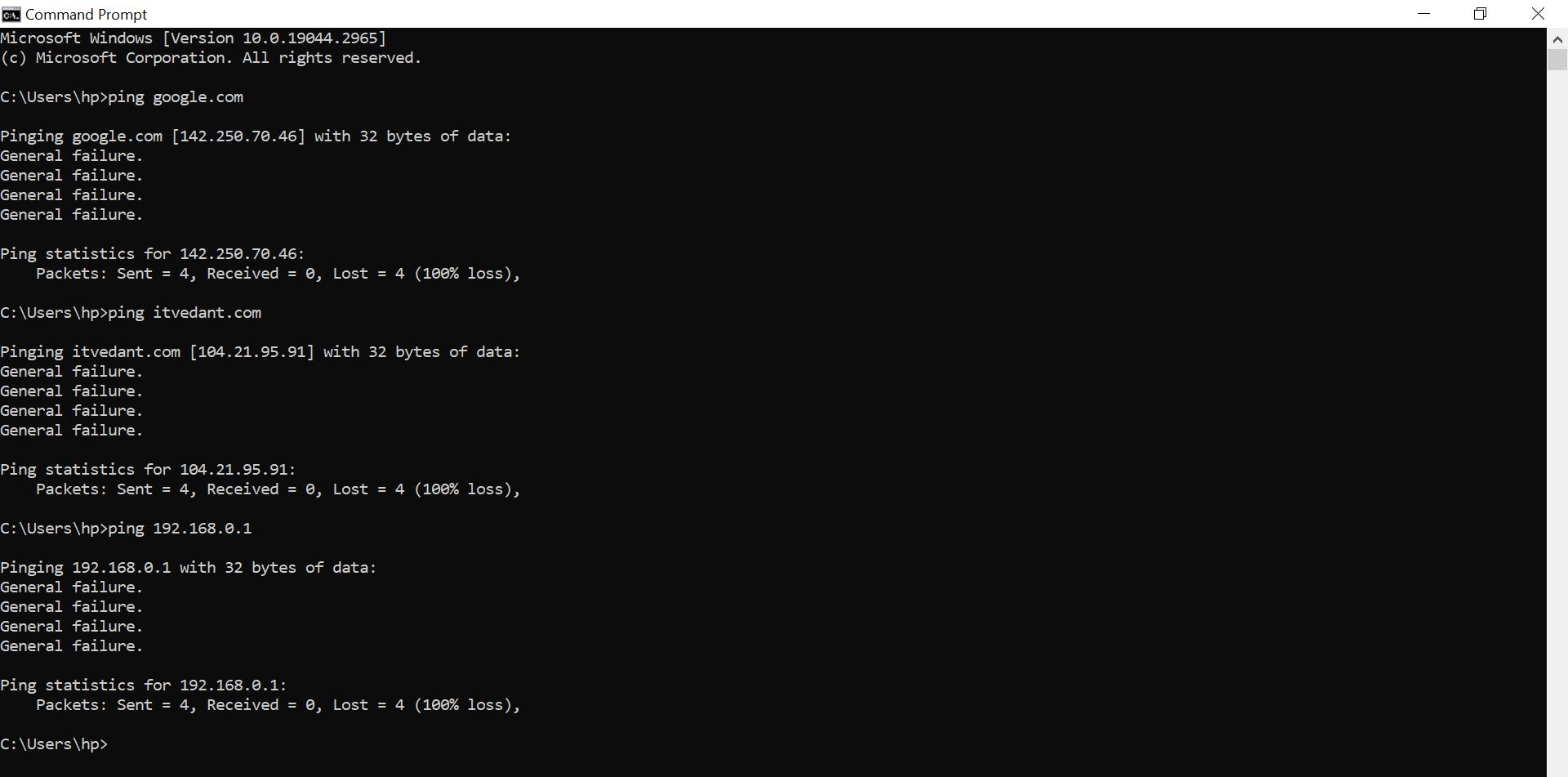
Apply For Outbound Also and Try to ping we you will not able to ping
Great job!
You have successfully learned how to detect, prevent, and control network traffic using security tools.
In this lab, you have:
Understood the importance of network security, Learned about traffic monitoring techniques, Used security tools to detect suspicious activity, Applied methods to prevent unauthorized access, Configured basic traffic control measures, Tested and analyzed network security settings.
You are now ready to move to the next stage of network security and advanced protection concepts.
Checkpoint
Next-Lab Preparation
Git Push
Topic :Operating System Fundamentals
1.Basics of Operating Systems
2.Windows OS fundamentals
By Content ITV