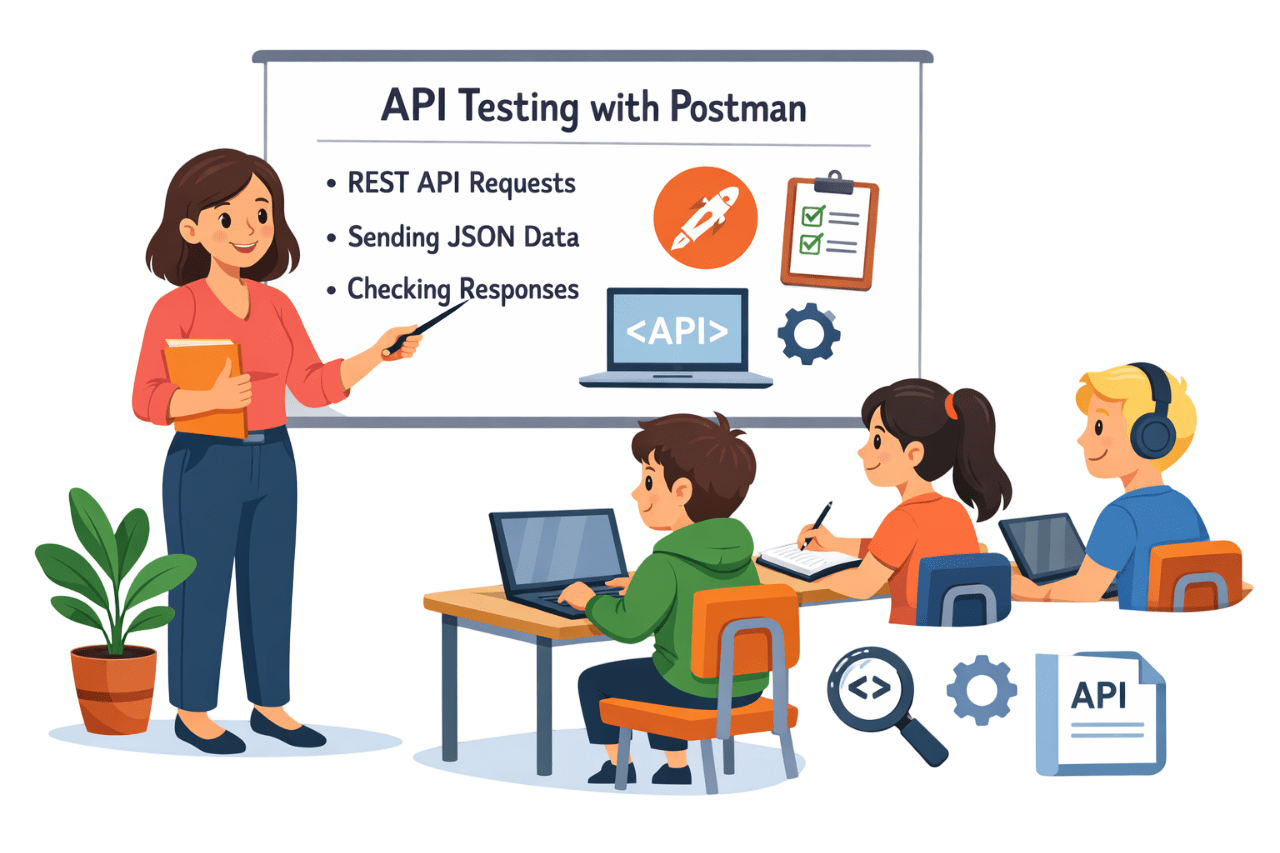
API Testing with POSTMAN


HTTP Methods,Headers,Param

Learning Outcome
5
Perform basic API testing using testing tools
4
Identify common API defects and issues
3
Validate API requests and responses
2
Explain why API testing is important in software development
1
Understand what an API is and how it works
The Kitchen without Waiter
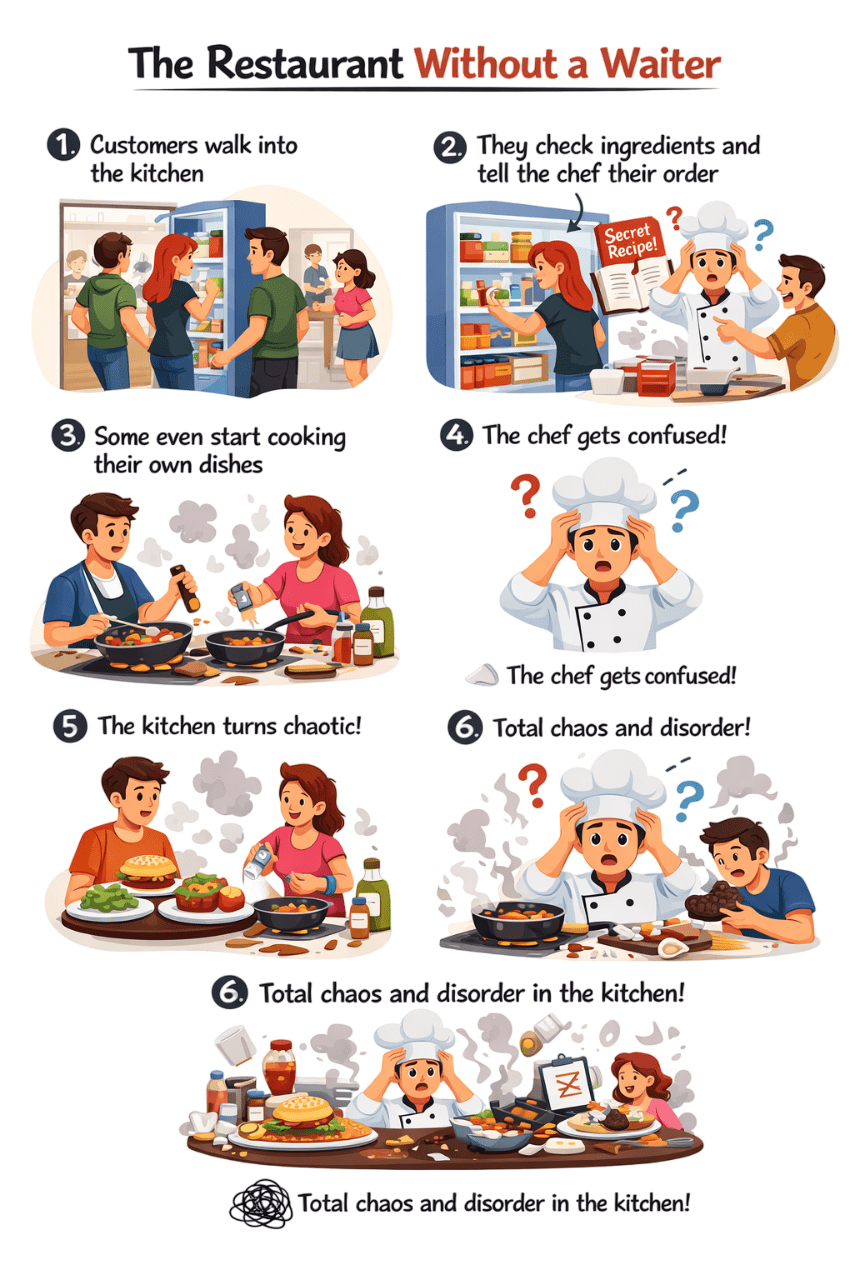
Some even start cooking their own dishes
Chef Confused which order to make first
Customer walks into kitchen
They check ingredients & tell chef their order directly
Kitchen turns chaotic
The Same Problem in Software Systems
Just like the chaotic kitchen, problems occur when applications directly access the database
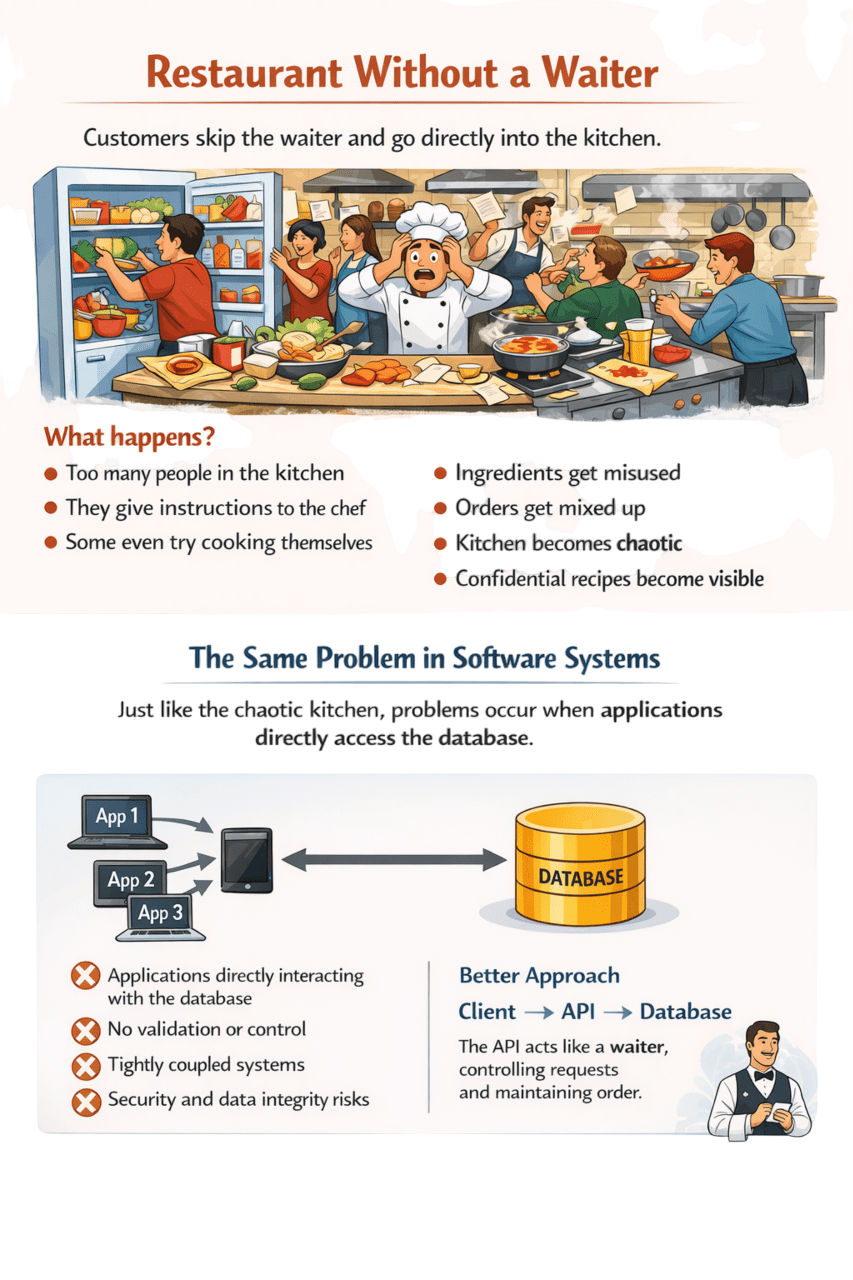
App interacting with database
No validation or control
Tightly coupled systems
Security & data integrity risks

Database
Better Approach
Client
API

The API acts like a waiter, controlling requests and maintaining order
A set of rules that allows different software systems to communicate with each other
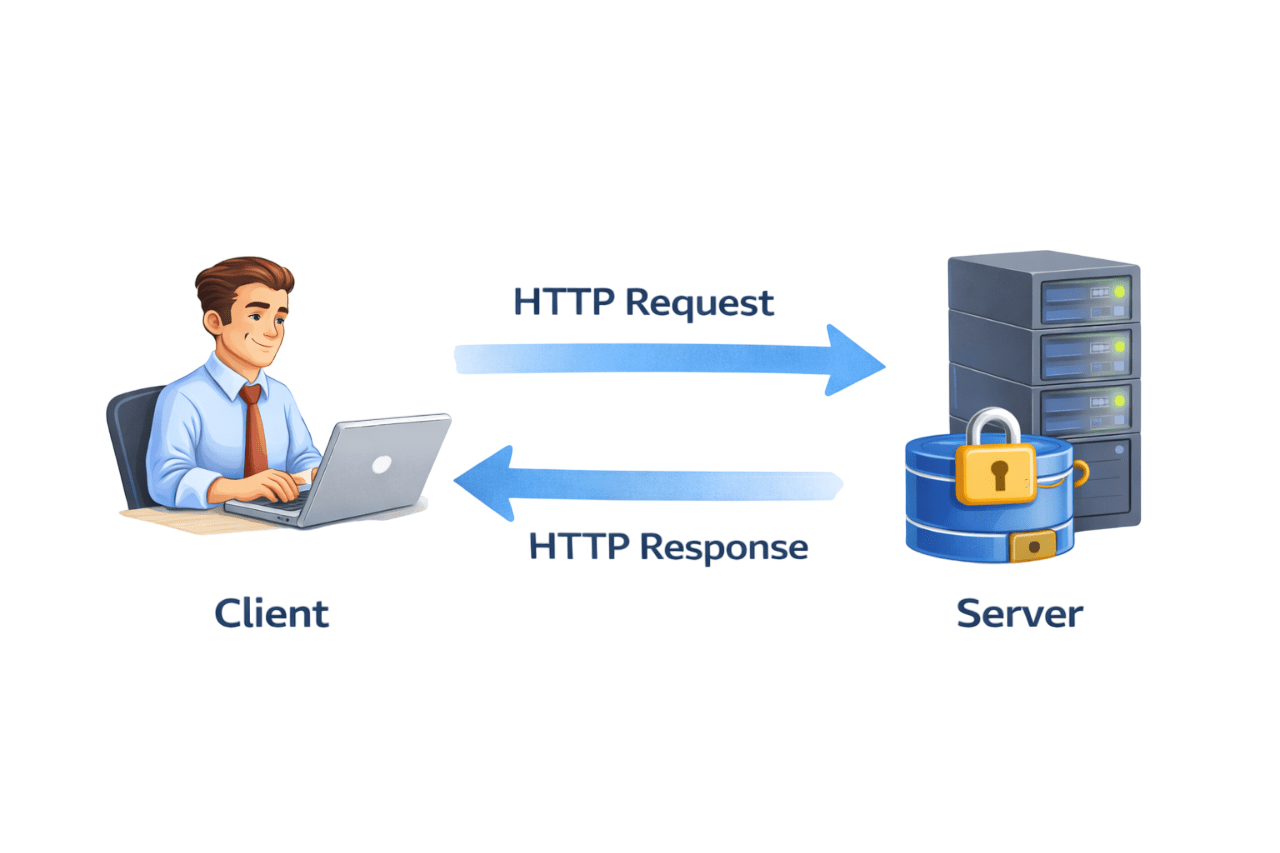
It works through a request and response mechanism
One system sends a request, and the other processes it and responds

Application Programming Interface (API)
Let's Understand API Flow
What is Request?
A Request is a message sent from the client (application, browser, or system) to a server API to perform an operation or retrieve data
Components of an API Request
https://api.shop.com/products/25Methods
Specifies the action to be performed
The address where the API resource is located
Common HTTP Methods are:
GET - Retrieve data
POST - Create new data
PUT - Update Existing Data
Delete - Remove data

URL(Endpoint)

Base URL - The API's main address
Endpoint -The type of data you want
Path Parameter - Identifies a resource
Headers
Headers give request metadata(information about request)
Most Commonly Used Request Headers in APIs are
Content-Type
Specifies the format of the data being sent to the server
Content-Type: application/jsonCommon values:
application/json
application/xml

Authorization
Authorization Header is used for Authentication
Authorization: Bearer <token>Authorization methods:
JWT - Secure token after login
OAuth- Login using Google/Facebook
Body
The Body is where the client sends data to the server
Body usually contains JSON or XML data
Mostly used with POST,PATCH,PUT
{
  "name": "Rahul",
  "email": "rahul@example.com",
  "age": 25
}
Body:
To create a new user
POST /users
Meaning:
The client instructs the server:
“Create a new user with this info”

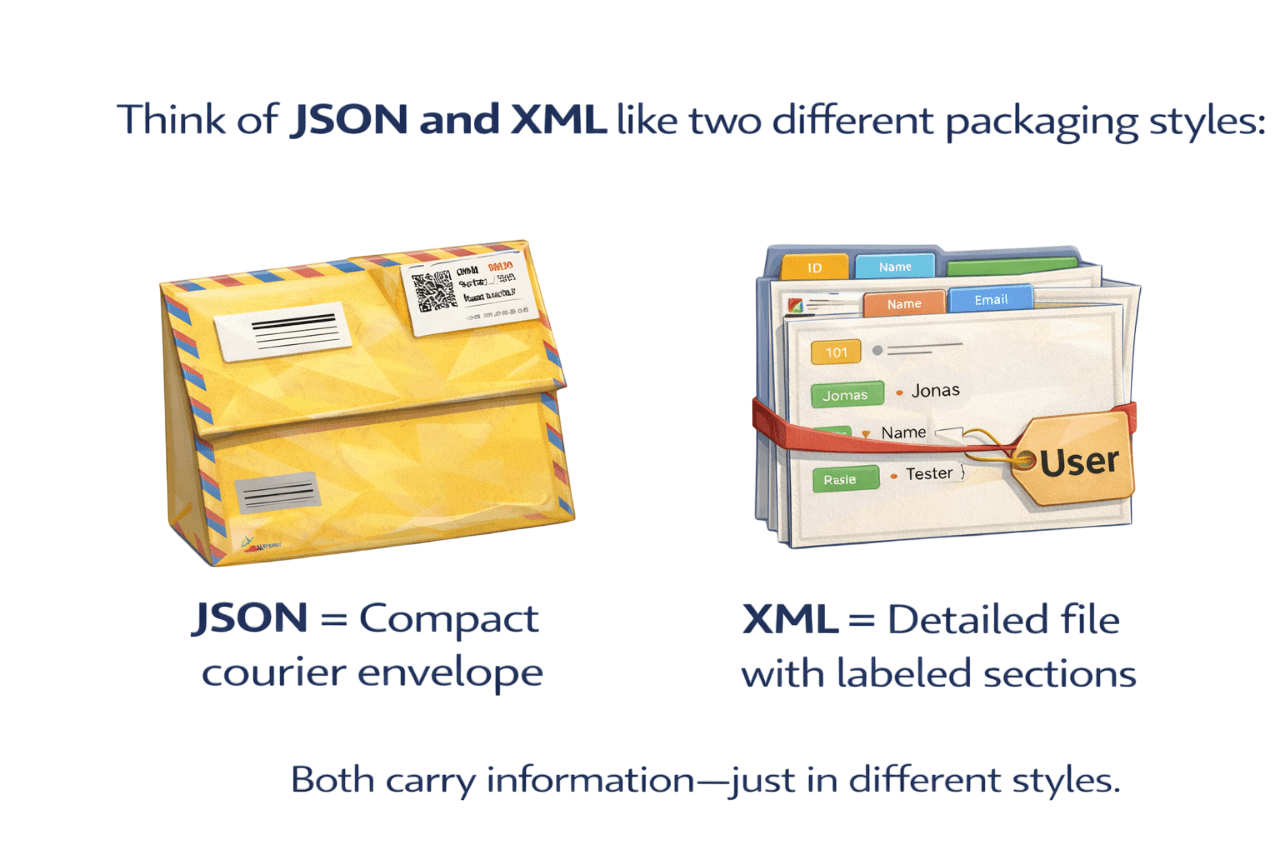
How APIs Exchange data
When a client sends a request to a server, the server returns data
For both systems to understand the information, the data must be in a structured format
The most commonly used formats in APIs are:
Tag based structure
Older format
Used in SOAP APIs
Extensible Markup Language
XML

JSON
Javascript Object Notation
Lightweight format
Easy to read
Fast to process
Mostly used in modern REST APIs
{
 "id":101,
 "name":"Rahul",
 "email":"rahul@test.com"
}
Example of JSON
Example of XML
<user>
   <id>101</id>
   <name>Rahul</name>
</user>| JSON | XML |
|---|---|
| Lightweight | More verbose |
| Key–value structure | Tag-based structure |
| Faster processing | Slower processing |
| Mostly used in REST APIs | Common in SOAP APIs |
| Easy to read | More complex |
JSON
XML
JSON

What is Server?
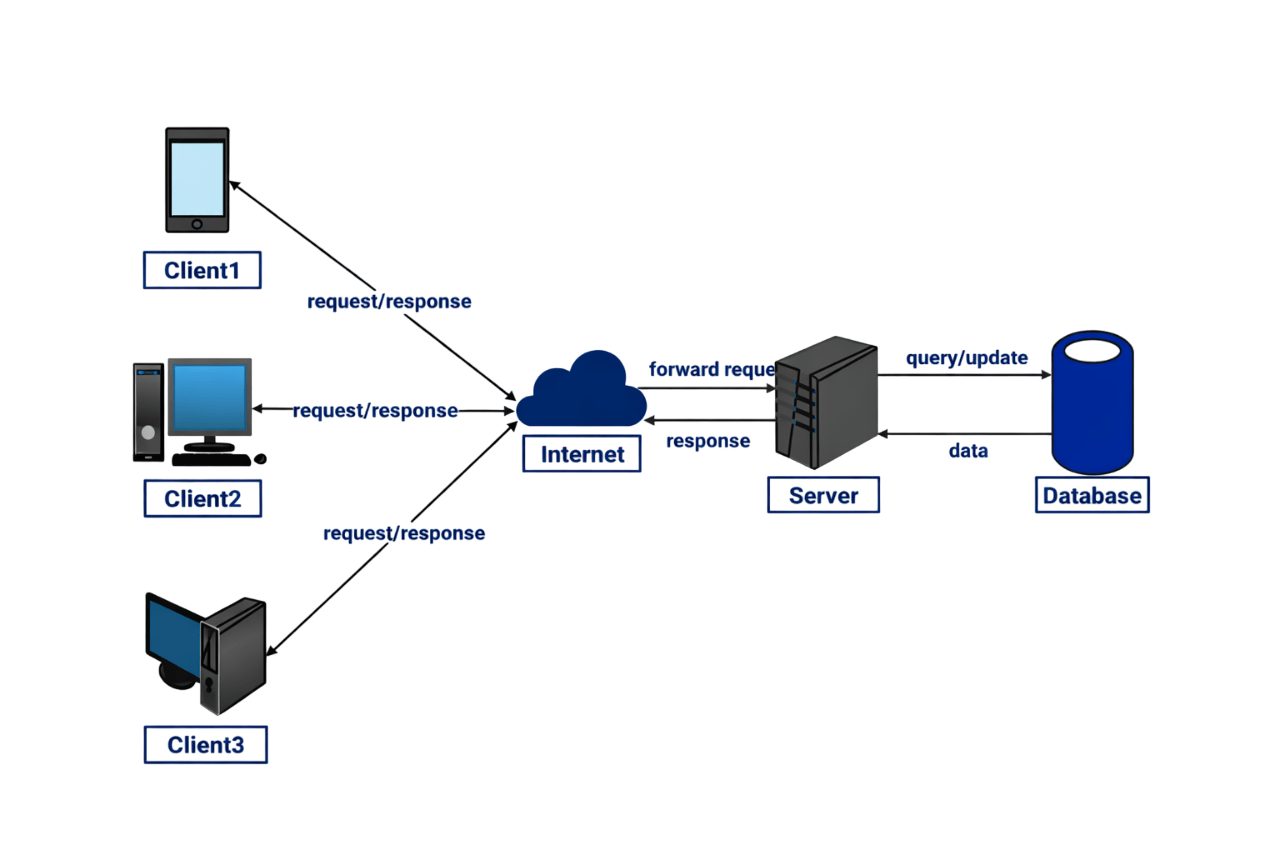
Client
Forward Request
A Server acts as the central system that processes requests, communicates with the database, and returns results to the client
How the Server Process Works
Client sends request
Request travels through the Internet
A user device (browser, mobile app, or system) sends a request to the server
The internet transfers the request from the client to the server
Server processes the request
Server accesses the request
The server validates the request, checks authentication, and applies business logic
If data is required, the server queries the database
Database returns data
Server sends response
The database sends the requested information back to the server
The server prepares the response and sends it back to the client
What is Response?
A Response is the message sent from the server back to the client after processing a request

Status Code

Header
Headers provide metadata about the response
200 OK
404
Unauthorized
401
Server Error
500
Success
Not Found


Body

Error Message
Indicates the request failed or could not be processed
Body contains JSON or XML data format
{
"id":101,
"name":"Raj",
"role":"Student"
}
Status Code
Header
What is HTTP?
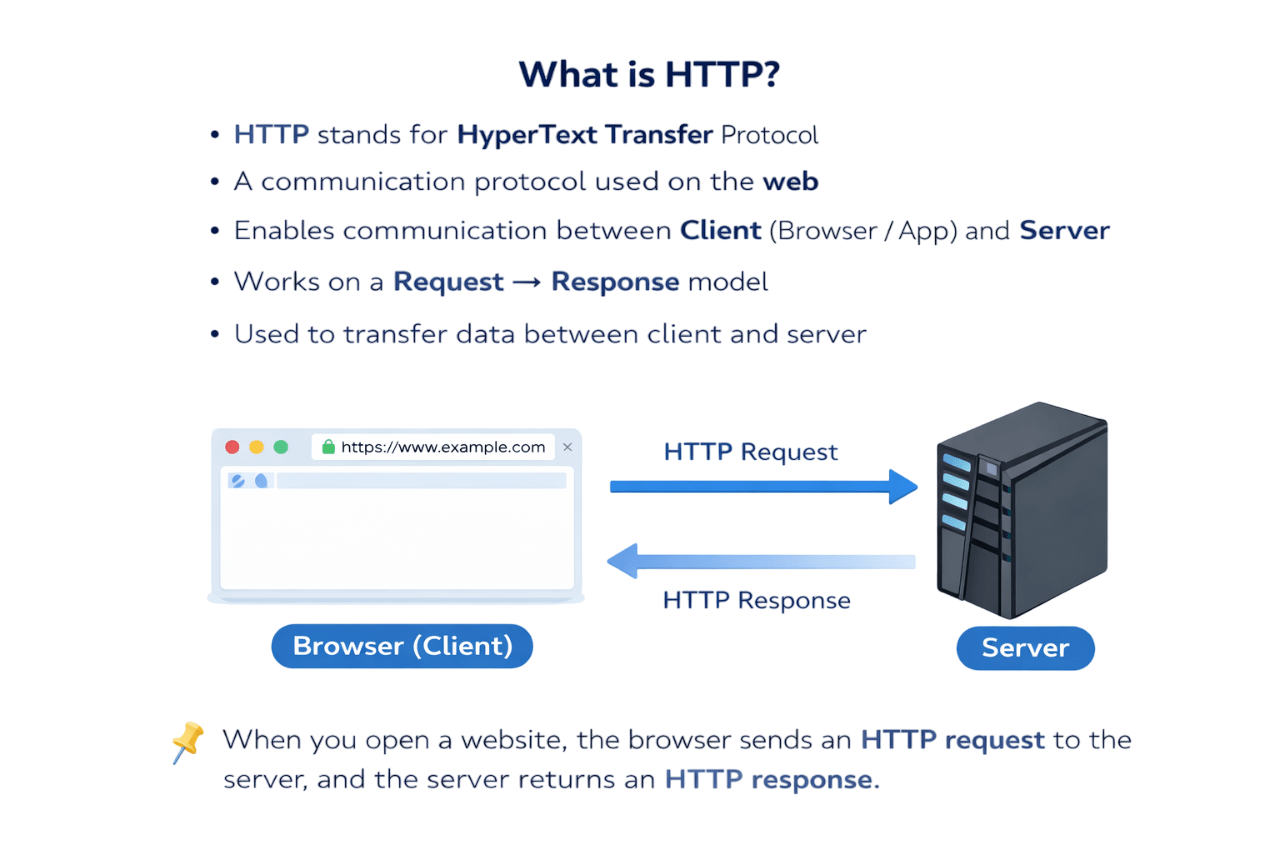
HTTP stands for HyperText Transfer Protocol
It is a communication protocol used on the web
Enables communication between Client (Browser / App) and Server
Works on a Request → Response model
Used to transfer data between client and server

What is an HTTP method?
An HTTP Method tells server what action to perform on a resource
Common HTTP Methods
GET
POST
PATCH
PATCH
PUT
DELETE
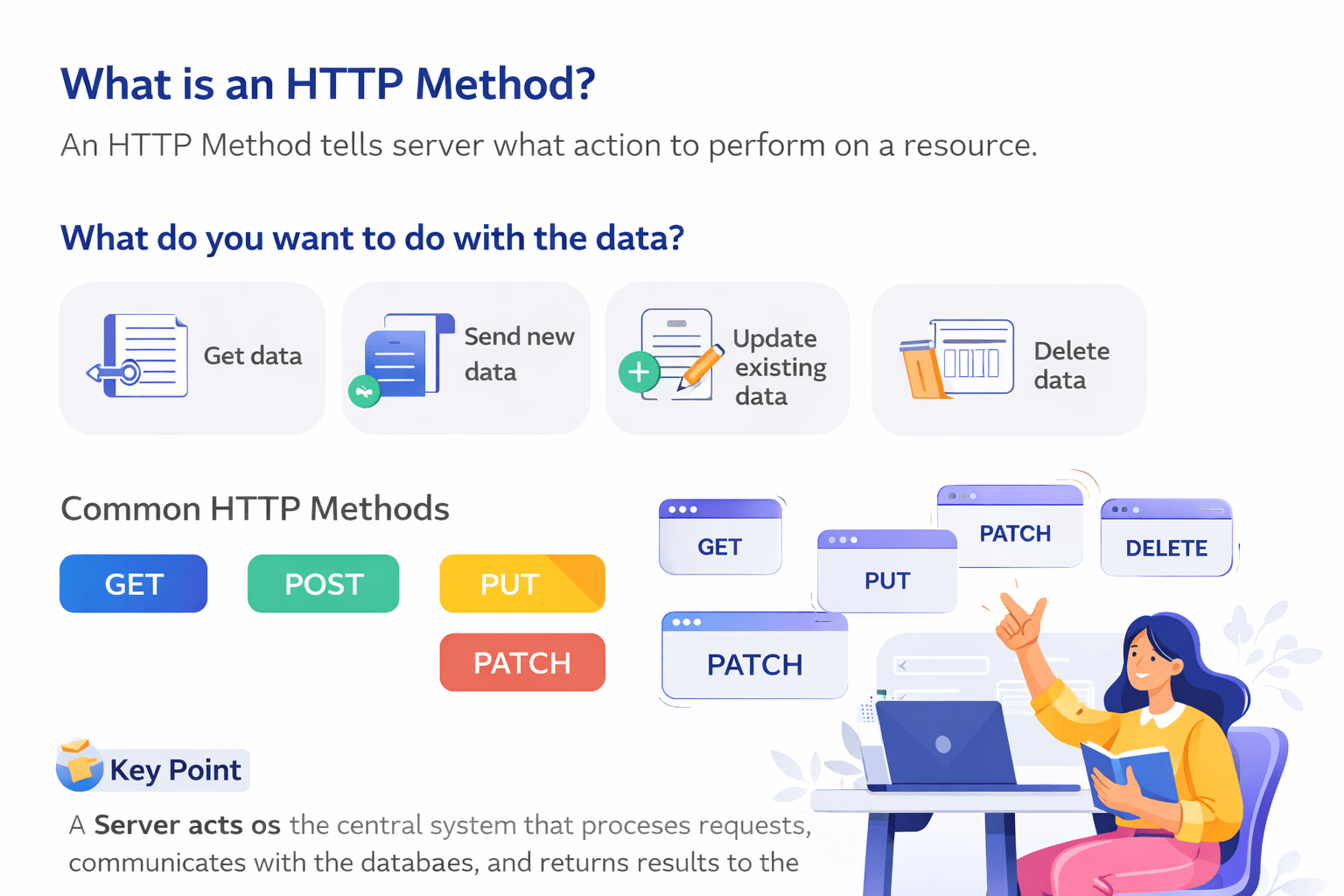
What do you want to do with the data?
Get data
Send new data
Update existing data
Delete data
GET METHOD
Used to retrieve data
Does Not modify data
Data is visible in URL
Safe and idempotent

Example:
GET /products?search=iphone15
Server returns

User
User Searches "iPhone15"
Server

Product name
Price
Images
Ratings
Availability

POST METHOD
Used to create new data
Data sent in request body
Not idempotent
Example:
POST/users
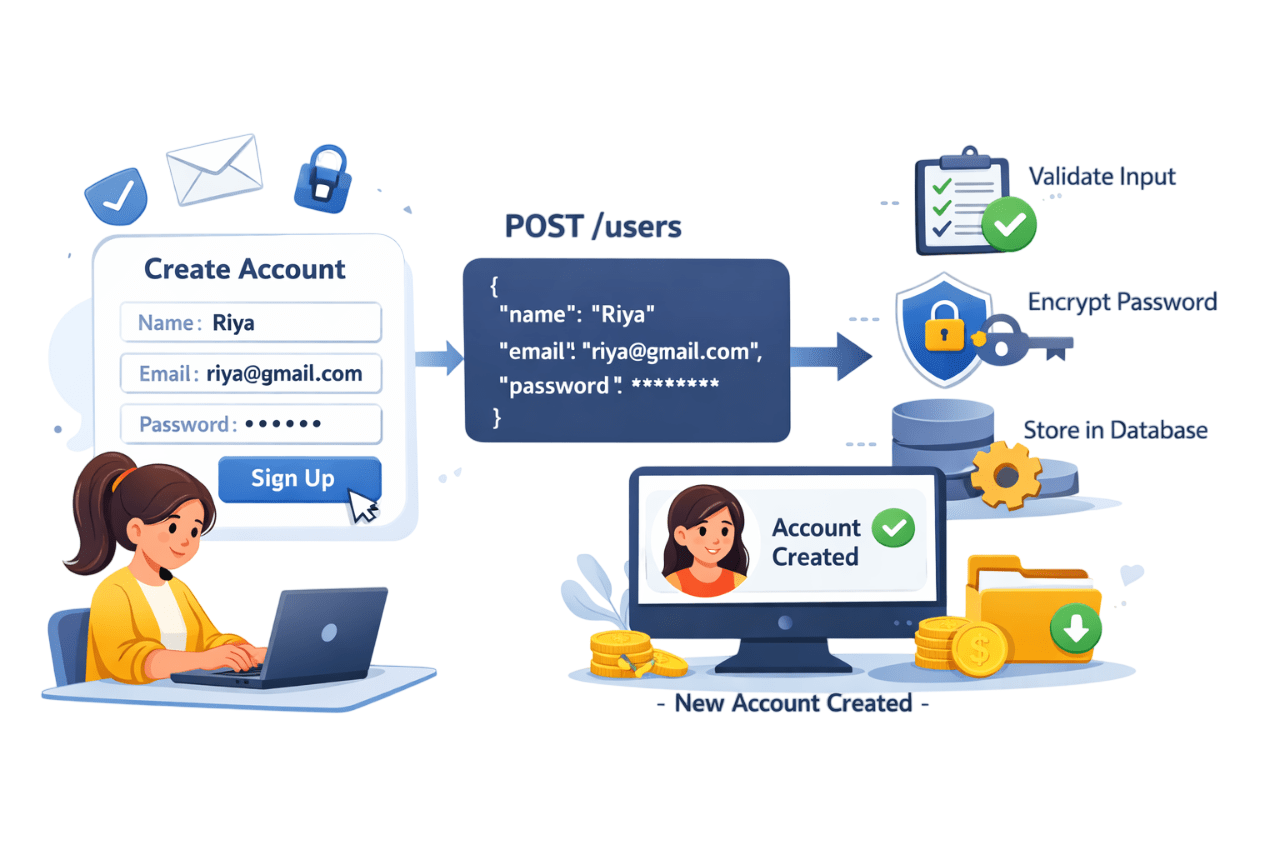
Create Account
User enters name,Email,Password
User clicks on SignUp
PUT METHOD
Used to update entire resources
Replace old data completely
Idempotent
Example:
PUT/users/101
Request Body
{
"name": "riya",
"email" : riya@gmail.com
}
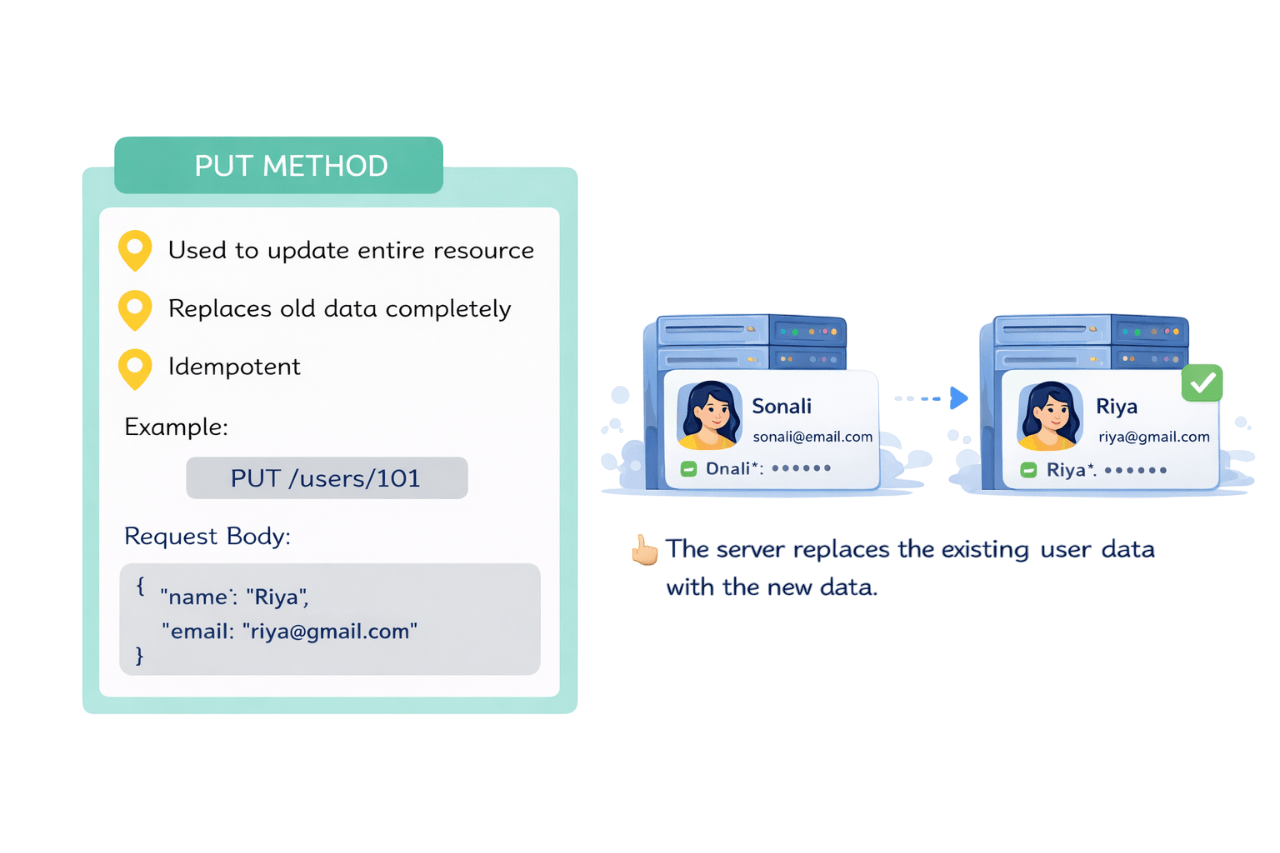
name : Suman
email : Suman@gmail.com
name : riya
name : riya@gmail.com
name : riya

The server replaces the existing user data with the new data

PATCH METHOD
Used to update part of a resource
Changes only specified fields
Not Idempotent
Example:
PATCH/users/101
Request Body
{
"mobile" : "91-9123456789",
}
Find user with ID 101
Updates only Mobile Number
Keeps name,email,password unchanged

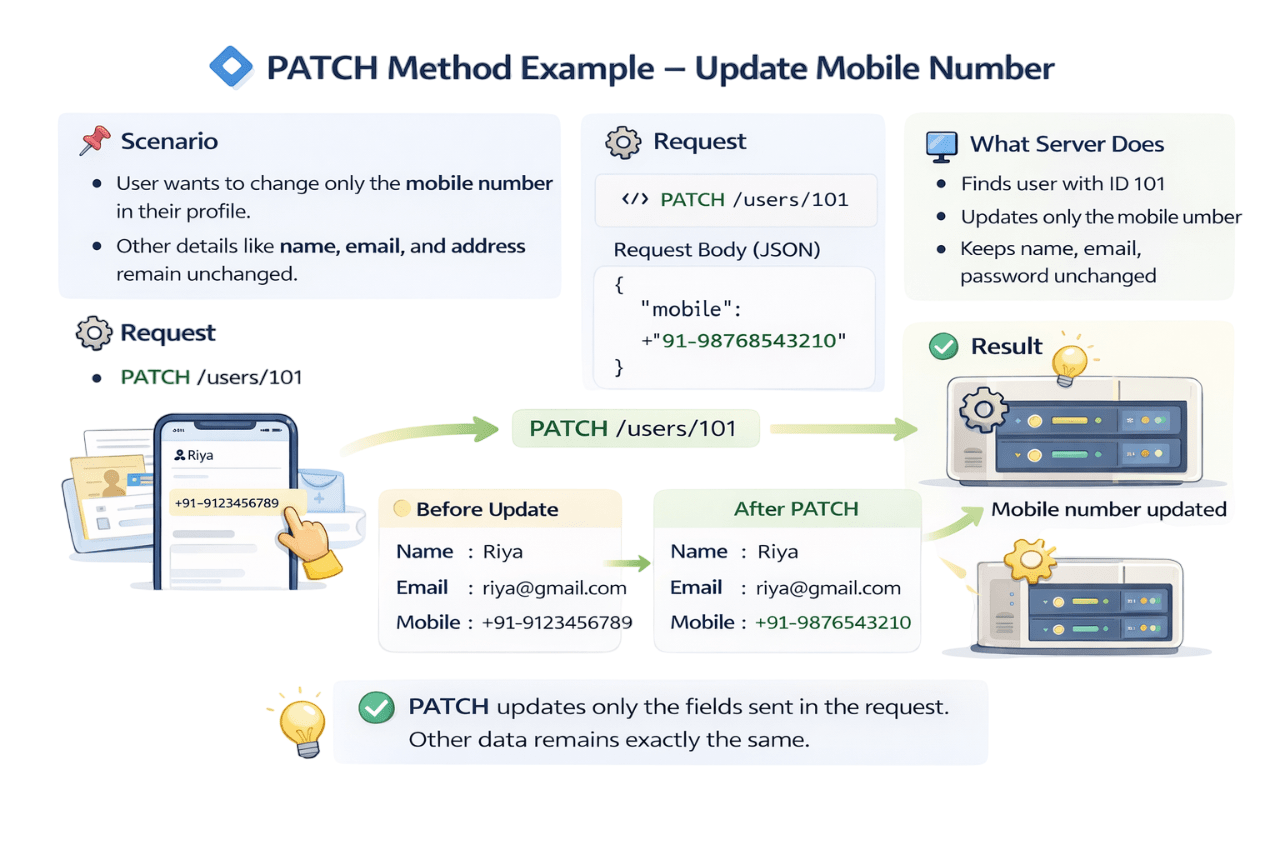
After PATCH
Name : Riya
Email : riya@gmail.com
Mobile : +91- 98768543210



Before Update
Name : Riya
Email : riya@gmail.com
Mobile : +91- 9123456789
New partial data is stored in database i.e in this case it is mobile number
DELETE METHOD
Used to delete existing data
Require resource ID
Idempotent
Example:
DELETE/users/101
Request Body
{
"id": 101,
"name": "Riya",
"email": "riya@gmail.com"
}
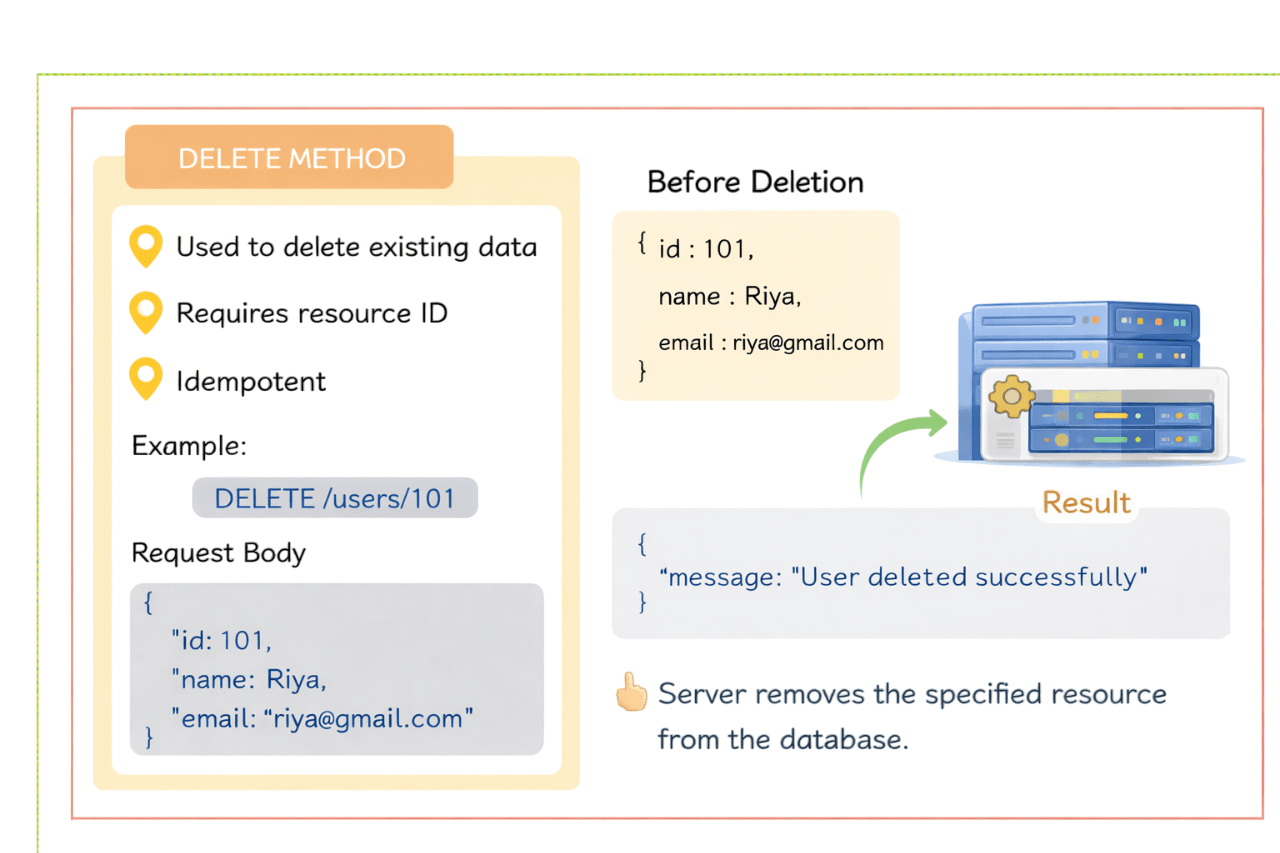
Before Deletion
HTTP Methods
Read
Create
Update(Full)
Update(Partial)
Remove
GET
POST
PUT
PATCH
DELETE
Method
Purpose
Data Modified?
Idempotent
No
Yes
Yes
Yes
Yes
Yes
Yes
Yes
Yes
Yes
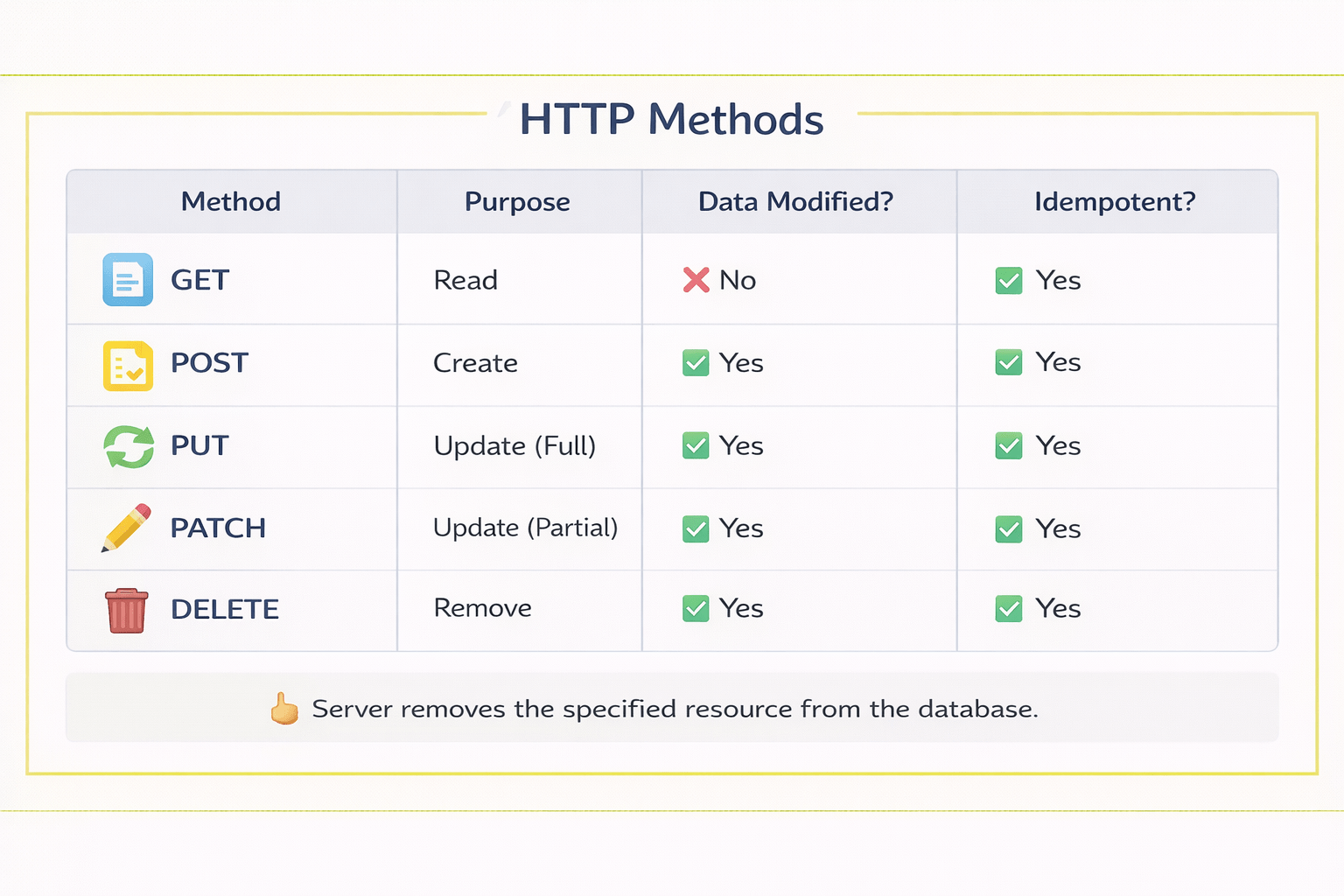


Server removes the specified resource from the database
Buying a Product on Amazon / Flipkart
GET
View product details
POST
Add to cart
PATCH
Change quantity
POST
Place order
DELETE
Remove from cart (if needed)
GET
Search product
GET

Search Product
When a user searches for a product, the app sends a GET request to the server
GET /products?search=shoesPOST
Add to Cart
When the user clicks Add to Cart, the app sends a POST request to create a new cart item
POST /cartGET
View Product Details
When a user clicks a product, the system sends a GET request for details like price, description, and images
GET /products/123PATCH
Change Quantity
When the user adjusts the cart quantity, the system sends a PATCH request to update it.
PATCH /cart/123DELETE
Remove from cart
When a user removes an item, the system sends a DELETE request to remove it
DELETE /cart/123POST
Place Order
Clicking Place Order sends a POST request to create a new order
POST /orders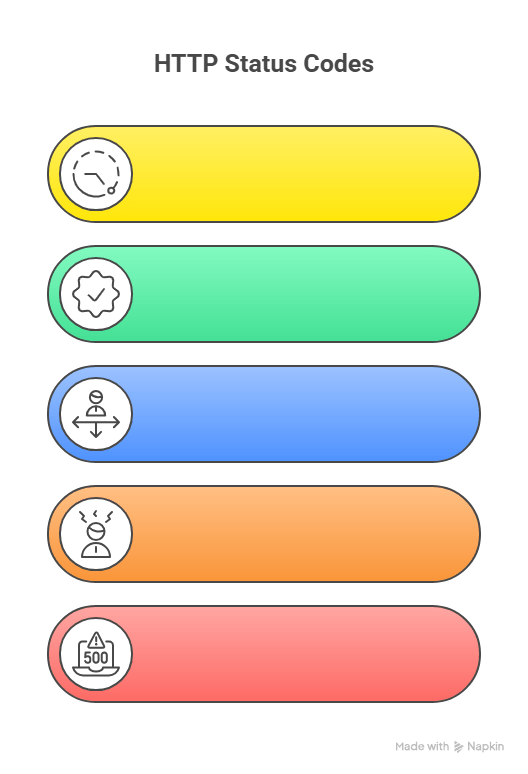
1XX Informational
Request is being processed
3XX Redirection
User is redirected to another location
2XX Success
Request completed sucessfully
201 Created - New Resource is created
200 OK - Request Sucessful
HTTP Status Code Categories
4XX Client Error
Issue from user side(bad input,no access)
5XX Server Error
Server failed to process request
| Status Code | Name | Meaning |
|---|---|---|
| 400 | Bad Request | Invalid input sent by the client |
| 401 | Unauthorized | Authentication is required to access the resource |
| 403 | Forbidden | Access is denied even after authentication |
| 404 | Not Found | Requested page or resource is not available |
500 - Internal Server Error
Request & Response structure
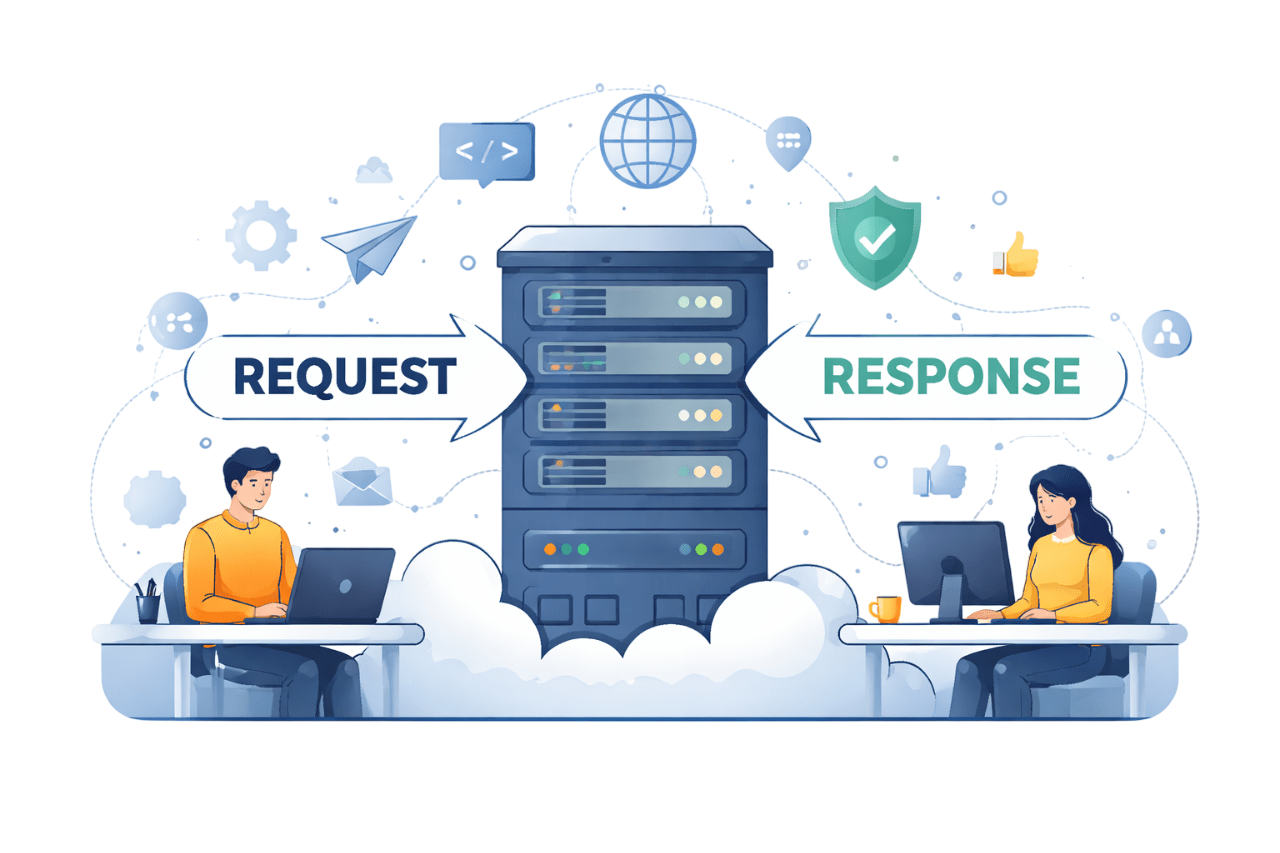
Request
Client sends data to server
Includes:
Method
-
Action to perform (GET,POST,PUT,DELETE)
URL
Endpoint address
-
Headers
Metadata(Content-Type,Authorization)
-
Body
Data sent (mainly in POST/PUT)
-
Authentication
API Key,Token,OAuth etc.
-

Response
Server sends data back to client
Includes:
Status Code
-
Response
Returned data (usually JSON)
-
Headers
Metadata(Content-Type,Cache control)
-
Result of request (200,404,500...)
Response Time
-
Time Taken to process request
Sample Request
{
  "method": "POST",
  "url": "https://api.example.com/users",
  "headers": {
    "Content-Type": "application/json",
    "Authorization": "Bearer token_12345"
  },
  "body": {
    "name": "John Doe",
    "email": "john@example.com"
  }
}
Sample Response (201 Created)
{
  "statusCode": 201,
  "headers": {
    "Content-Type": "application/json"
  },
  "responseTime": "120ms",
  "body": {
    "id": 101,
    "name": "John Doe",
    "email": "john@example.com",
    "message": "User created successfully"
  }
}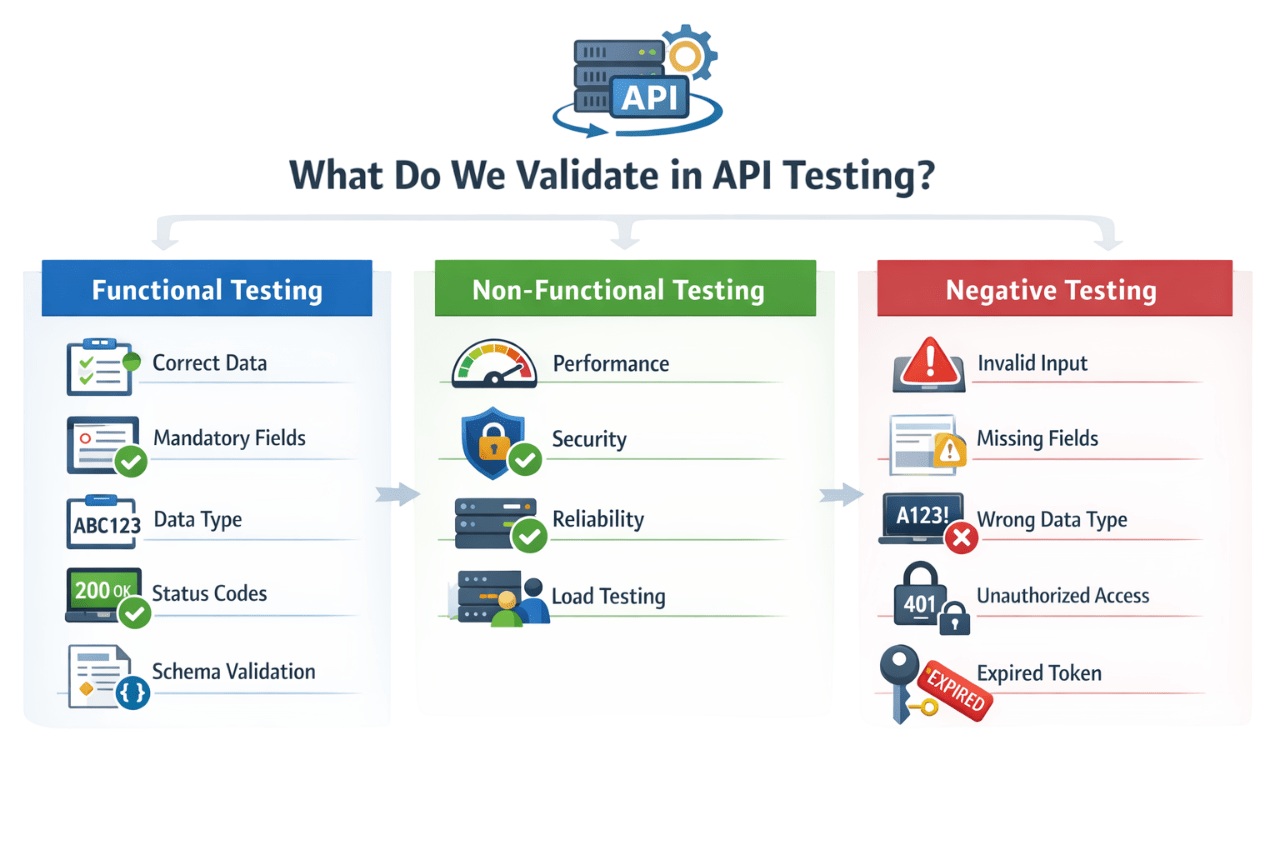
Performance
Security
Reliability
Load Testing
Performance
Invalid Input
Invalid Input
Missing Fields
Wrong Data Type
UnAuthorized Access
Expired Token
Non Functional Testing
Negative Testing
Mandatory Fields
Data Type
Status code
Schema Validation
Correct Data
Correct Data
Functional Testing
API Validation : Missing Required Fields



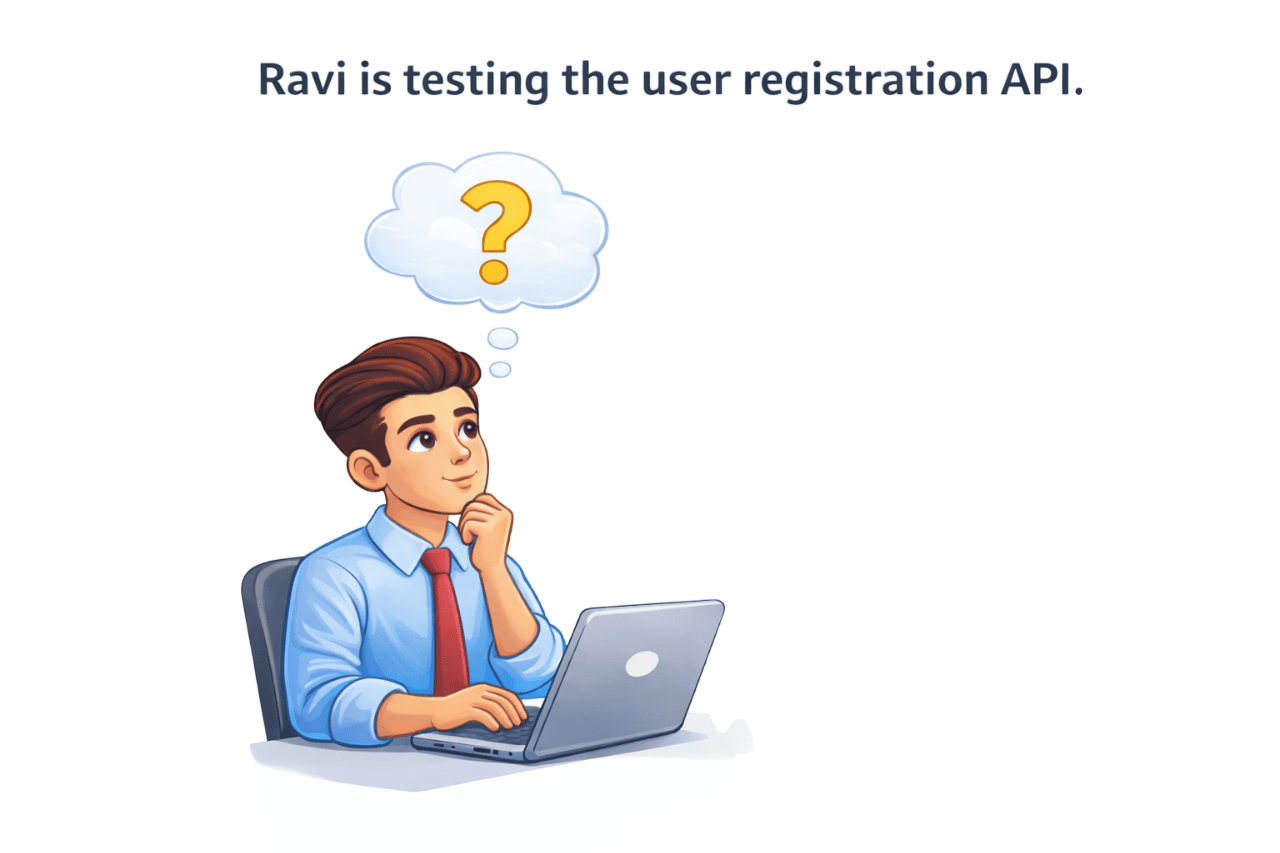
Ravi is testing the user registration API
He sends a request:
But he accidentally leaves the email field empty
Now Ravi wonders...
What will the server do?
POST / register
Possible Outcomes
200 OK
400 Bad Request
422 Unprocessable Entity
Registration Sucessful
This is incorrect because email is required
Server says: "Email is required"
Server says: "Email cannot be empty"
Missing required fields result in an error response from the server
This is called Negative API Testing

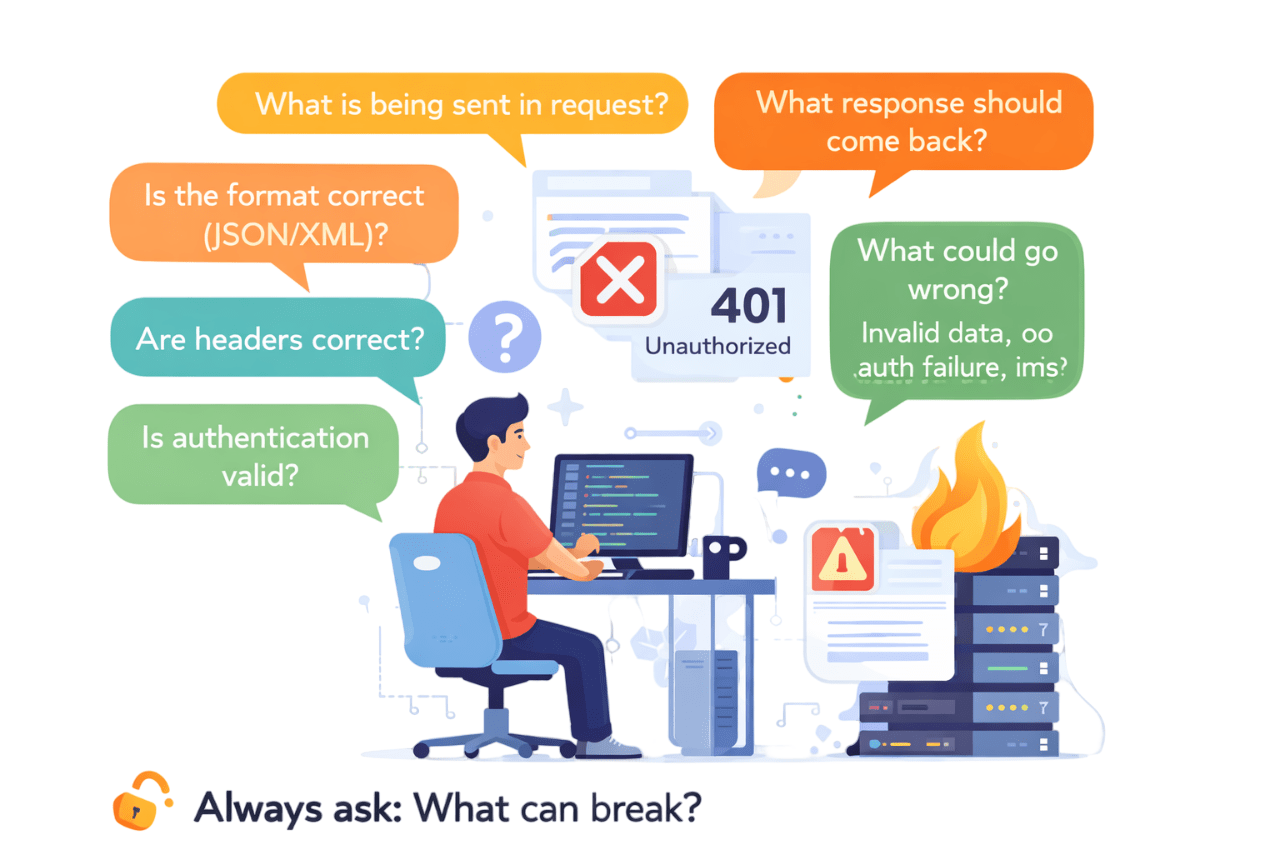
Is Authenication Valid
Are Headers correct?
Is the Format correct?
(JSON/XML)
What is being sent in request?
Are Headers correct?
What response should come back?
What could go wrong?
Invalid data,auth failure,server crash
As a tester,you must verify
From a Tester's Perspective
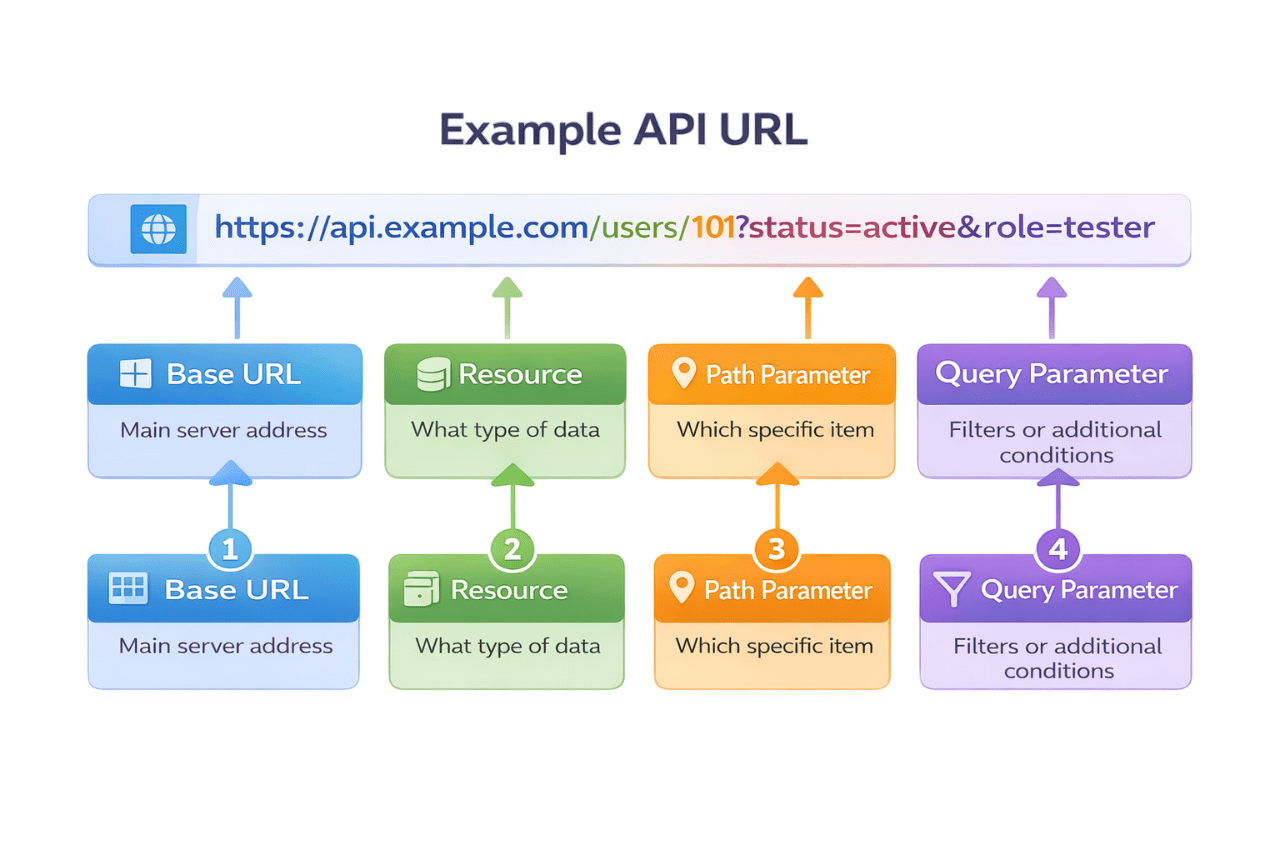
Base URL
Main server address
Resource
What type of data
Path Parameter
Which specific item
Query Parameter
Filters or additional conditions
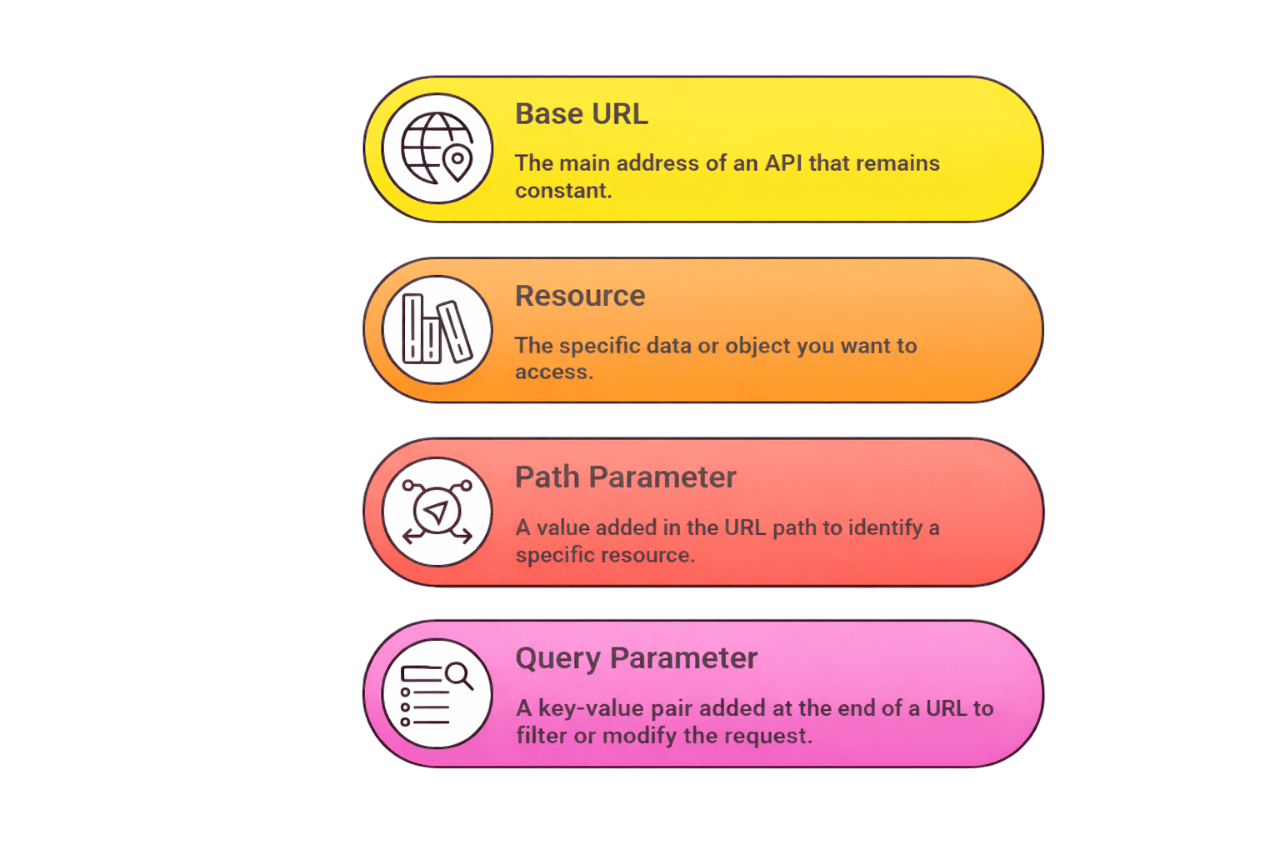
Base URL
Resource
Path Parameter
Query Parameter
The main address of an API that remains constant
The specific data or object you want to access
A value added in the URL path to identify a specific resource
A key-value pair at the end of a URL to filter or modify the request
Authentication
Authentication = Identity Verification
Scenerio
A User tries to login to an application
Request
{
"email": "rahul@example.com",
"password": "Password@123"
}
What the server does
Validates email and password
Checks user in database
If correct

User is authenticated
Checks user in database

User Identity is verified

Authorization
Authorization = Access Permission
Authorization decides what the user is allowed to access
Scenerio
After Login, the user tries to access resources
Example
GET /admin/orders
Authorization: Bearer <token>
What the server does
Validates token
Checks user role/permissions
Result
User accessing own orders
User accessing admin data


POST / login
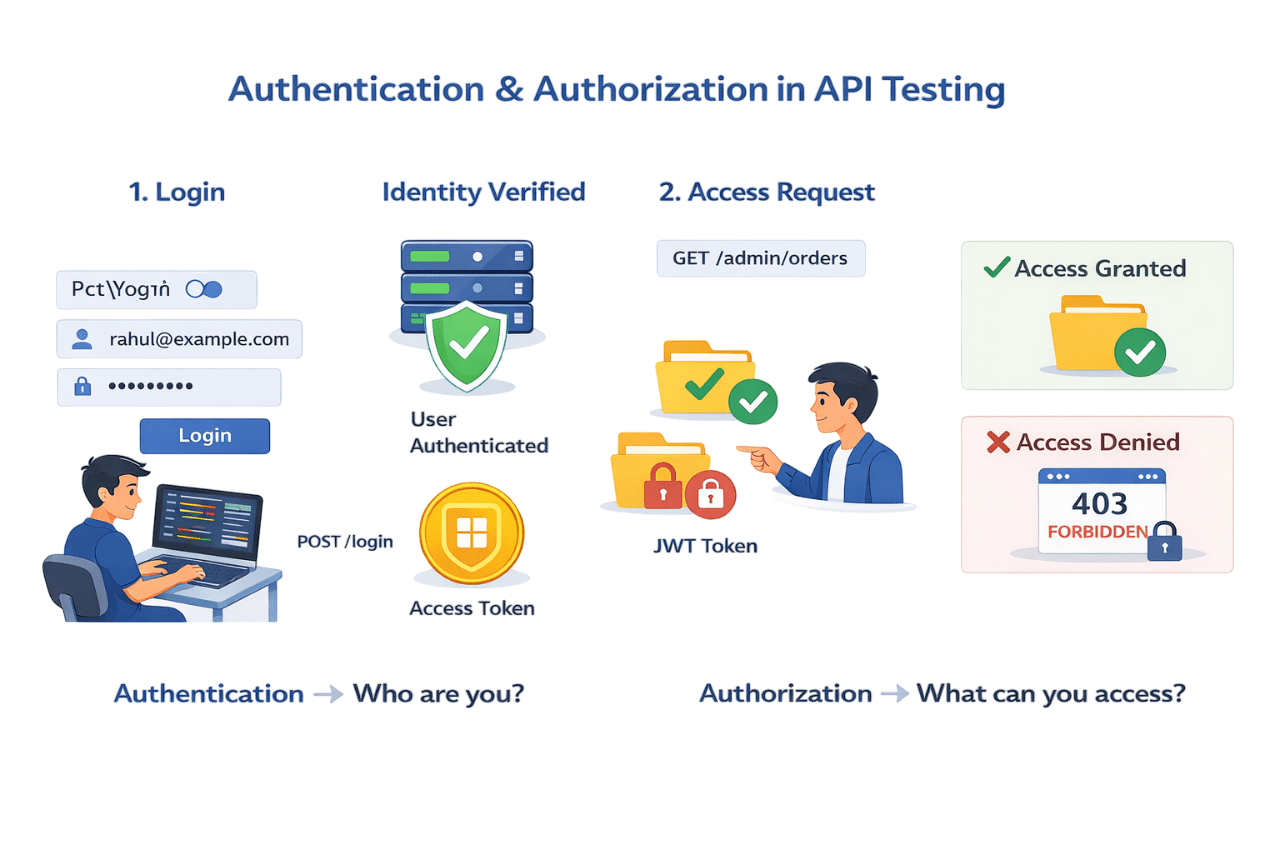
Login
Login
User authenticated
Access Token
Identity Verified
Access Request
Rahul can see only his order and not other user order
Authentication
Who are you?
Authorization
What can you access?
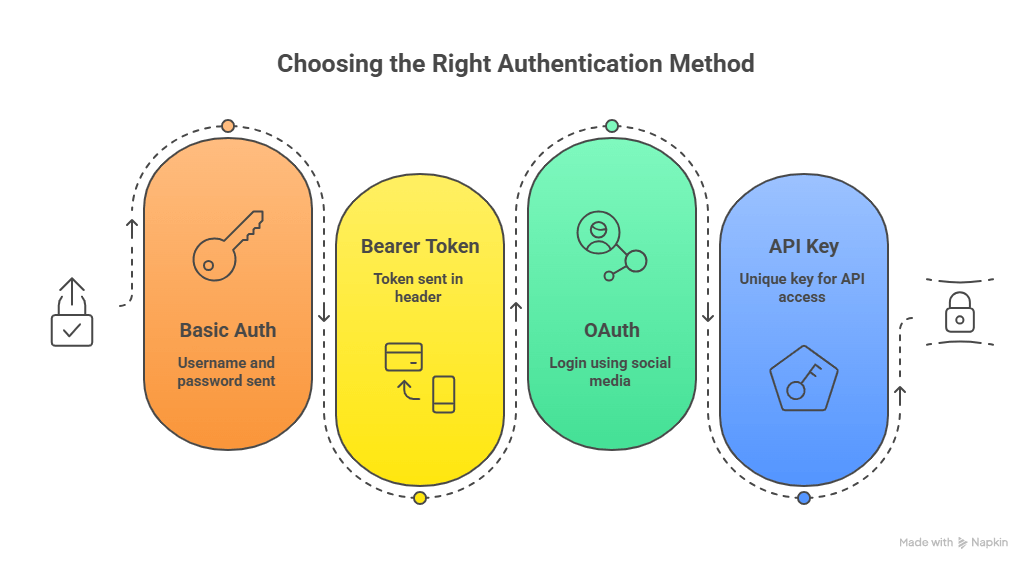
Basic Auth
Username & password
Bearer Token
Token sent in header
OAuth
Login using Social media
API key
Unique key for API access
Types of Authenication
How Token-Based Login Works
No
User Login
Server Verifies Credentials
Server Generates TOKEN
Client Sends Authorization Header
Access Granted?
Access Granted
Access
Denied
Yes
API Testing Tools
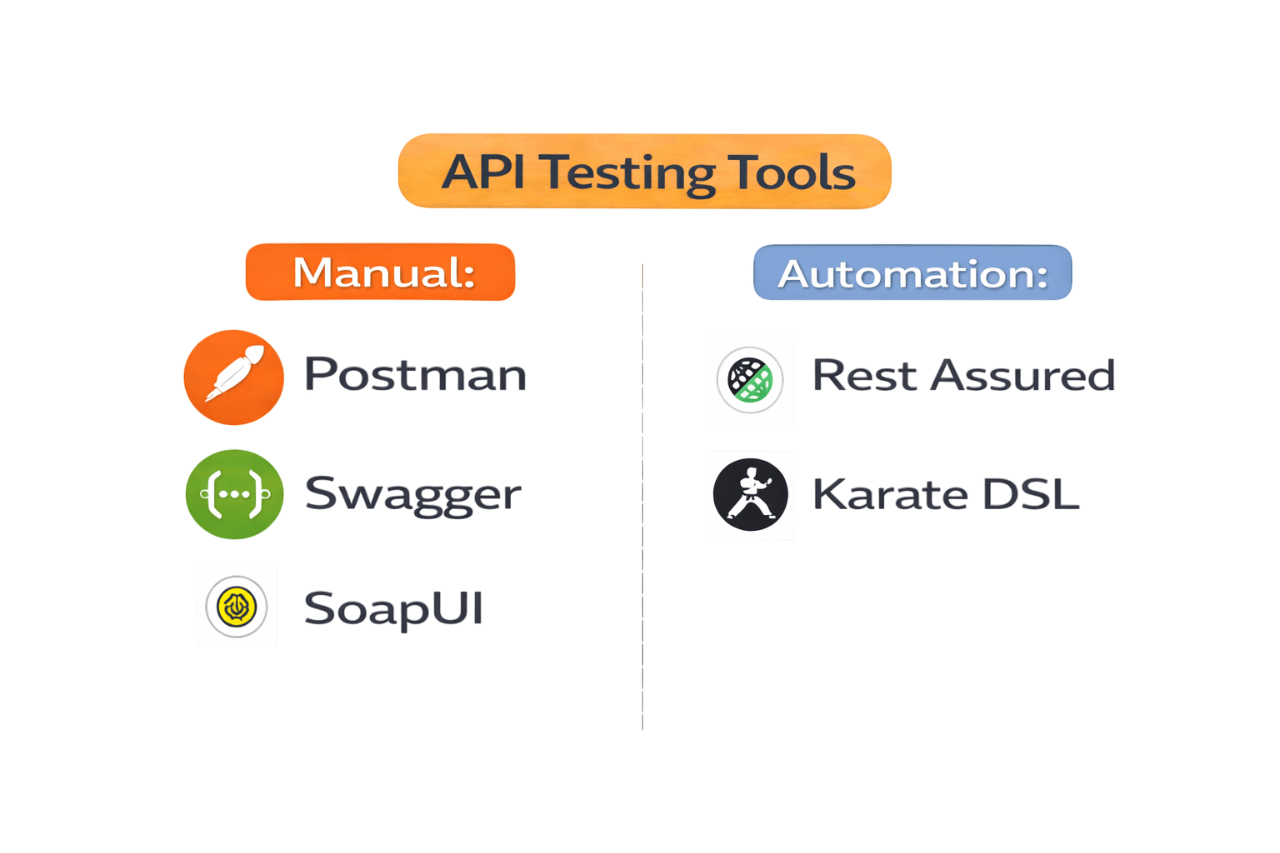
Manual
Postman
Swagger
SoapUI
Automation
Rest Assured
Karate DSL
Performance & Security Testing in API Testing
Performance
Response time
Load
Concurrency
Stress testing

Security
Injection
Broken authentication
Data exposure
Rate limiting
Concurrent user simulation


Tools

JMeter

K6
Summary
5
Ensures reliable and secure system communication
4
Testing includes functional, security, and performance checks
3
Testers verify requests, responses, and status codes
2
API testing validates the service layer and business logic
1
APIs enable communication between applications
Quiz
API testing helps detect issues:
A. Late in production
B. Only UI defects
C. Early in development
D. Only performance defects

Quiz-Answer
A. Late in production
B. Only UI defects
C. Early in development
D. Only performance defects

API testing helps detect issues: