Session Management

Start Lecture and Marking Attendance


Lecture Initiation Process
1. Open the Batch
Navigate to the "Batches" section
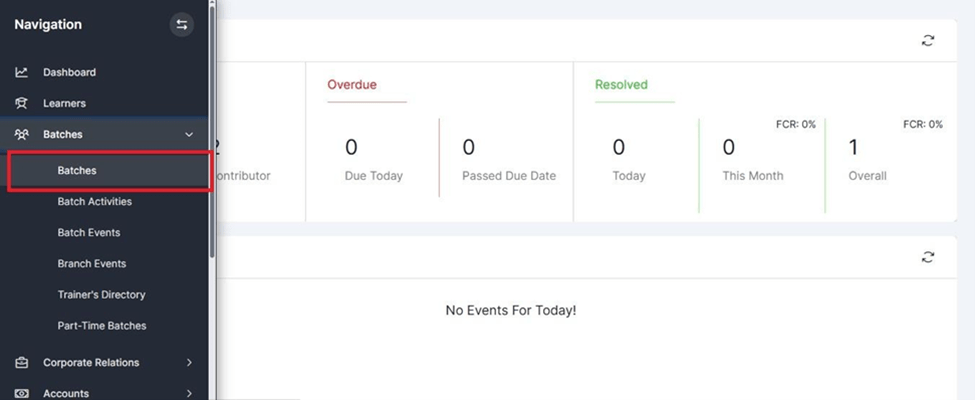
Lecture Initiation Process
Click on the batch number that needs to be updated
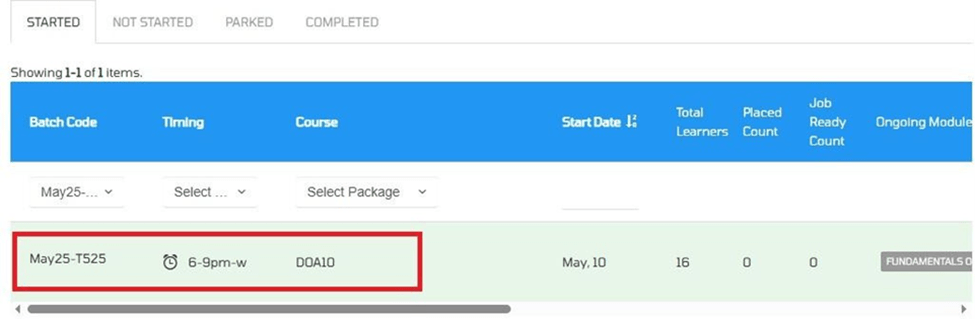
2. Access the Module
Click on the module for which the session was conducted or needs to be updated
Lecture Initiation Process
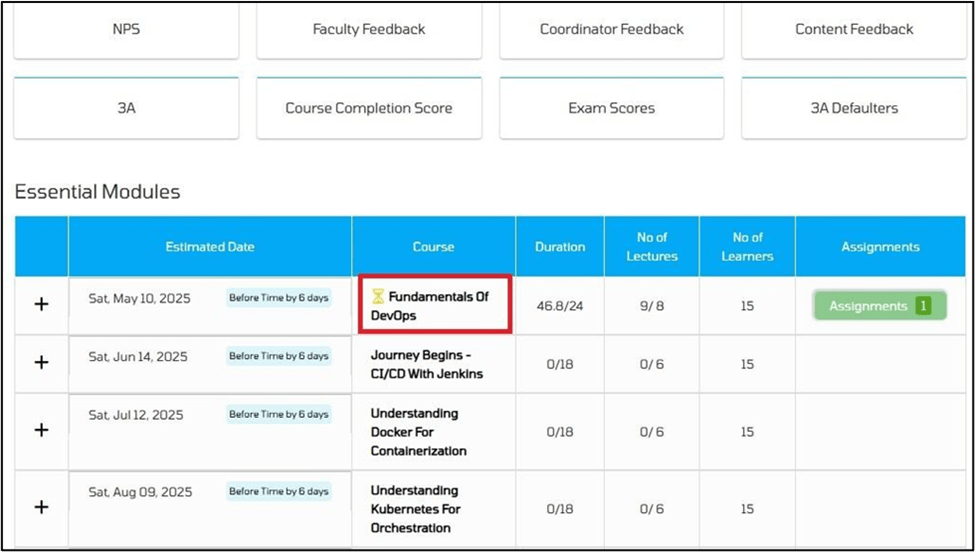
Lecture Initiation Process
3. Start Lecture
- Complete all lab training as per the prescribed curriculum.
- Click "Start Lecture" before every session to enable attendance and session tracking.
- Follow the prescribed lab sequence to ensure consistent and structured learning.
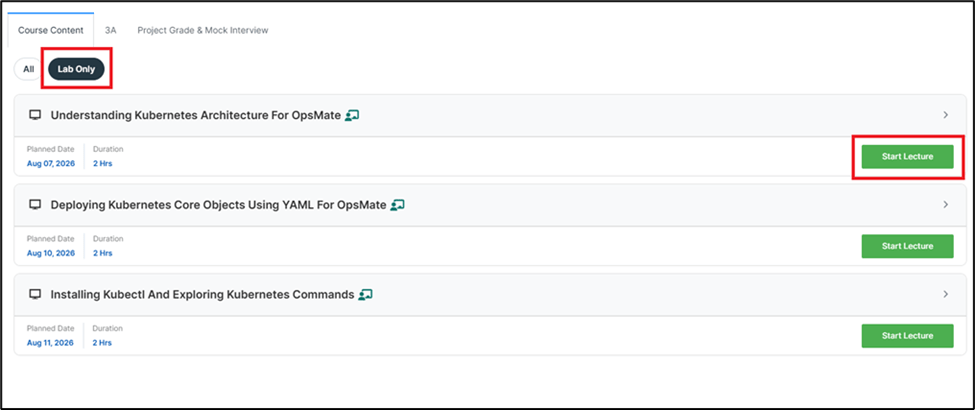
Lecture Initiation Process
Hybrid Access – Session Initiation Guidelines
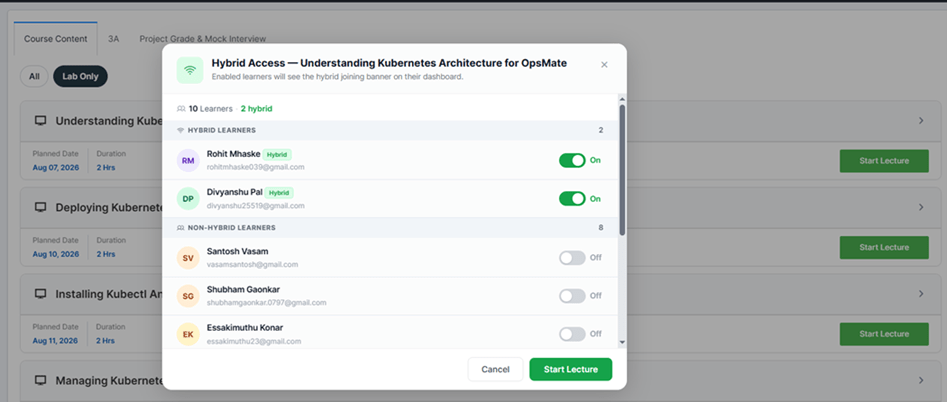
- After clicking "Start Lecture", the Hybrid Access pop-up appears.
- Review learners listed under Hybrid and Non-Hybrid categories.
- Verify or update Hybrid Access using the toggle for each learner.
- Click "Start Lecture" in the pop-up to begin the session.
- Only learners with Hybrid Access enabled can join the session remotely.
Lecture Initiation Process
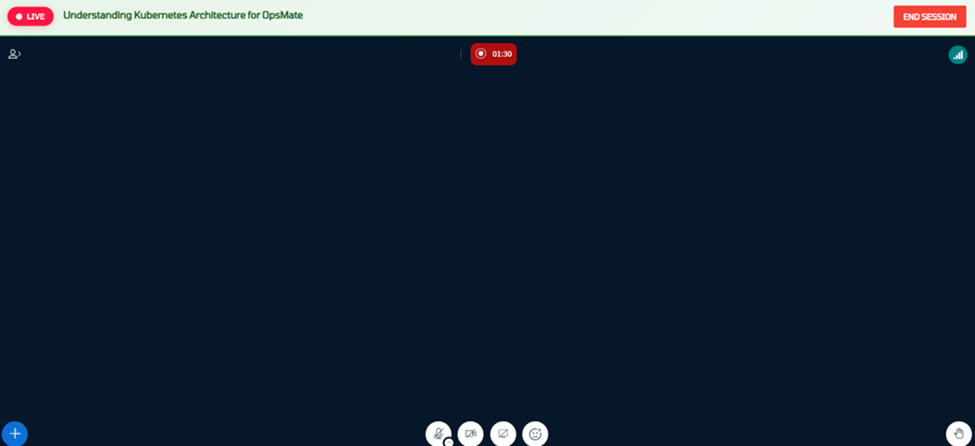
Clicking "Start Lecture" opens the Hybrid Session Control Window in a new browser tab for managing the live hybrid session.
The trainer can perform the following activities from Hybrid Session Control Window :
- Manage the live hybrid session.
- Configure webcam and microphone settings.
- View the list of connected learners.
- Monitor learner interactions, such as raised-hand notifications.
- Share the webcam during the session.
- End the session upon lecture completion.
Lecture Initiation Process
Webcam Configuration
- Click the Webcam icon in the control toolbar.
- Select the required camera from the Camera dropdown.
- Verify the camera preview.
- Click Start Sharing to enable the webcam.
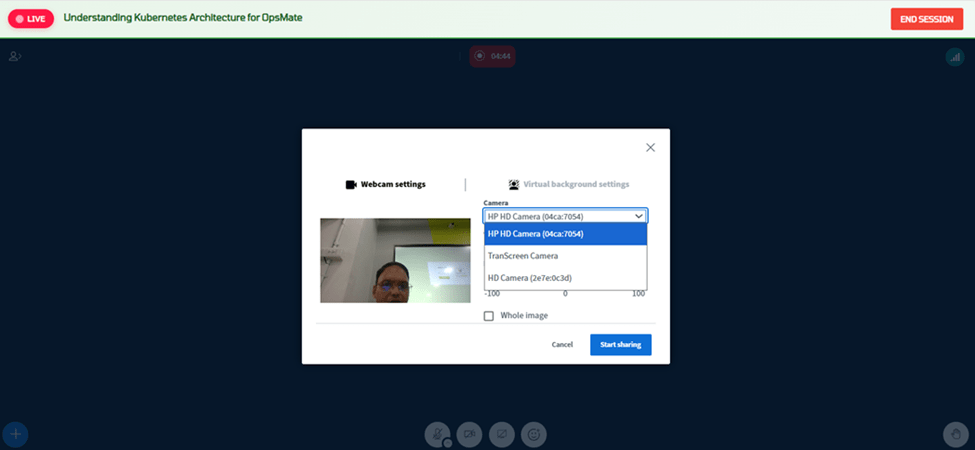
Note: Trainers should verify that the correct webcam is selected before starting the lecture to ensure learners receive a clear video feed.
Lecture Initiation Process
User List
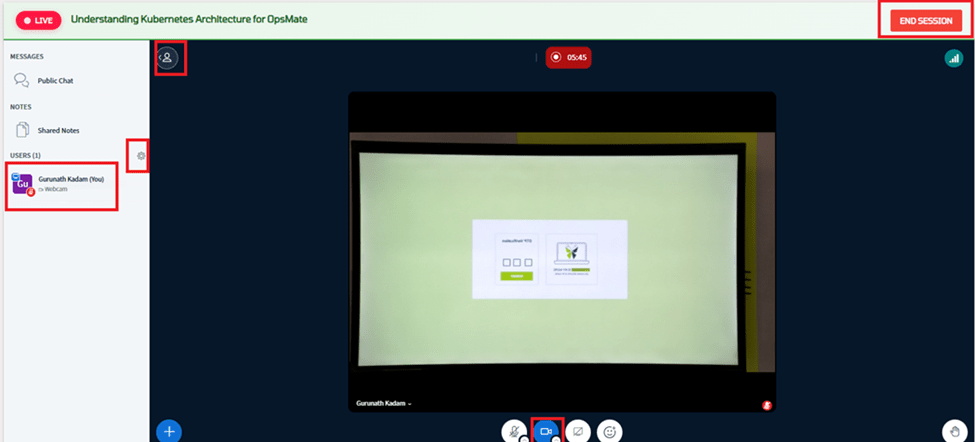
- Click the User List icon located on the left side of the session window.
- Trainers can use this panel to: Monitor attendance, raised hands, learner queries, and overall participation during the session.
Recommendation: Trainers should periodically review the User List during the session to ensure active learner participation and promptly address any questions raised.