
































Content ITV PRO
This is Itvedant Content department
Learning Outcome
4
Learn how to view file permissions using ls -l.
3
Differentiate between owner, group, and other users.
2
Identify read, write, and execute permissions for files and directories.
1
Understand the concept of file permissions and ownership in Linux.
5
Understand symbolic and numeric modes in chmod.
Use of File Permissions and Ownership
Protects files from unauthorized access
Controls who can modify files
Improves system security
Prevents accidental deletion or modification
Manages user access in multi-user systems
Helps organize secure file sharing
Why It Is Used?
Secure important files and directories
Restrict access to sensitive data
Allow controlled file sharing between users
Maintain system stability and security
What is file permission and Ownership
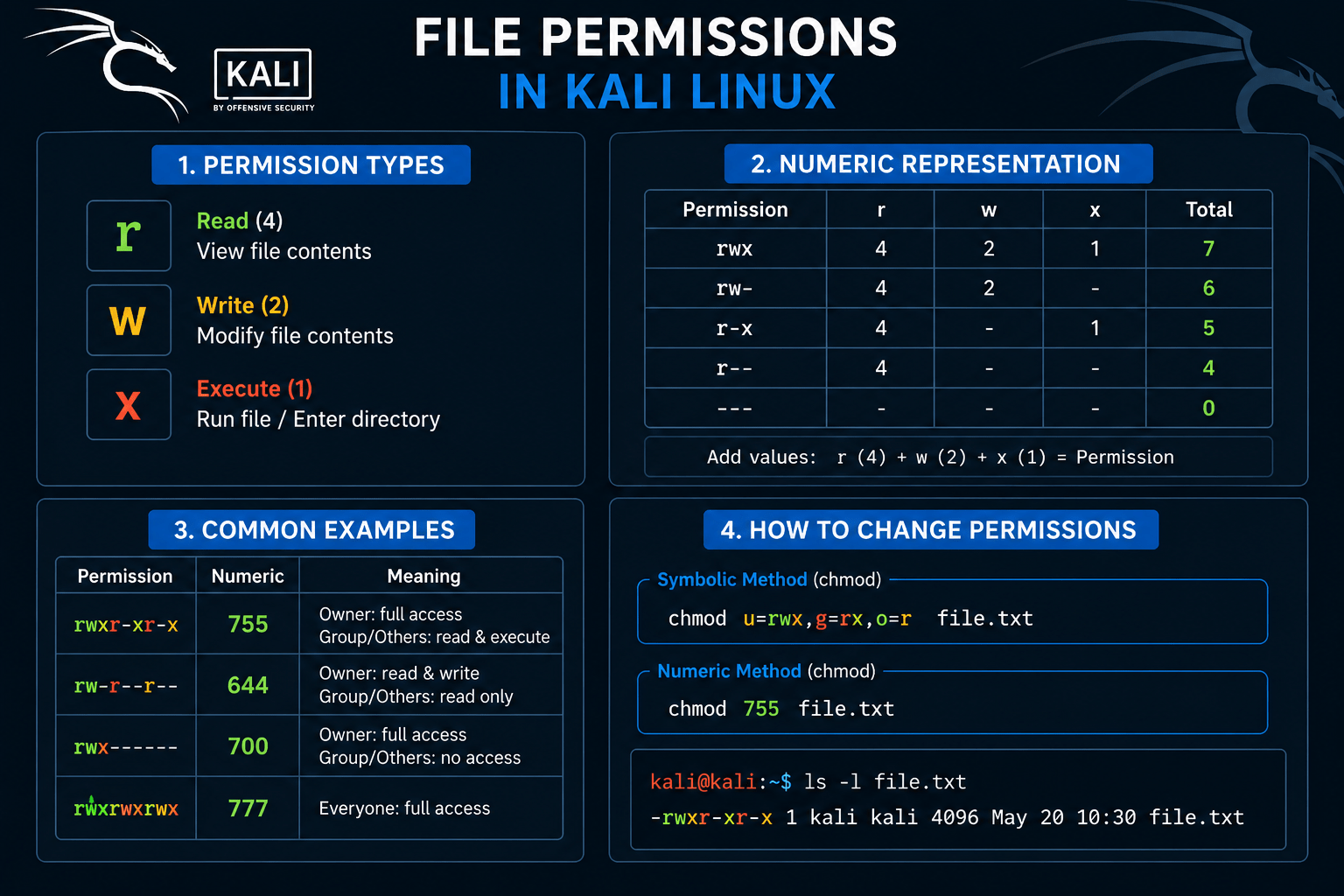
File ownership and permissions in Linux determine who owns a file and who has permission to read, write, or execute it.
Every file and directory is linked with a user owner, a group owner, and a set of permissions that apply to the owner, group members, and all other users. It defines “who is allowed to do what on a resource.”
Permissions Types
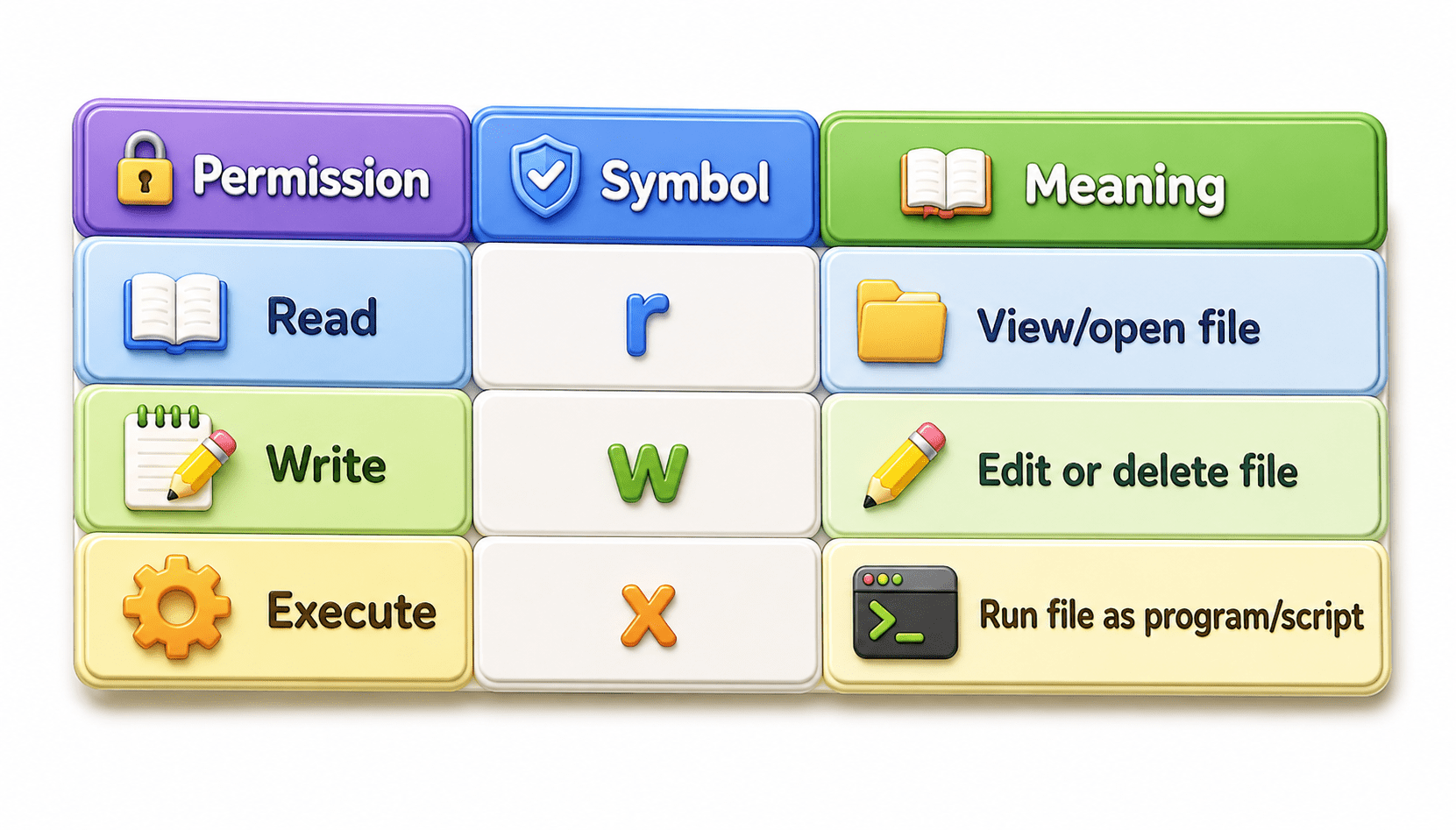
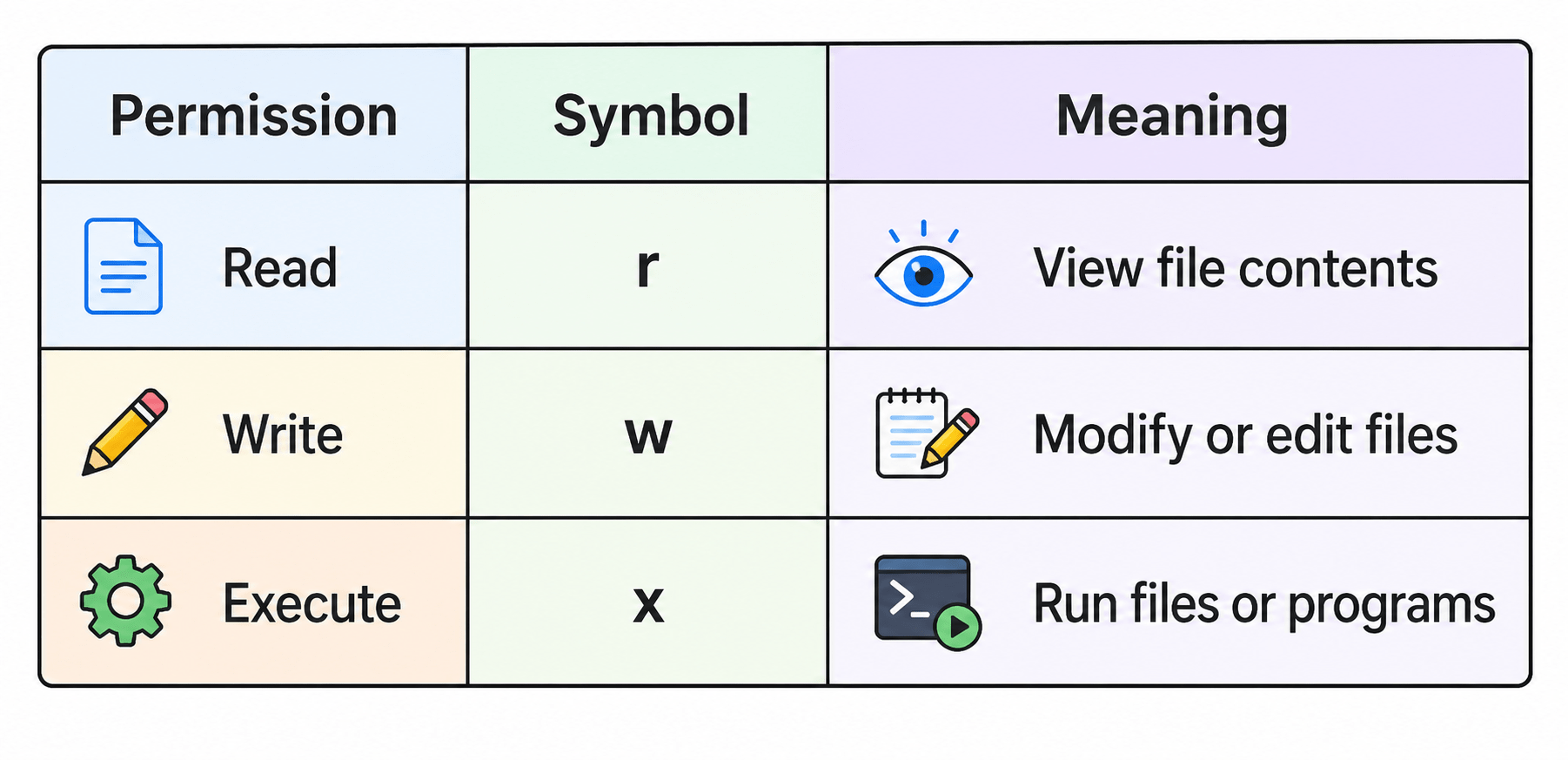
Linux file permissions types define the operations that can be performed on files and directories. The permission model consists fundamentally of three types: read (r), write (w) and execute (x) in combination control data access.
Linux mainly has 3 permission types:
Meaning of Permissions
Read Permission (r)
Allows user to:
Open file
View contents
For folders: View files inside directory
Write Permission (w)
Network Layer (Layer 3):
Execute Permission (x)
Terminal Concept in Linux
A Terminal is a command-line interface used to communicate with the Linux operating system by typing commands.
It allows users to:
Run commands
Manage files
Install software
Control the system
Run security tools
Importance in Kali Linux
Most cybersecurity and penetration testing tools are commonly used through the terminal.
Shell Basics
A Shell is a program that interprets user commands and communicates with the operating system kernel.
Functions of a Shell
Executes commands
Runs scripts
Manages files and processes
Automates tasks
Common Linux Shells
Bash
Zsh
Fish
User & Permission Concepts
Root User
The Root User is the administrator account in Kali Linux with full control over the entire system.
Features:
Can access all files and settings
Can install or remove software
Can modify system configurations
Has the highest privileges
Risk:
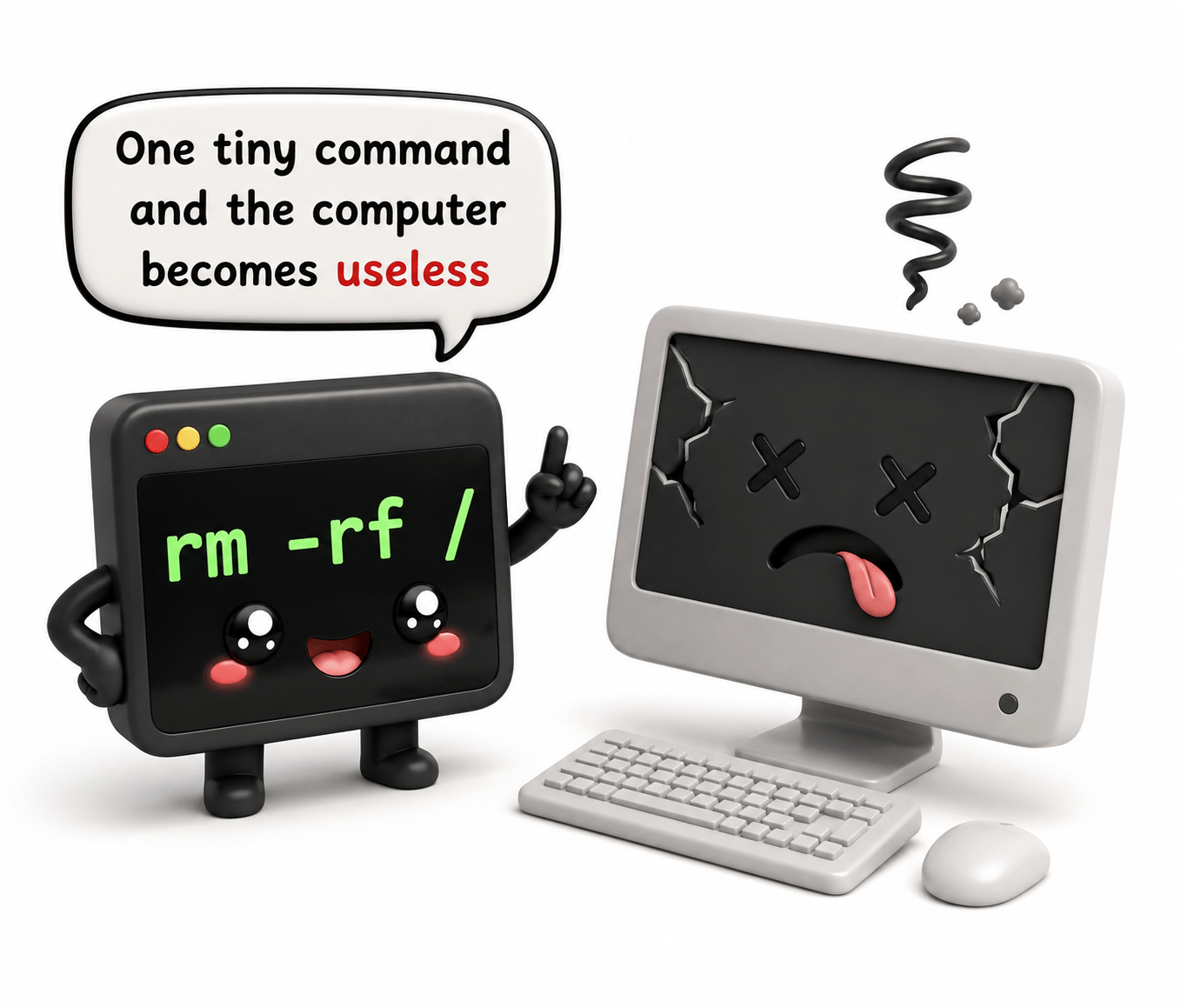
Wrong commands can damage the system.
Example:
rm -rf /Normal User
A Normal User is a regular account with limited permissions.
Features:
Can use applications
Can manage personal files
Cannot modify critical system files without permission
Benefits:
Safer for daily use
Reduces accidental system damage
File Permissions in Kali Linux
Linux controls access to files using permissions.
Main permission types:
Ownership Concept in Kali Linux
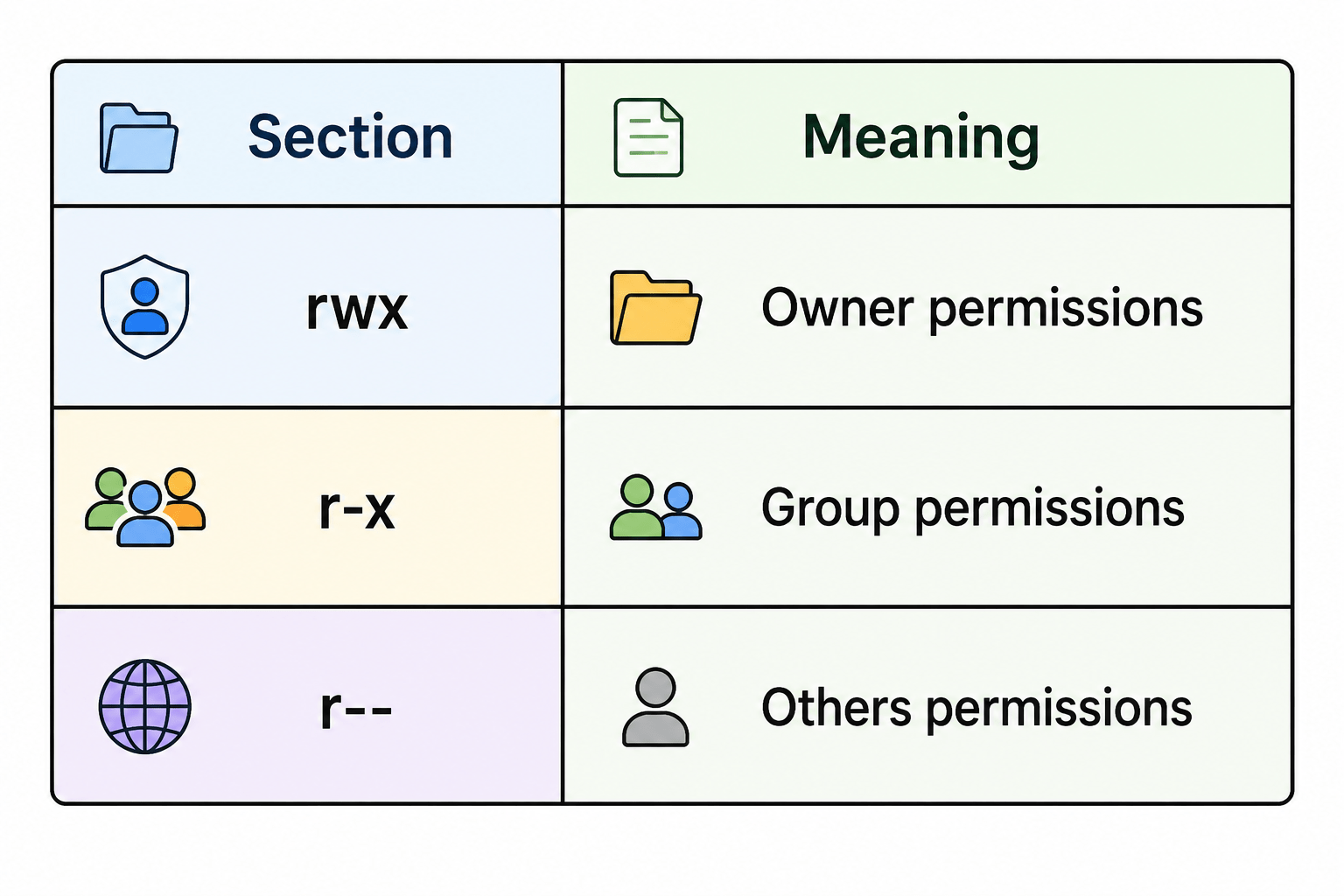
Every file and directory in Linux has an owner and permission groups.
User (Owner)
Group
The user who created or owns the file.
Permissions Can have:
Read
Write
Execute access
A collection of users who share similar access permissions.
Purpose : Allows multiple users to access files together.
Others
All other users on the system who are not the owner or group members.
Usually Given Limited Access : For security reasons.
Example:
-rwxr-xr--File permissions in Kali Linux
Package & Software Management
What is a Package Manager?
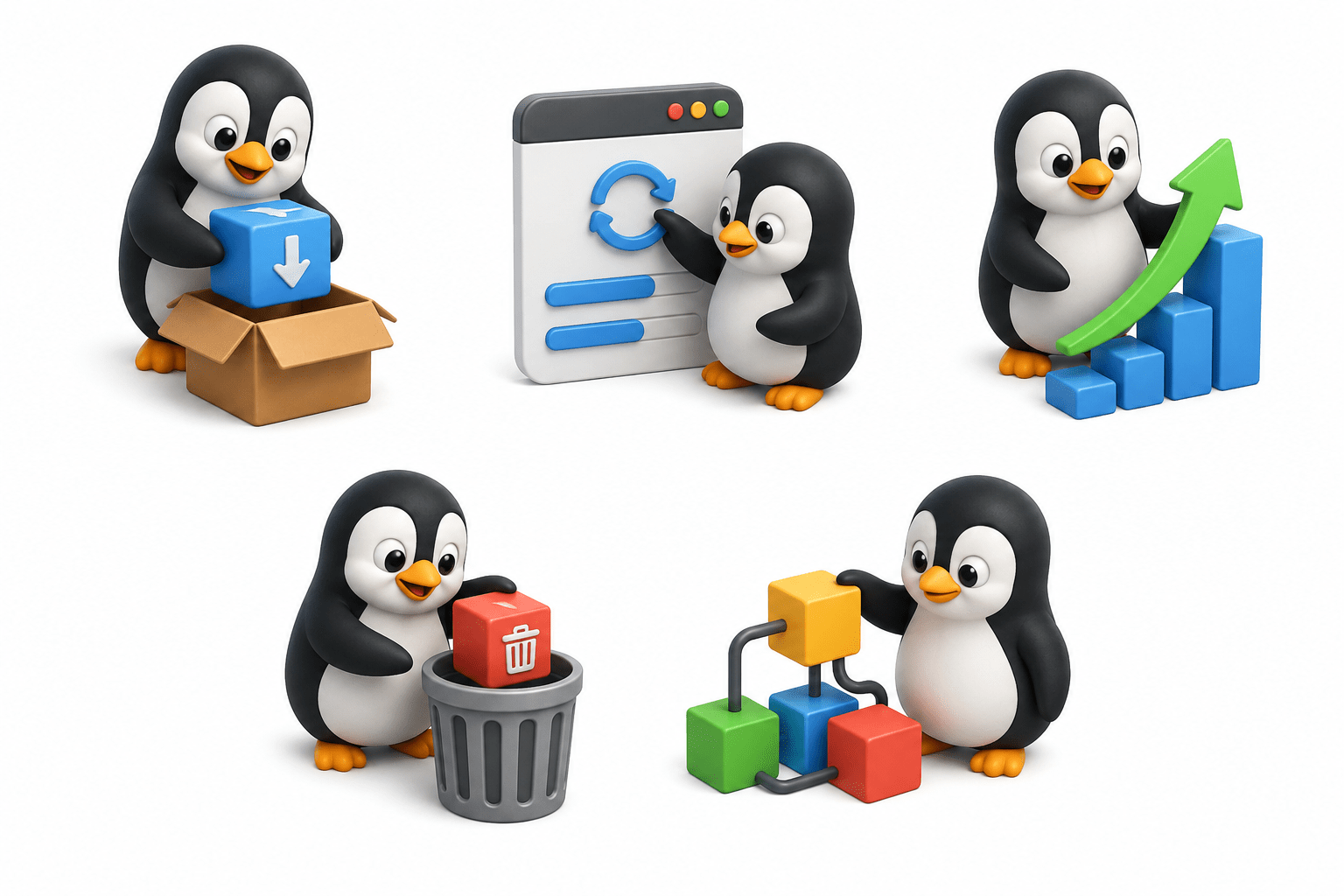
A Package Manager is a software tool that helps users install, update, configure, and remove software packages in an operating system automatically.
In Linux, software is distributed in the form of packages. A package contains:
Application files
Configuration files
Libraries
Dependency information
Example:
sudo apt install nmap“This installs Nmap along with necessary dependencies.”
Main Functions of a Package Manager
1. Software Installation
Installs applications and required files automatically.
2. Dependency Management
Many programs need additional software libraries to work.
The package manager:
Detects required dependencies
Downloads them automatically
Prevents missing-file errors
3. Software Updates
Package managers help keep software updated with:
New features
Bug fixes
Security patches
4. Software Removal
Removes installed software cleanly from the system.
5. System Security
Repositories used by package managers usually provide trusted and verified software packages, reducing the risk of malicious software.
Benefits of Package Managers:
Faster software installation
Automatic dependency handling
Easy software updates
Better security
Centralized software management
APT Concept
APT stands for Advanced Package Tool. It is the default package management system used in Debian-based Linux distributions like Kali Linux.
Functions of APT:
Install software
Update packages
Upgrade the system
Remove software
Manage dependencies
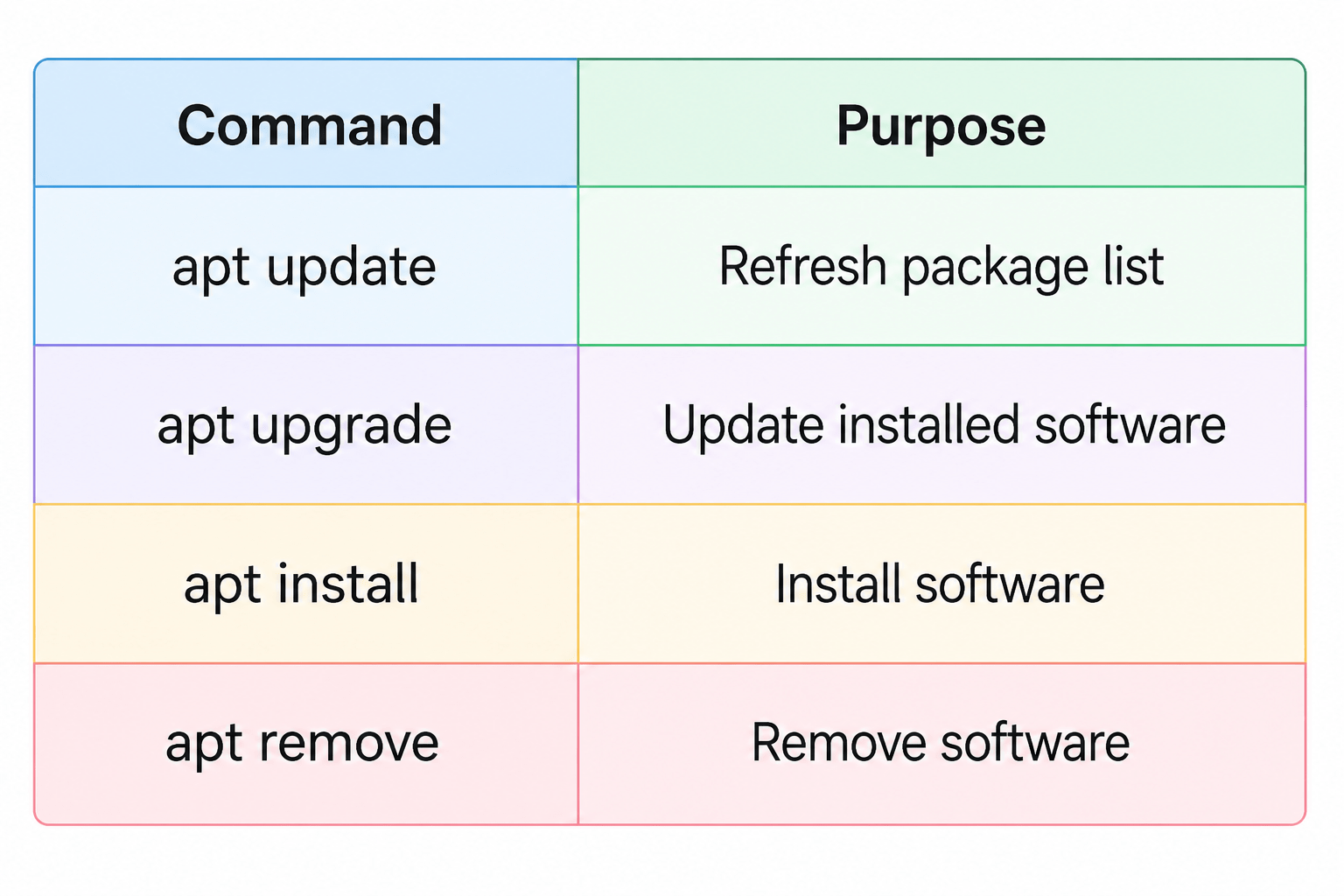
Common APT Commands:
Example :
sudo apt update“This updates the package information from repositories.”
Repositories
A Repository is an online storage location that contains software packages for Linux systems.
Linux downloads software from repositories instead of random websites.
Why Repositories are Important?
Provide trusted software
Make installation easier
Deliver updates and security patches
Manage software dependencies automatically
Repositories are used to store and provide software packages for Linux systems in a centralized and secure way.
Types of Repositories
Official repositories
Third-party repositories
Local repositories
Simple Working Process
User requests software
APT checks repositories
Package is downloaded
Software is installed automatically
Network Interface Concept in Kali
A Network Interface in Kali Linux is a hardware or virtual connection that allows the system to send and receive data over a network.
In Kali Linux, network interfaces are used for:
Internet access
Network communication
Security testing
Packet capturing
Each interface acts like a communication channel between the computer and the network.
It can be:
Wired (Ethernet)
Wireless (Wi-Fi)
Virtual network adapter
Each network interface has its own settings and IP address.
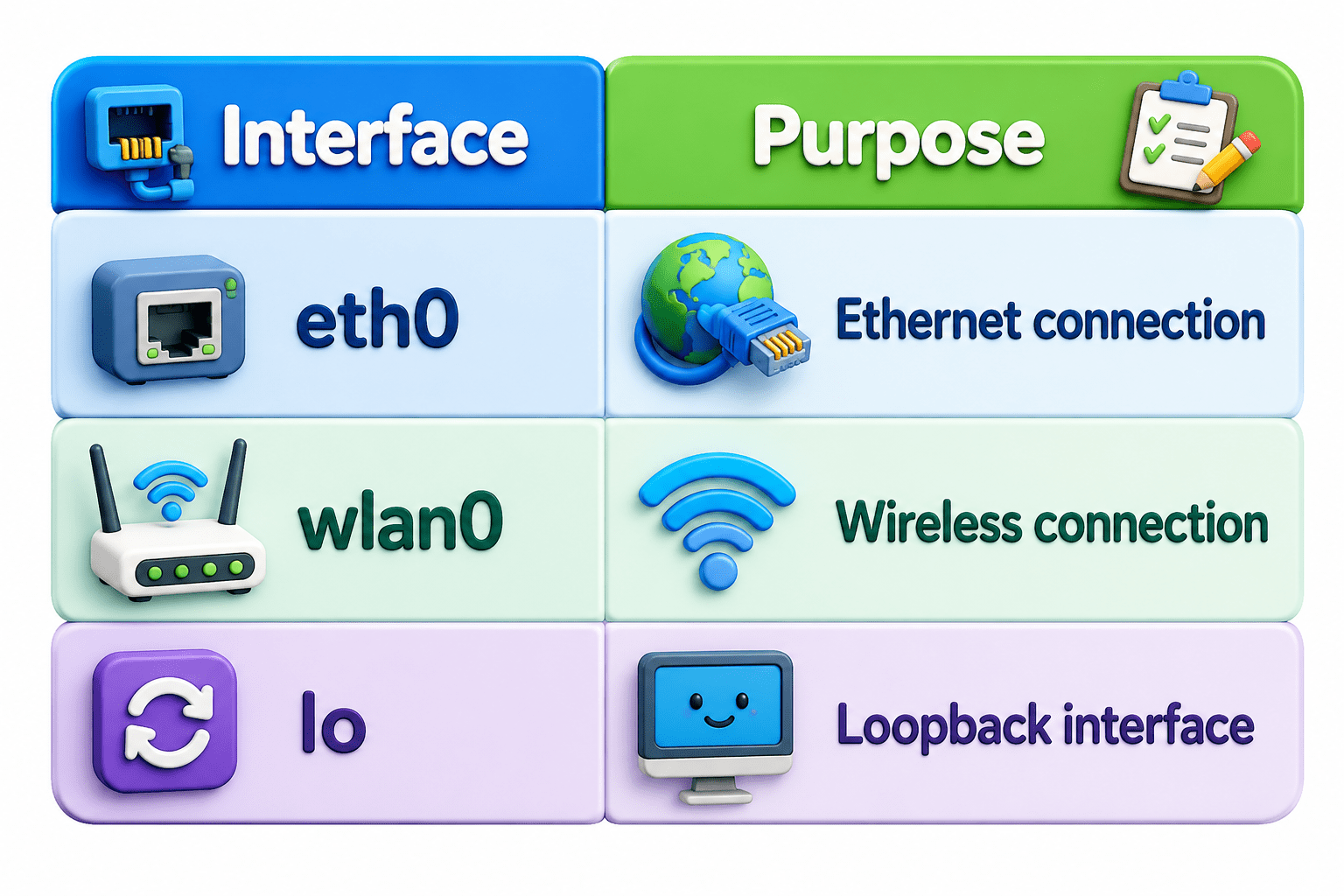
Common Interface Names in Linux
Loopback Interface (lo)
A special internal interface used for communication within the same system.
Example: 127.0.0.1
This is called the localhost address. Computers literally talk to themselves through a fake network interface.
IP Addressing in Linux
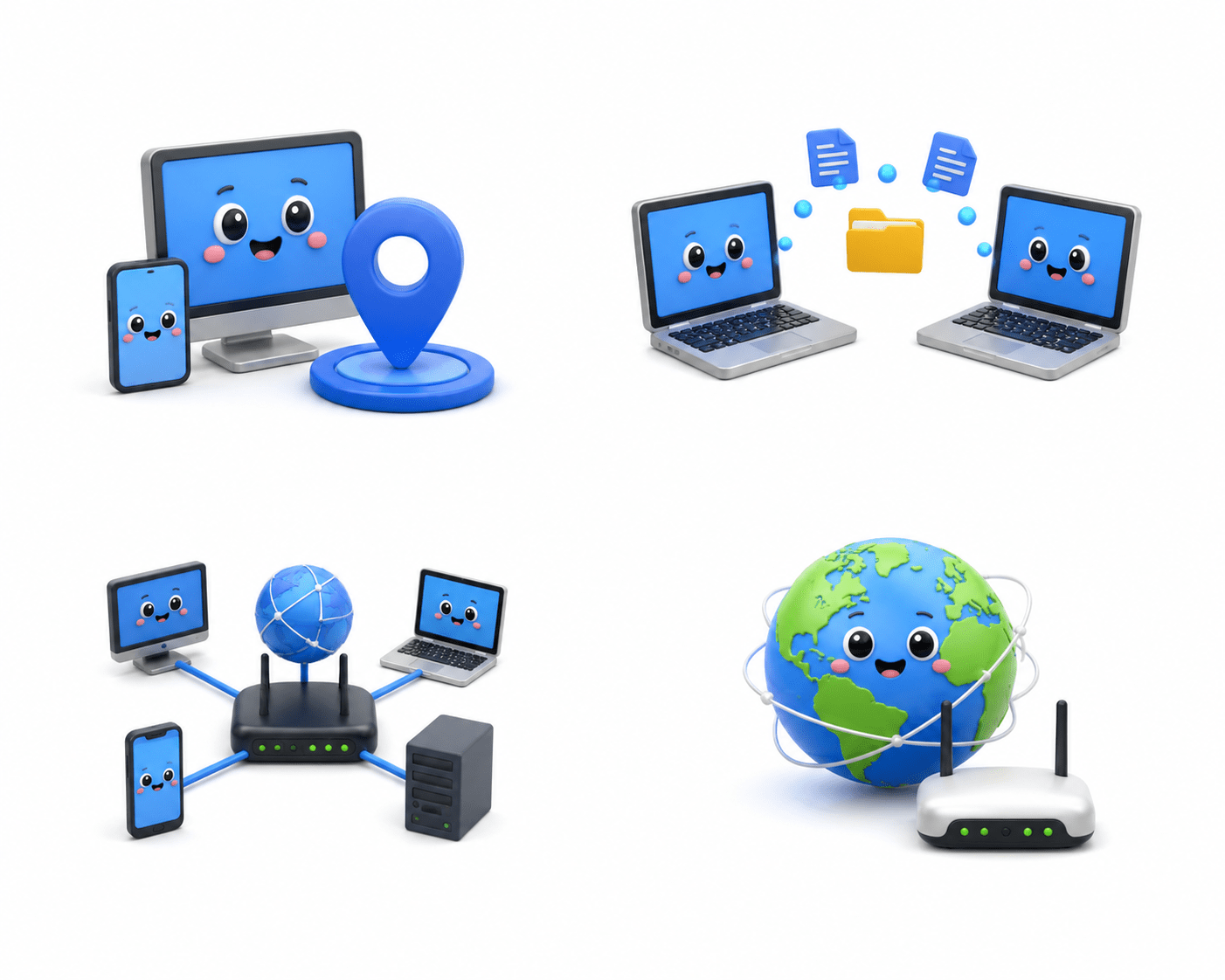
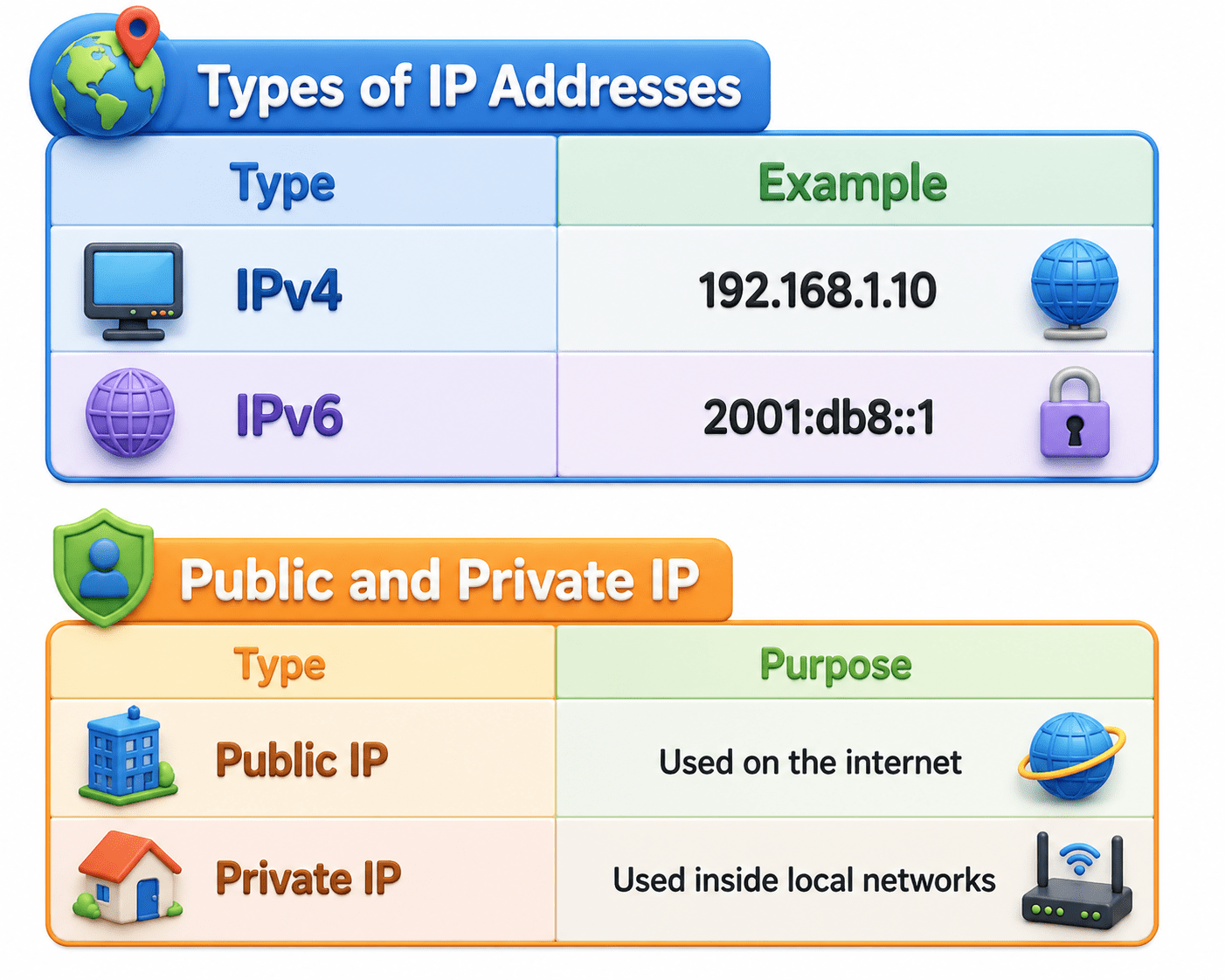
IP Addressing in Linux is the method of assigning unique numerical addresses to devices so they can communicate over a network. An IP address helps identify a device on a local network or the internet.
Purpose of IP Addressing
IP addresses are used to:
Identify devices
Send and receive data
Enable network communication
Connect to the internet
Basic Idea of Connectivity in Linux Systems
Connectivity means the ability of Linux systems to communicate with:
Other computers
Networks
Internet services
Linux uses:
Network interfaces
IP addresses
Routing
DNS services
to establish communication.
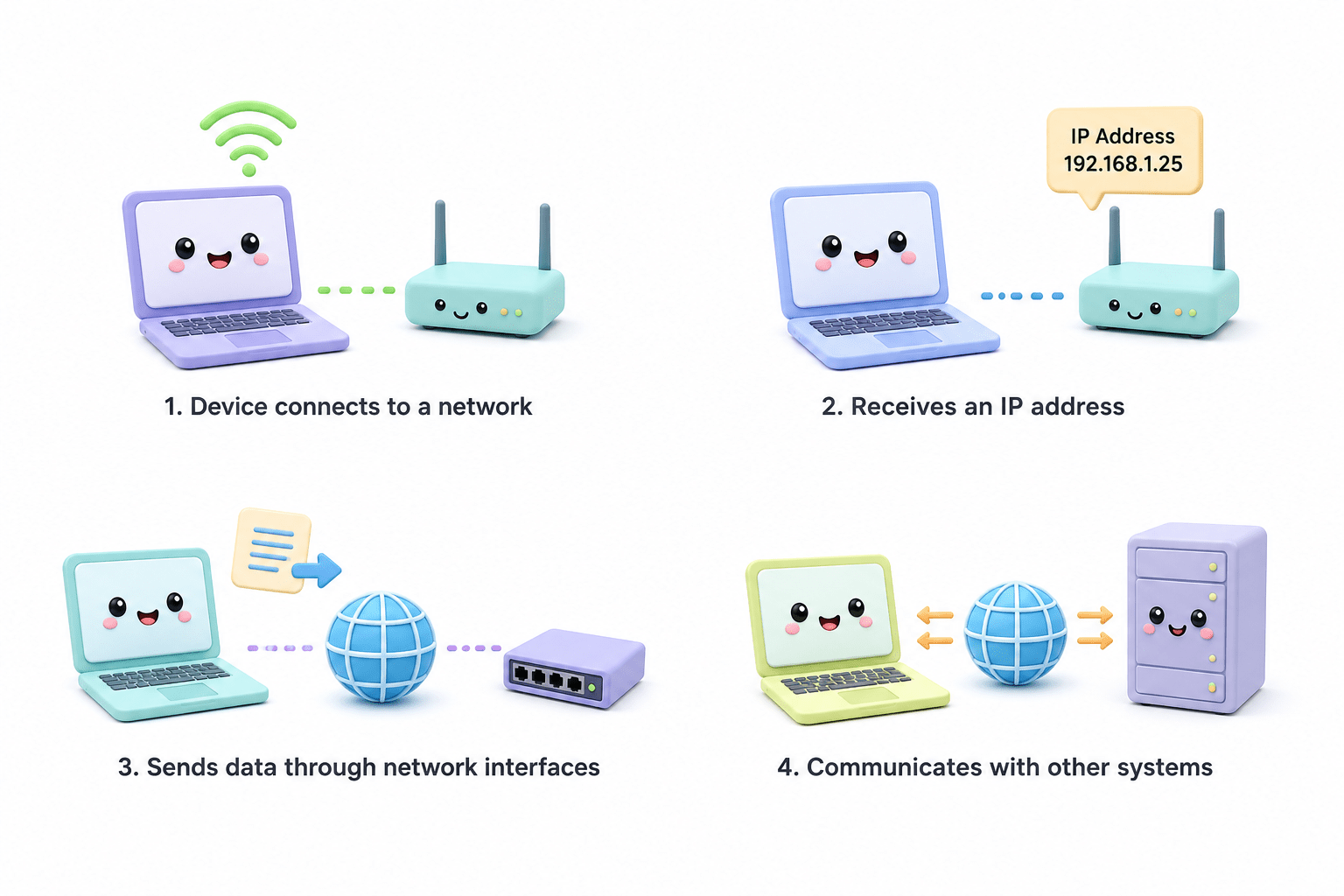
Basic Connectivity Process
Device connects to a network
Receives an IP address
Sends data through network interfaces
Communicates with other systems
Common Connectivity Uses in Kali Linux
Internet access
Network scanning
Remote connections
Penetration testing
Packet analysis
Tools like:
depend heavily on network connectivity.
Summary
5
Interfaces & IPs: communication and testing.
4
Permissions: Read, Write, Execute.
3
Root: full access; User: limited access.
2
XFCE: lightweight; GNOME: resource-heavy.
1
GUI: visual interaction; Terminal: command-line control.
Quiz
Which desktop environment is the default in Kali Linux?
A. KDE
B. GNOME
C. XFCE
D. Cinnamon
Quiz-Answer
C. XFCE
Which desktop environment is the default in Kali Linux?
A. KDE
B. GNOME
D. Cinnamon
By Content ITV