Develop Authentication UI for Bite Box

Business Scenario
In today’s digital world, almost every website requires a secure authentication system so that users can create an account and log in to access personalized services.
For example:
Websites like Amazon, Instagram, Netflix, LinkedIn all provide Signup and Login features.
In this lab, we will create a Login Form and Registration (Signup) Form using Bootstrap and design them professionally.

Pre-Lab Preparation
Topic : Working with Forms
1) Basic HTML structure
2) Bootstrap CDN linking
3) Bootstrap form components
4) Container, row, column classes
5) Button styling in Bootstrap
git pull origin branchName
Git Pull
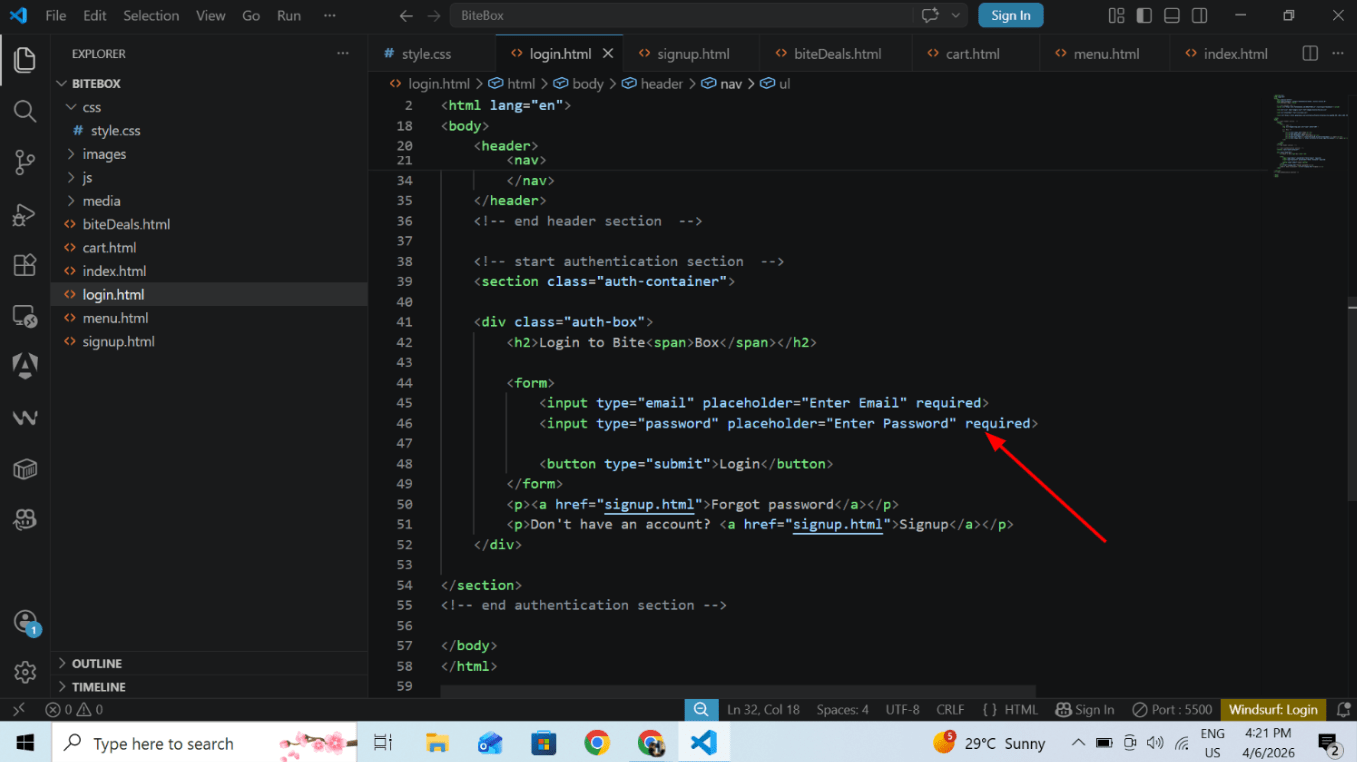
Task 1: Add login and registration form
add auth section below header section in login.html
1
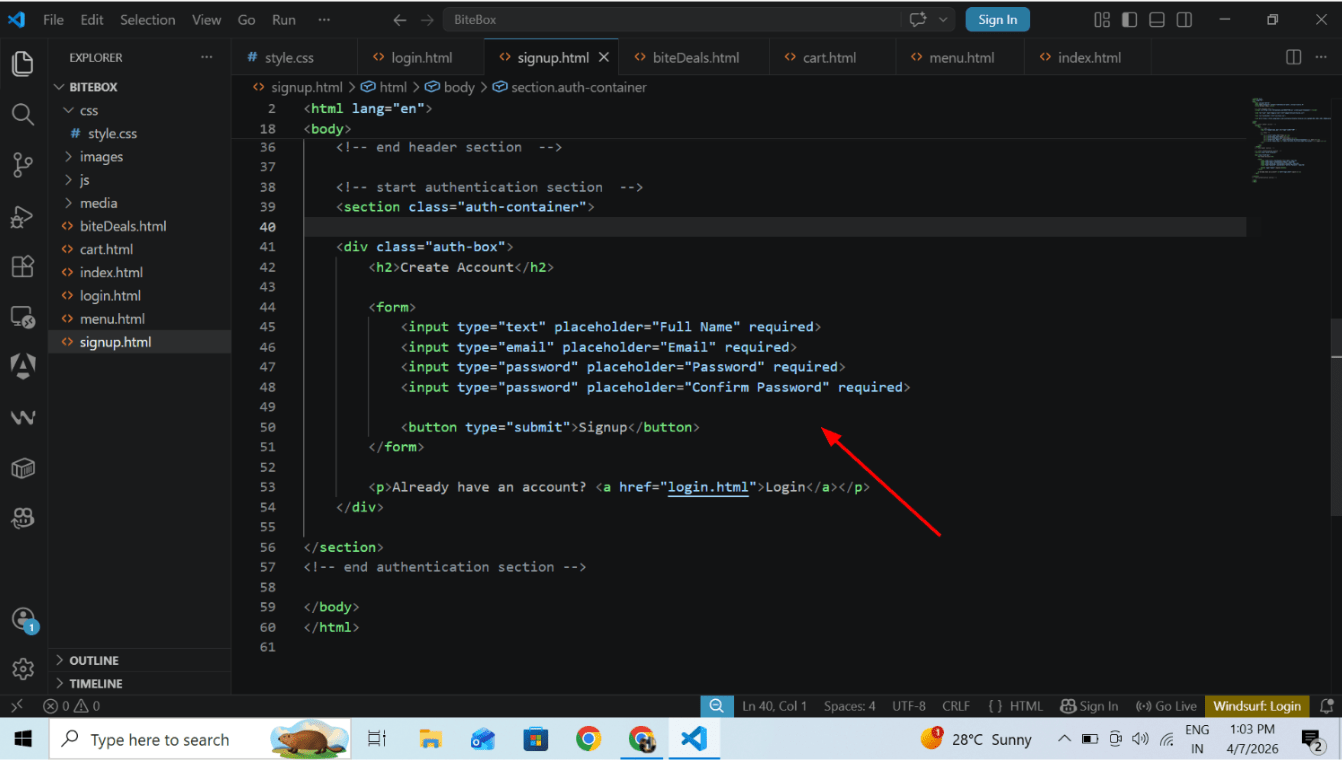
create signup.html and auth container in this
2
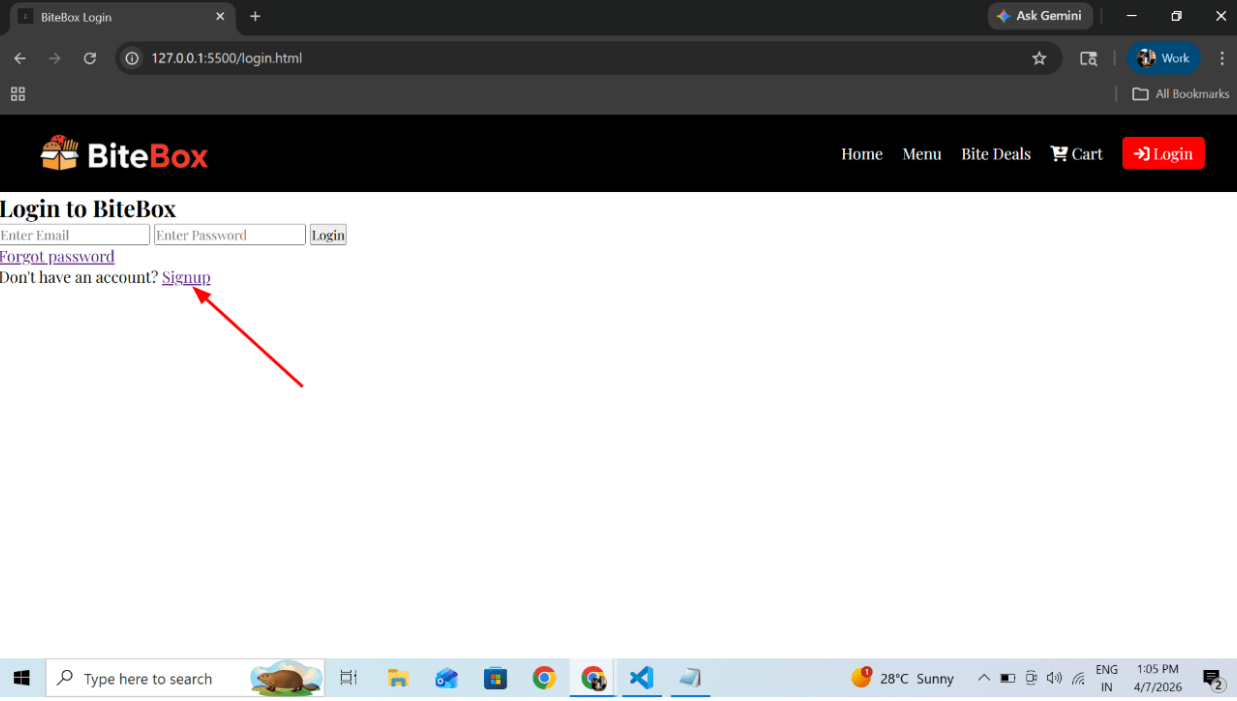
Output
click on login button
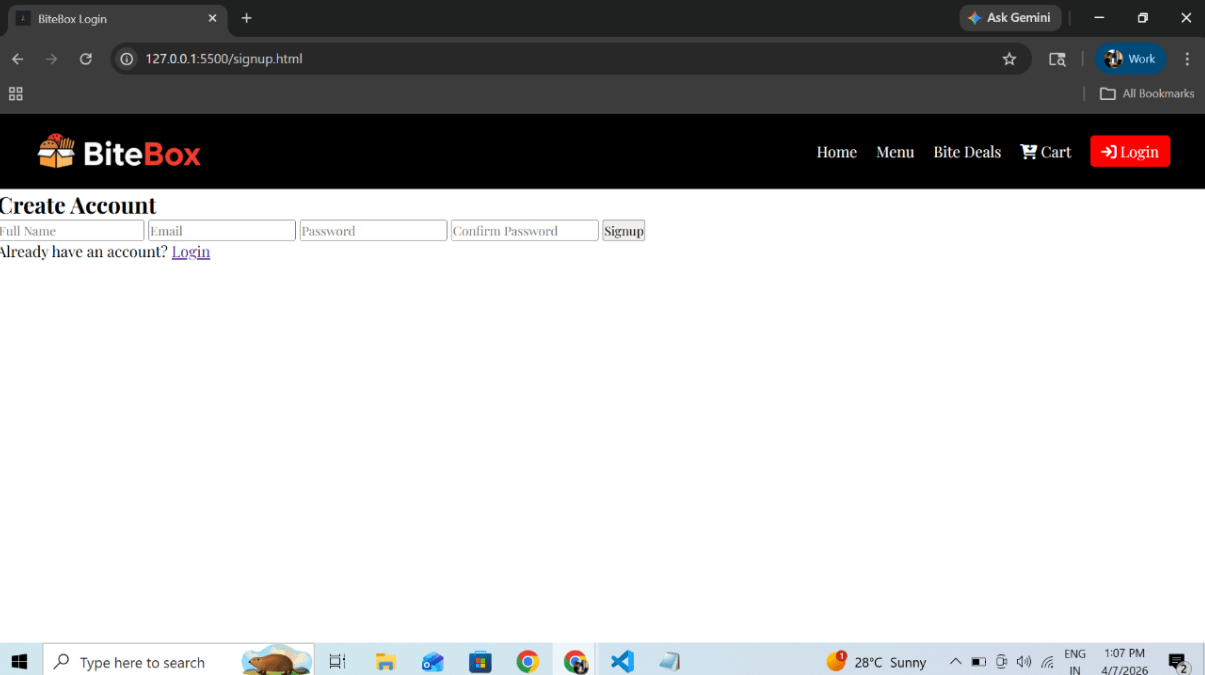
Output
Click on signup
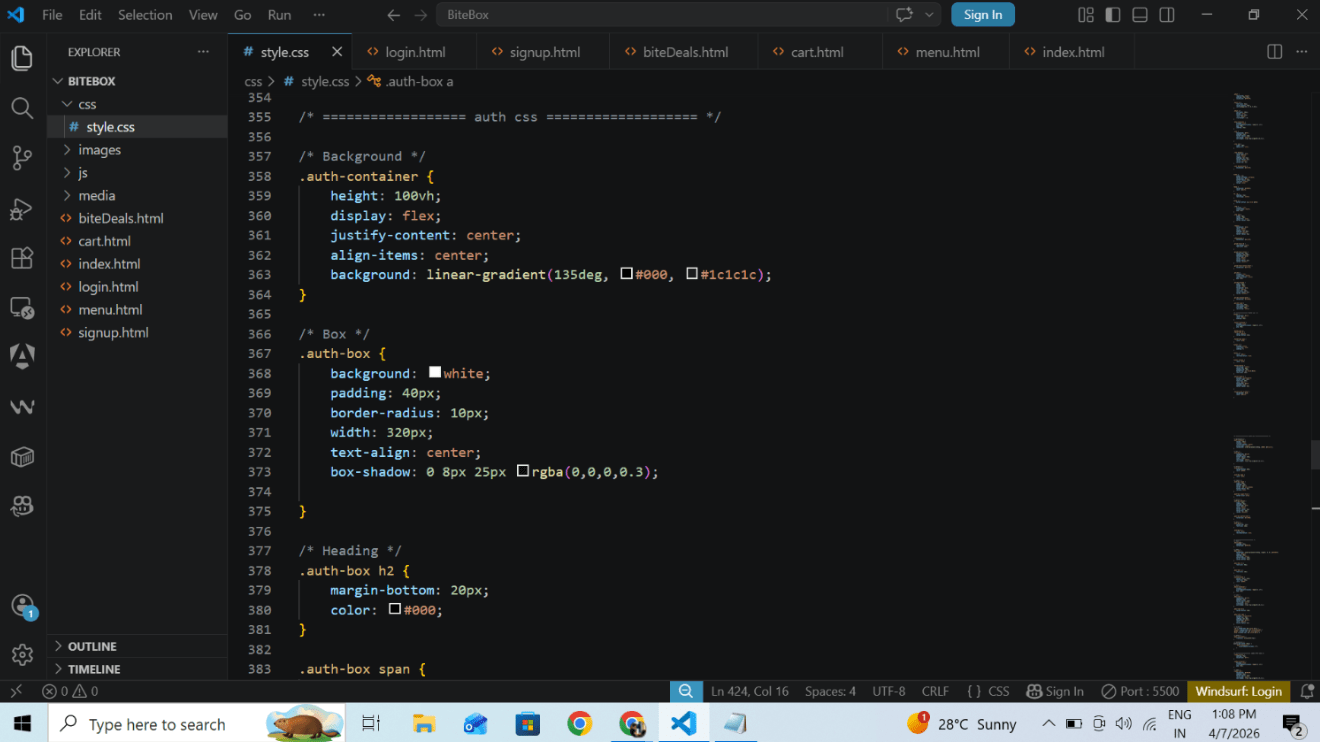
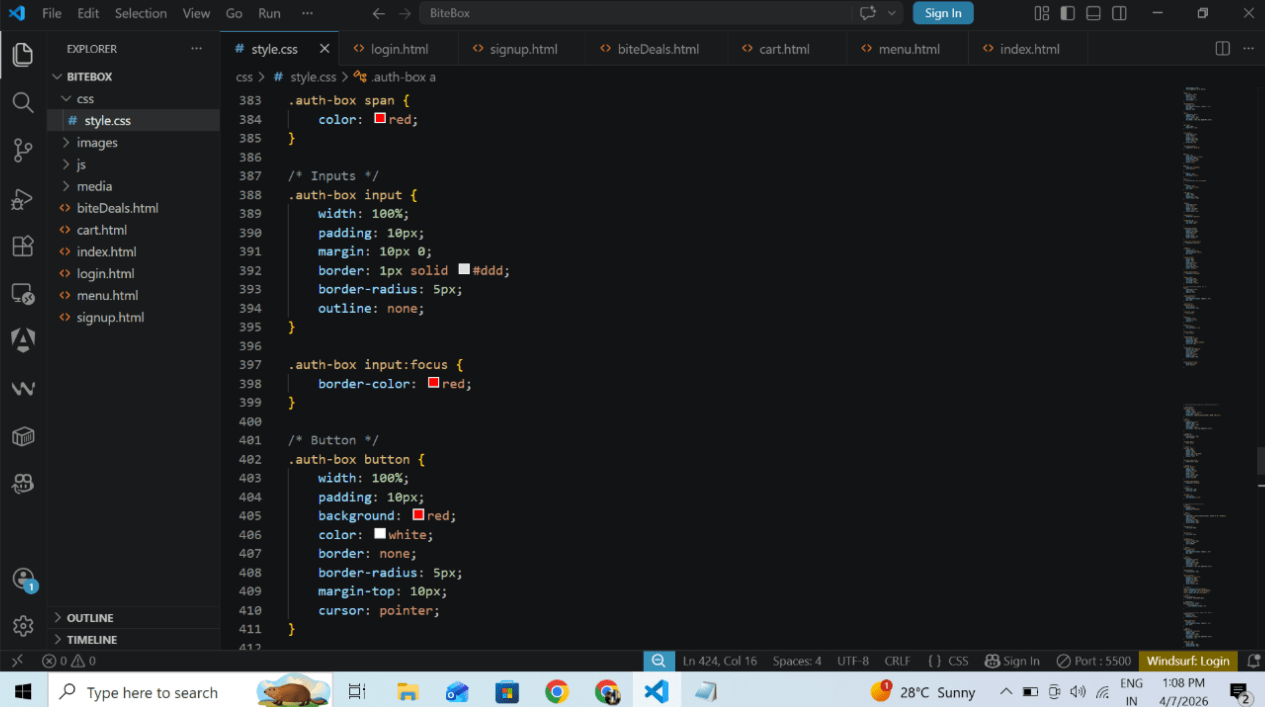
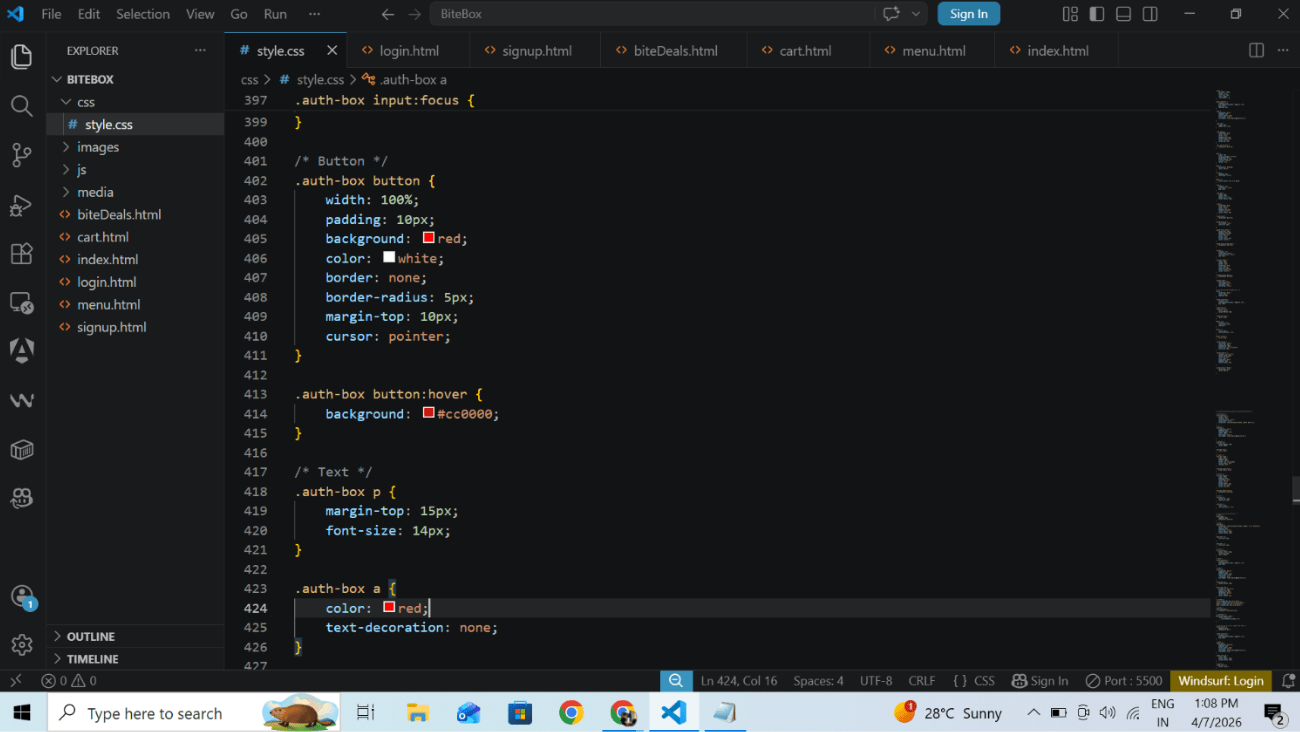
Add style to forms
2
Output
login page
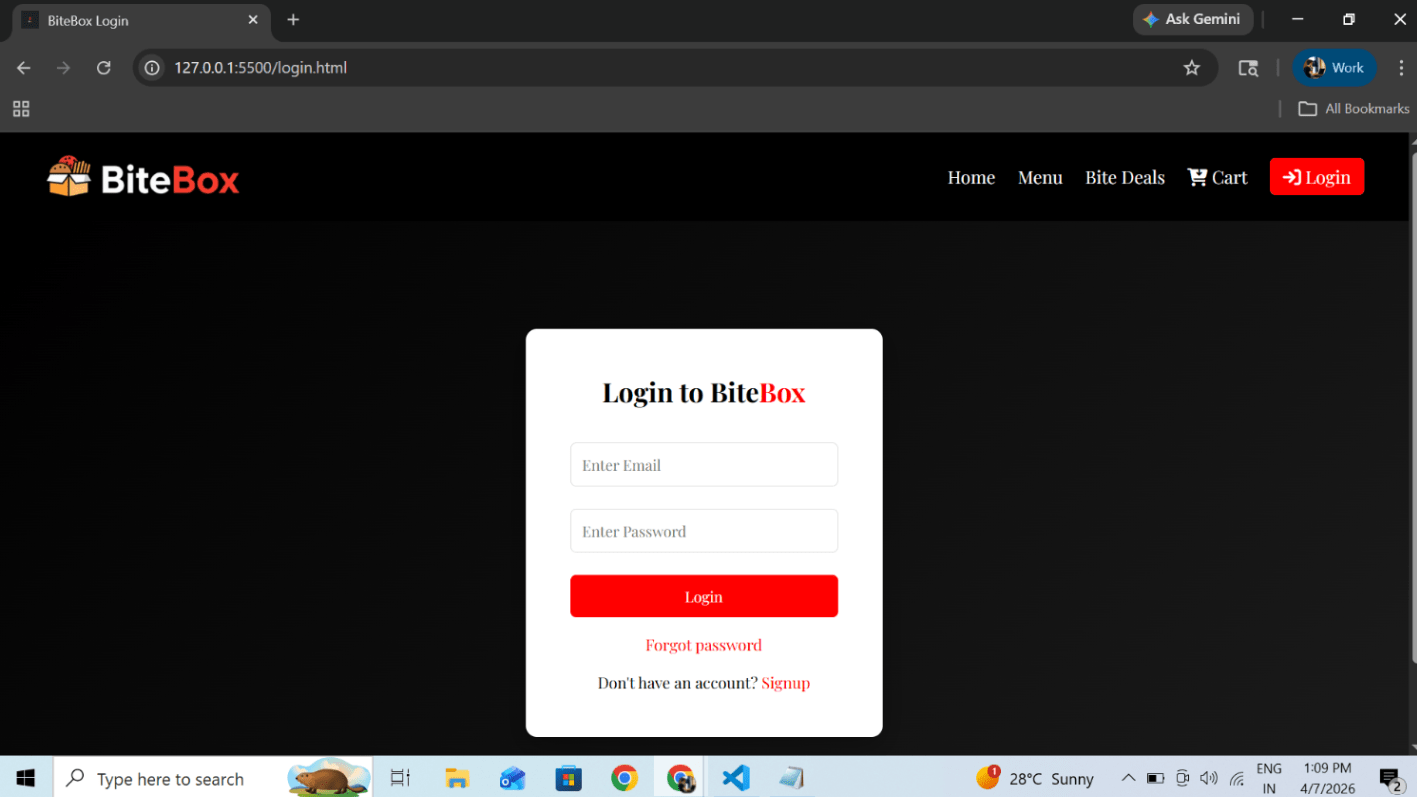
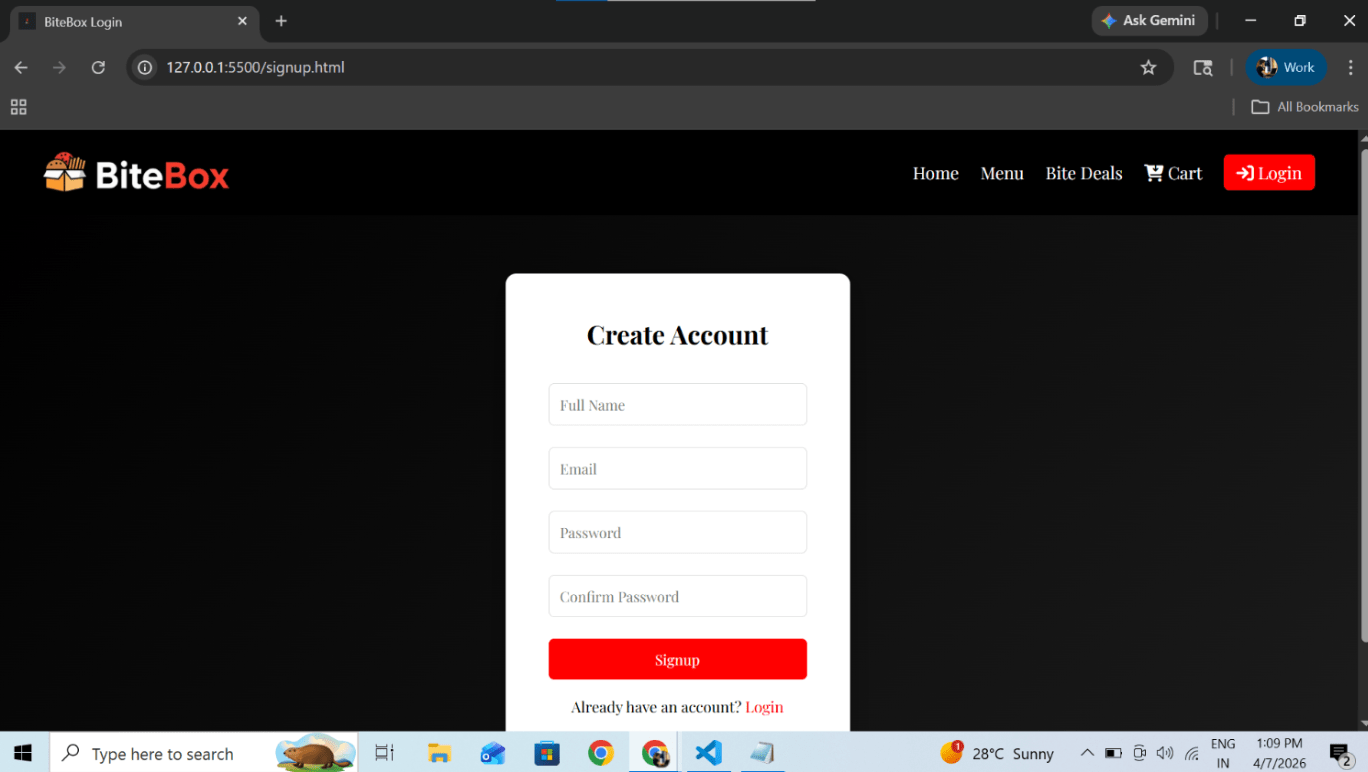
Output
signup page
Great job!
In this lab, you have successfully created Login and Signup pages using Bootstrap. You have added proper authentication sections below the header, created a new signup page, and applied styling to make the forms visually attractive.
Checkpoint
Next-Lab Preparation
Git Push
git push origin branchNameBefore starting the next lab, make sure you revise the following topics:
1) External CSS linking and stylesheet structure
2) Styling Forms and Input Fields (padding, margin, border, outline)
3) Styling Buttons (hover effects, border-radius, background-color)