Classifying Sales Performance Using Logical Conditions

Business Scenario
Your reporting manager from the Retail Insights Team has now asked you to go beyond basic data structuring and start applying business logic to the dataset.

Welcome to your next phase as a Junior Data Analyst at DMart…

The dataset contains important fields such as Sales, Profit, Discount, Quantity, and Customer Type. However, raw numbers alone are not enough for decision-making.
Before this dataset is used in performance dashboards, your manager wants you to classify and evaluate business performance using logical formulas.
Your task is to apply IF conditions, nested logic, and error handling techniques to make the dataset more intelligent and decision-ready.

Pre-Lab Preparation
Module: Logical Functions and Error Handling in Excel
1) IF Function
2) Nested IF conditions
3) Logical Operators(AND, OR, NOT)
4) IFERROR Functio
git pull origin branchName
Git Pull
Click to download Dataset: Dmart_RetailBusiness.xlsx
Task 1: Classify Sales Performance Using IF Function
Your first goal is to categorize sales data into meaningful performance labels so that management can quickly understand which products are performing well and which are not.
Instead of analyzing raw sales numbers, you will convert them into business-friendly categories like High Sales Low Sales.
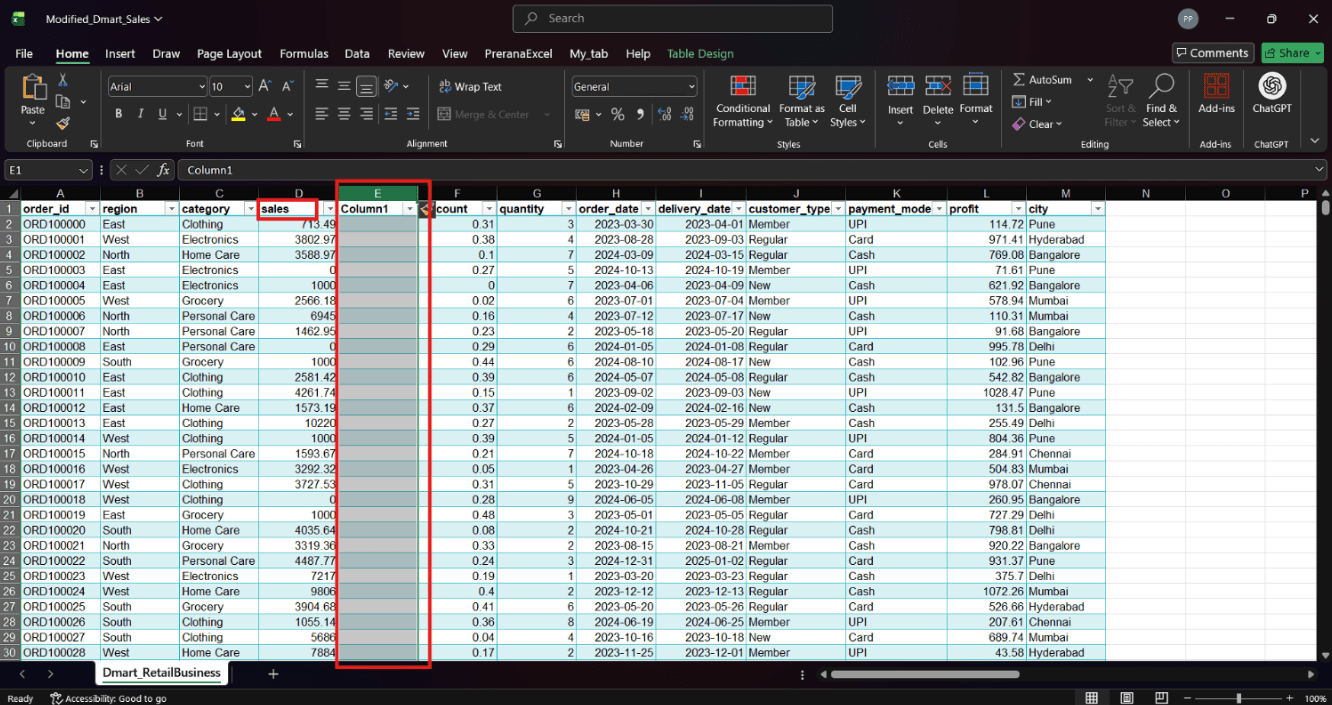
Add a new empty column next to the Sales column to display the classification.
1
2
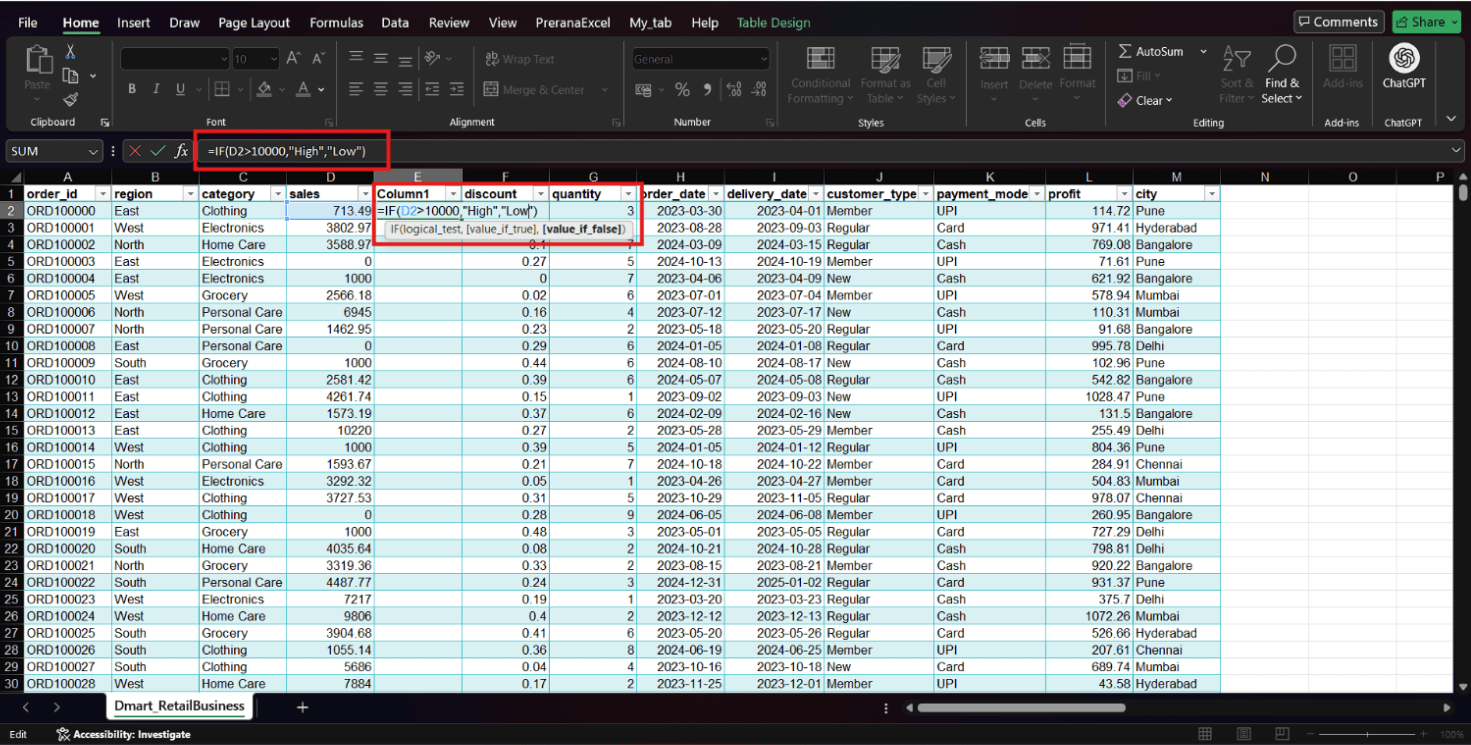
Enter an IF formula to classify sales values based on a condition.
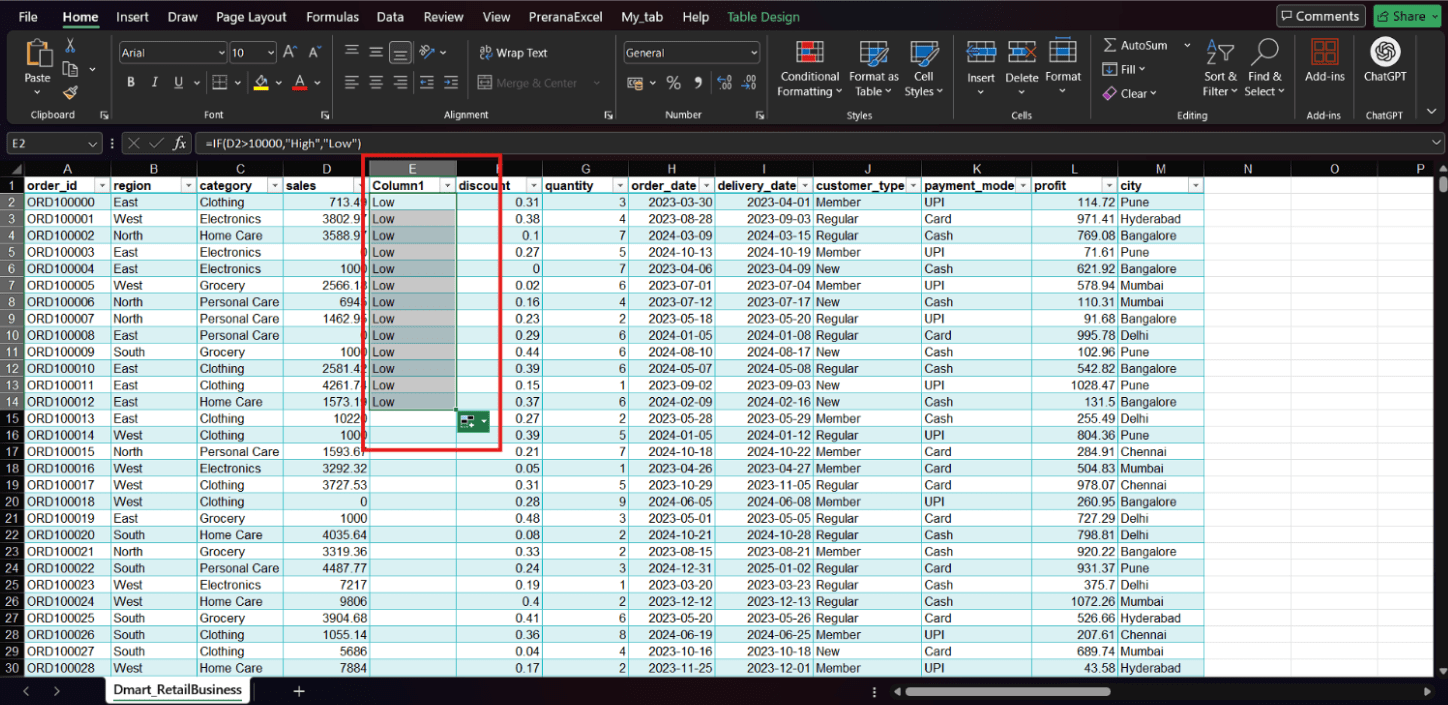
Press Enter and apply the formula to all rows using AutoFill.
3
Is one condition enough to classify all sales data ?
Choose an empty column next to the Sales column where you want to display the classification.
4
In this task, we used a simple IF condition to divide sales into High and Low categories.
However, real-world business scenarios often require more detailed classification, such as adding a Medium category.
That’s why we use Nested IF, which allows us to apply multiple conditions in a single formula.
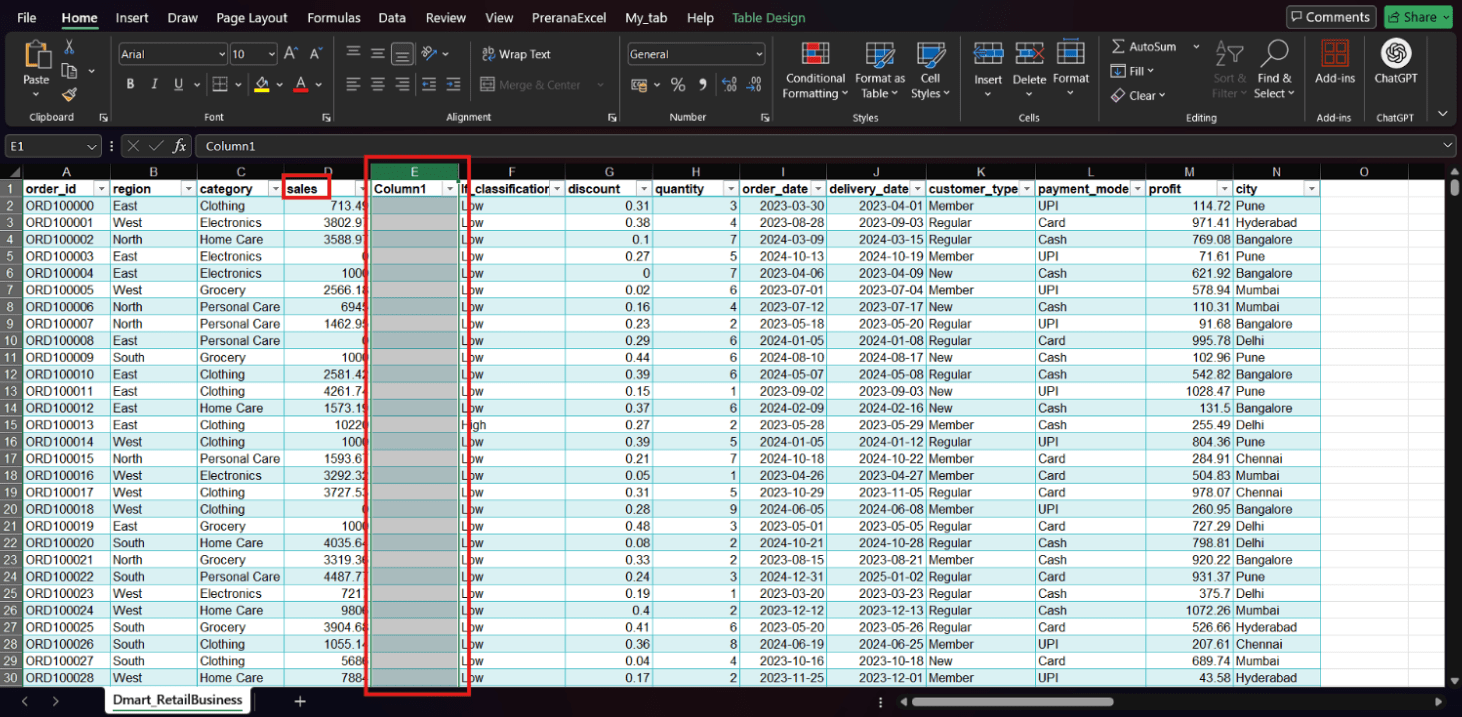
Enter the Nested IF Formula
5
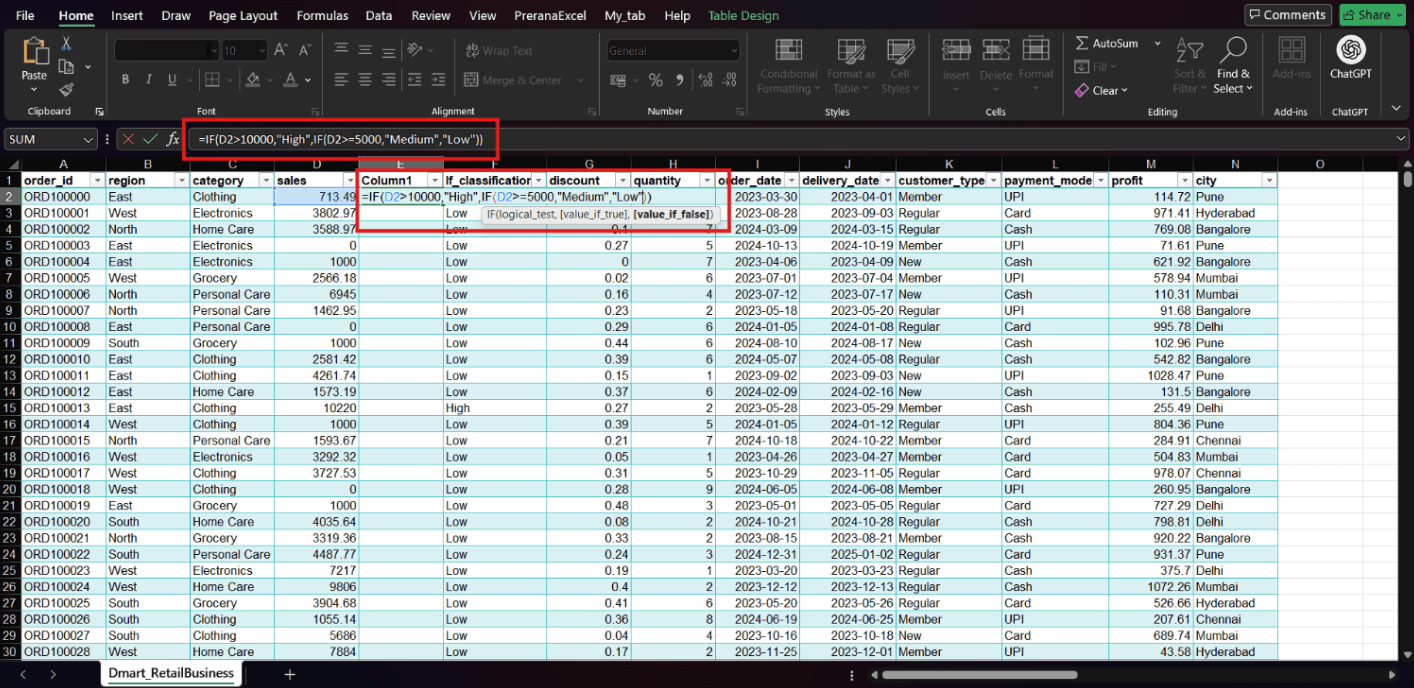
Press Enter and apply the formula to all rows using AutoFill.
6
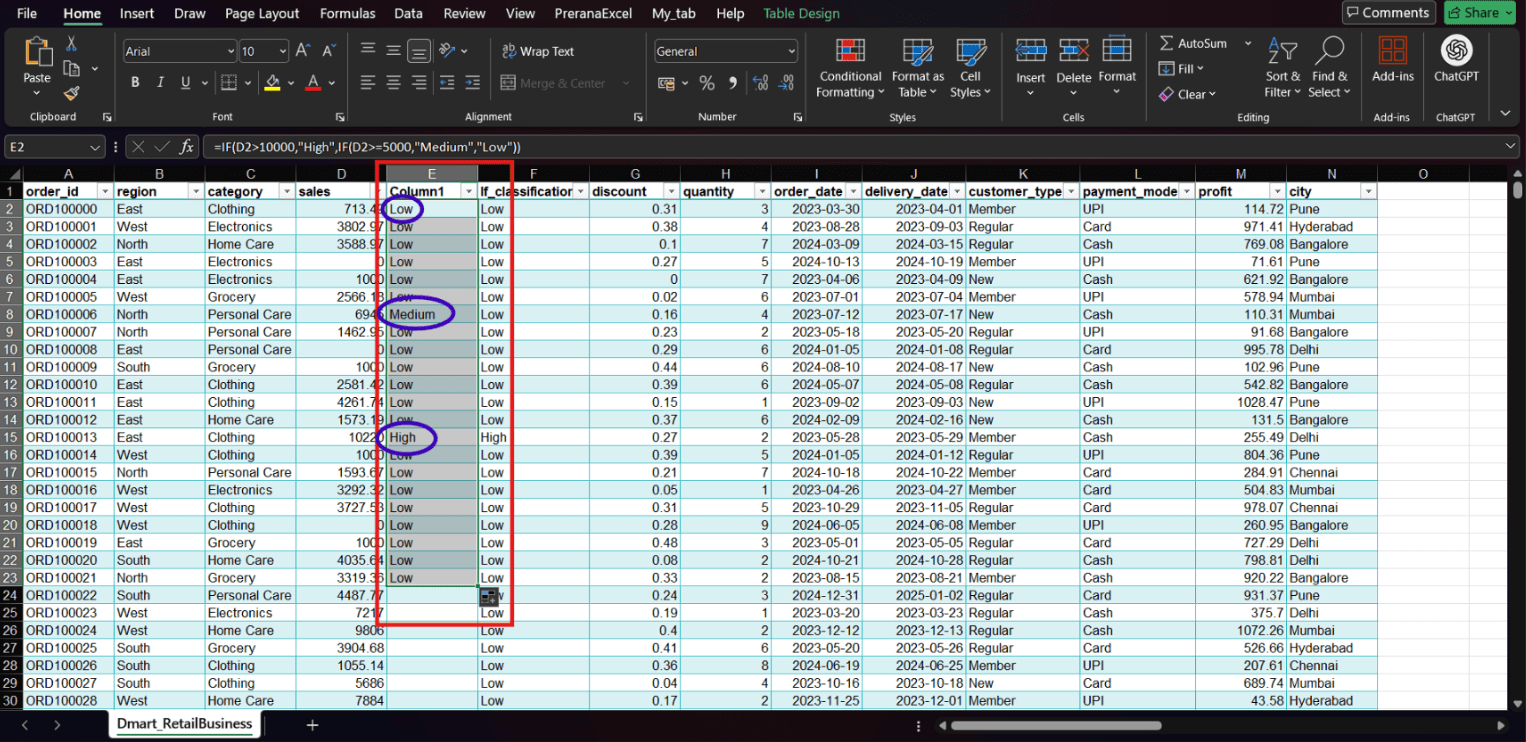
Task 2: Use Logical Operators (AND, OR, NOT) for Decision Making
Now your manager wants to analyze performance based on multiple conditions at the same time.
This is where logical operators like AND, OR, and NOT are used.
Using AND Function
Use the AND function to check multiple conditions together.
Select an empty cell .
1
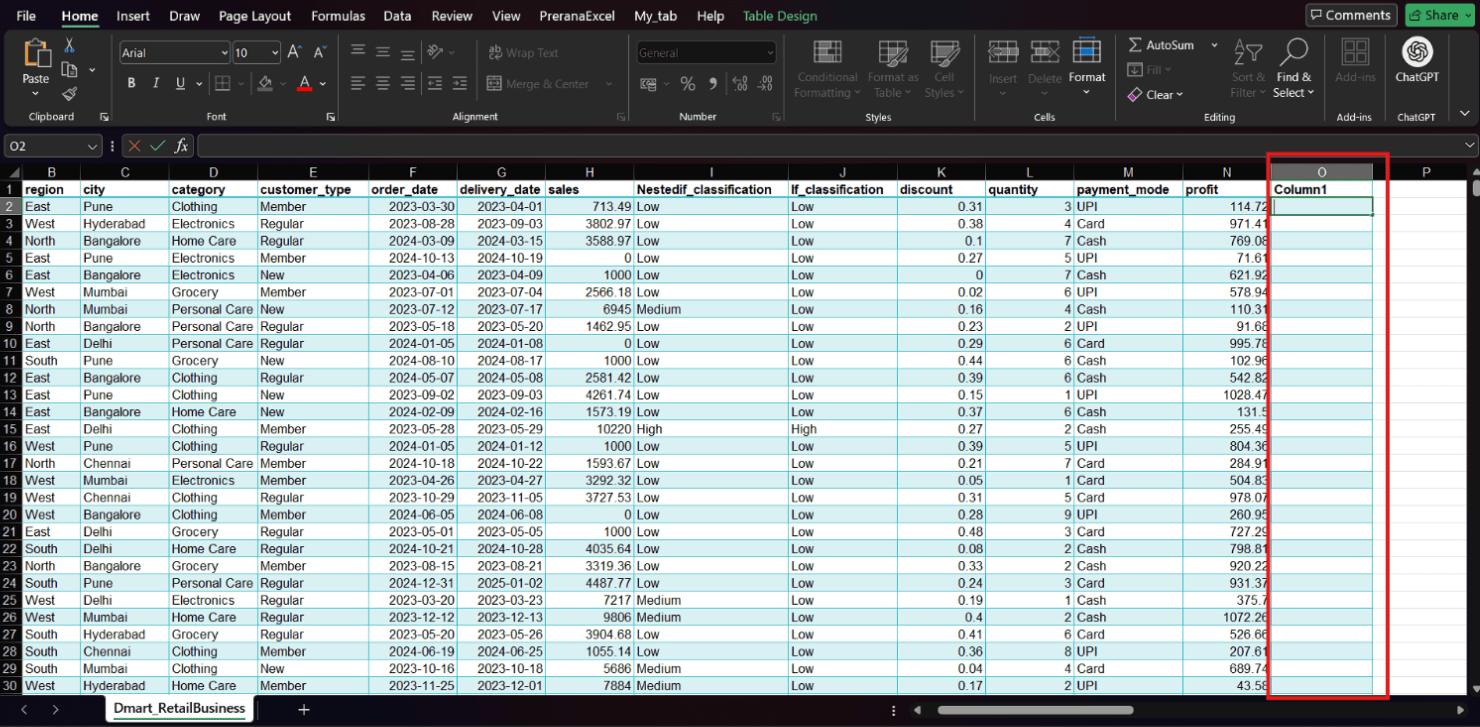
Enter the formula
2
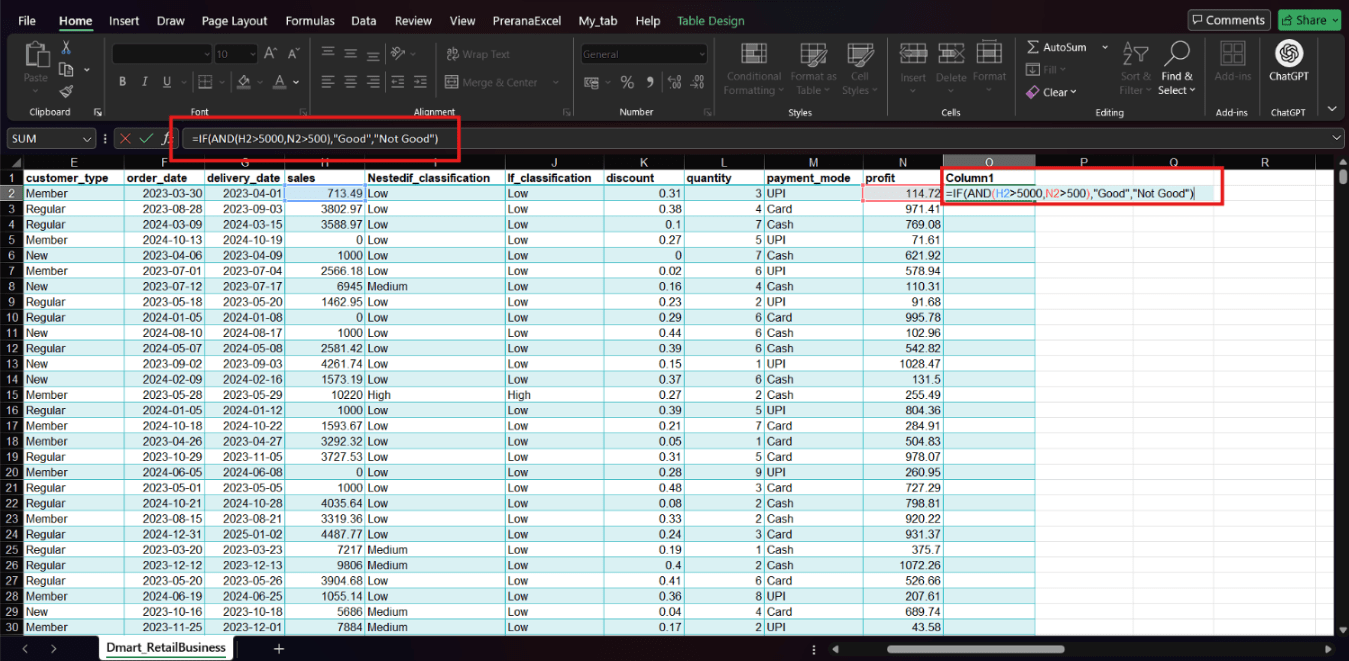
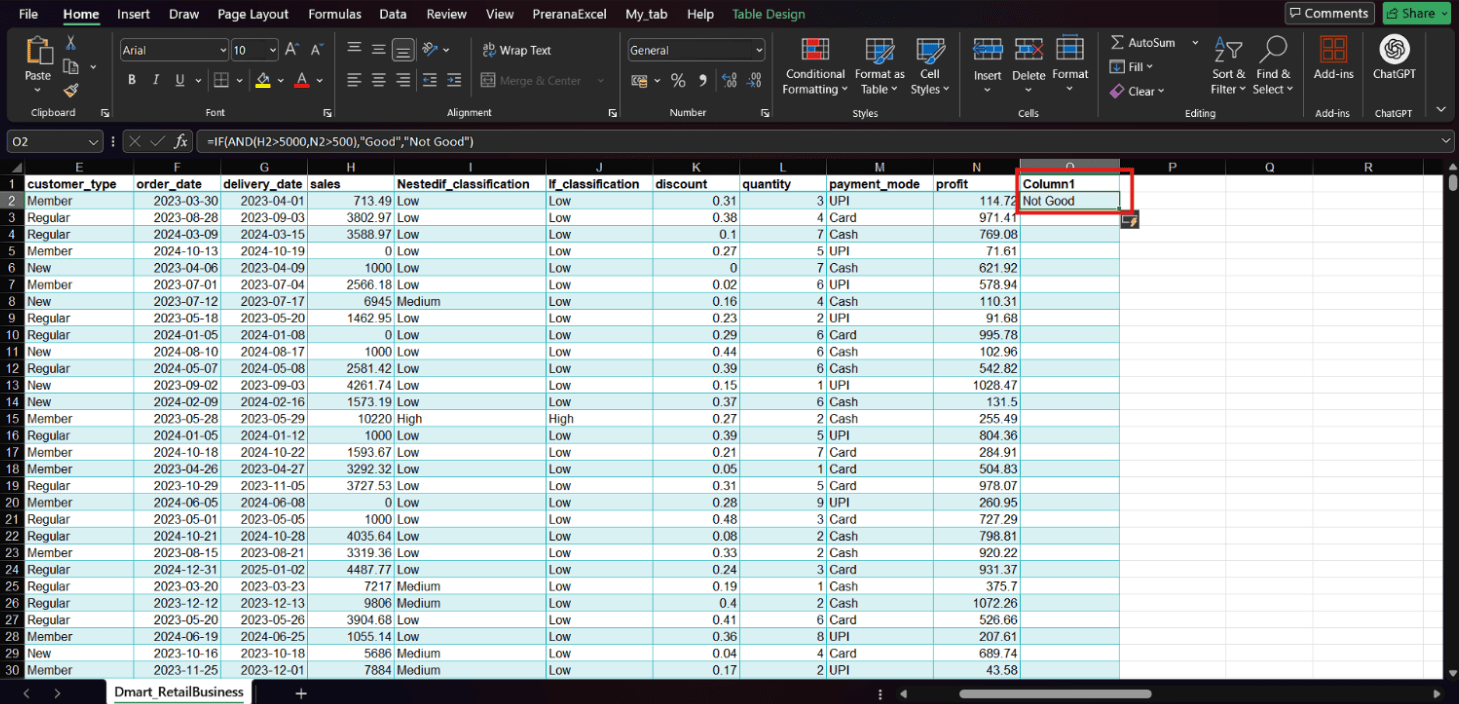
Press Enter.
3
Drag the fill handle down to apply it to all rows.
4
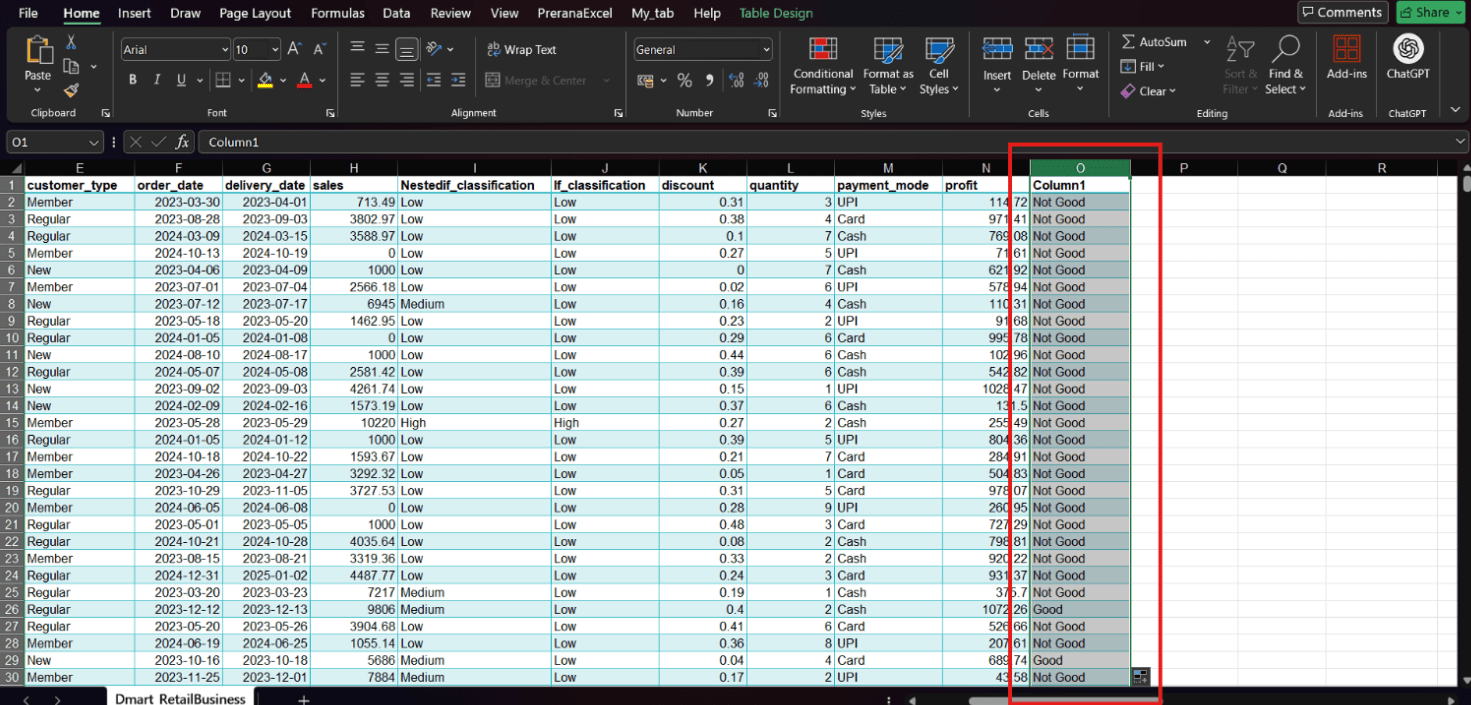
Using OR Function
Use the OR function to check if at least one condition is true.
Select another empty cell
1
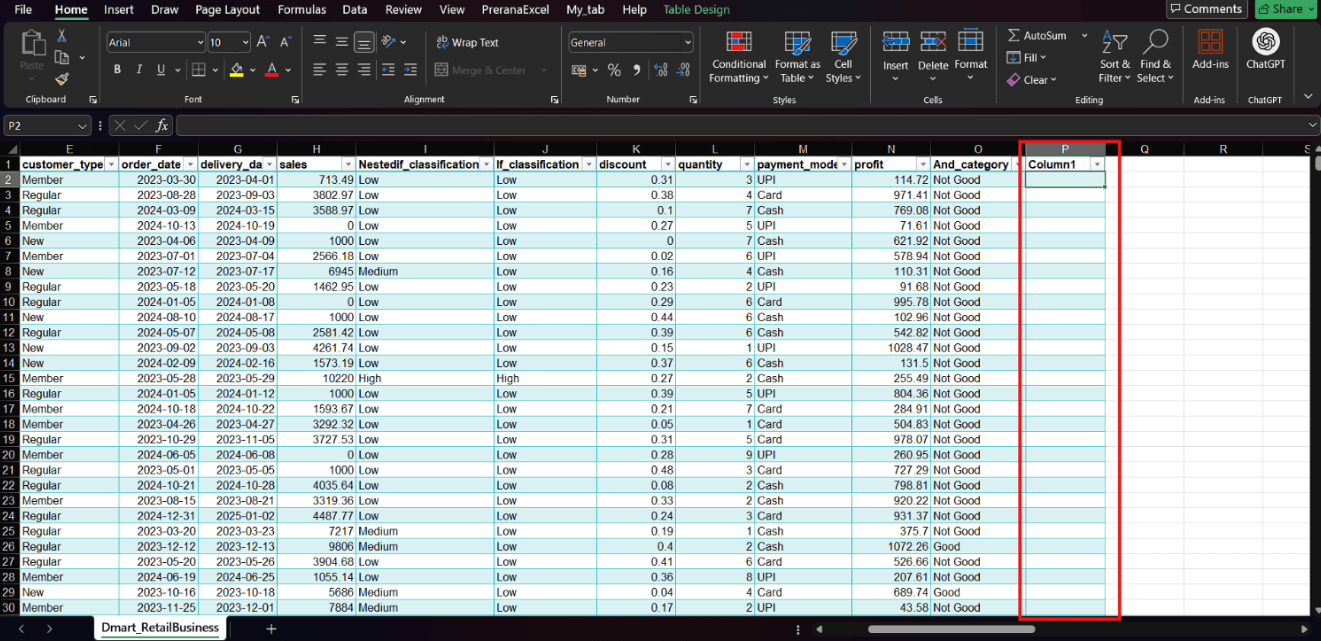
Enter the formula:
2
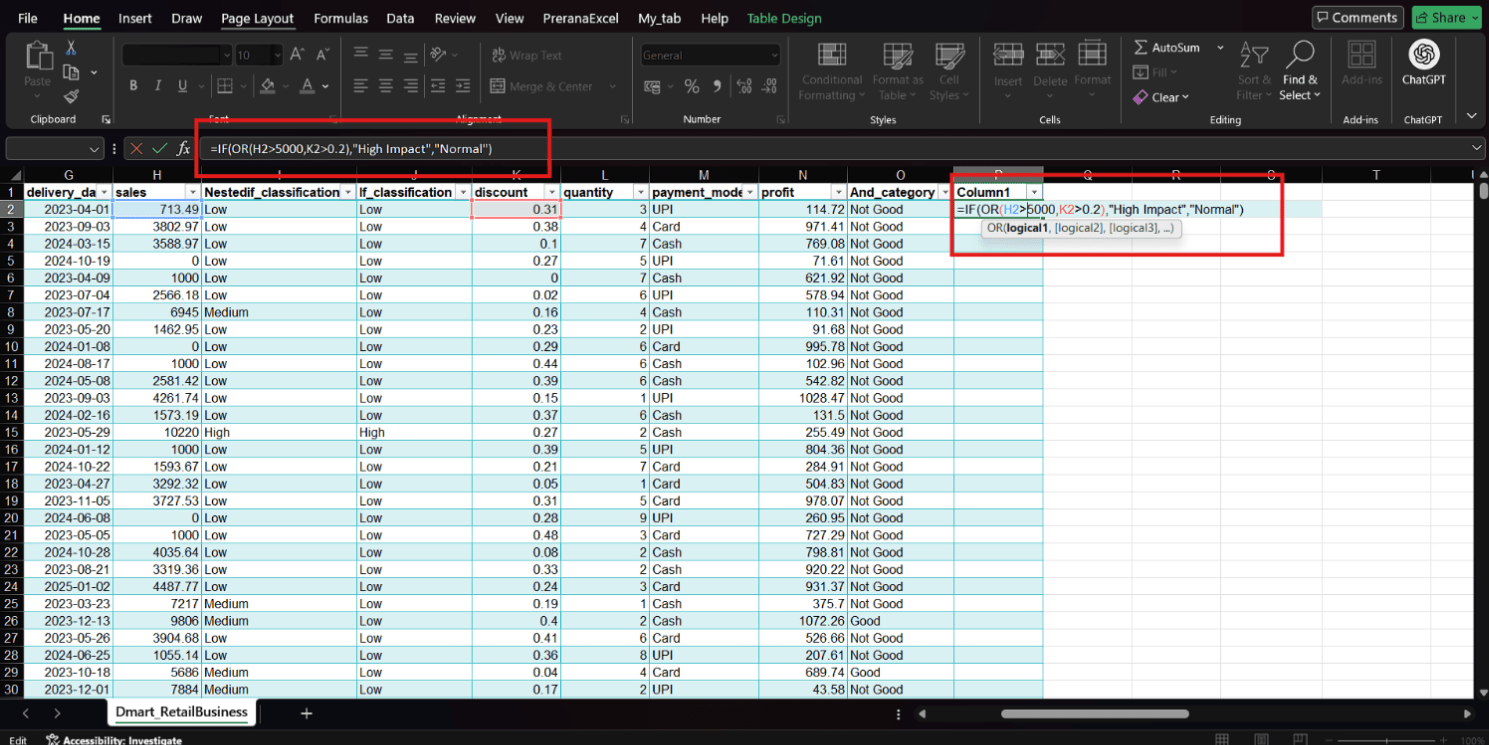
Press Enter.
3
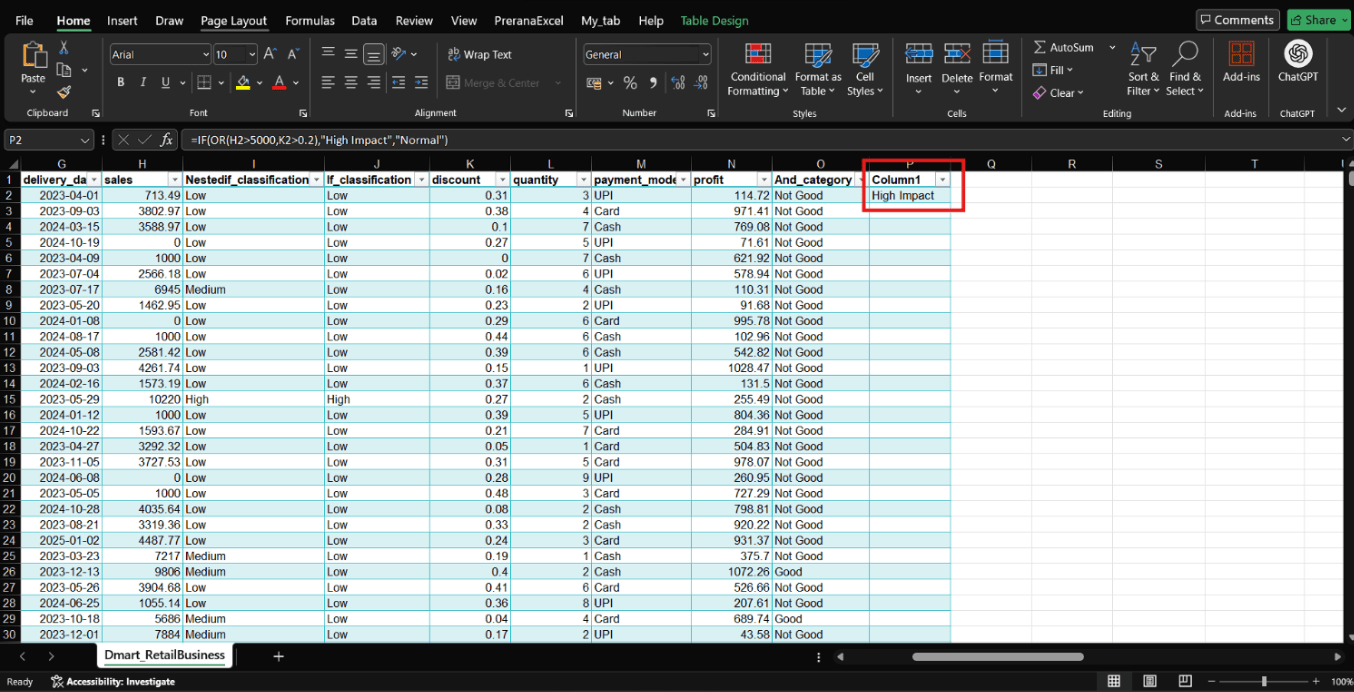
Drag to apply to all rows.
4
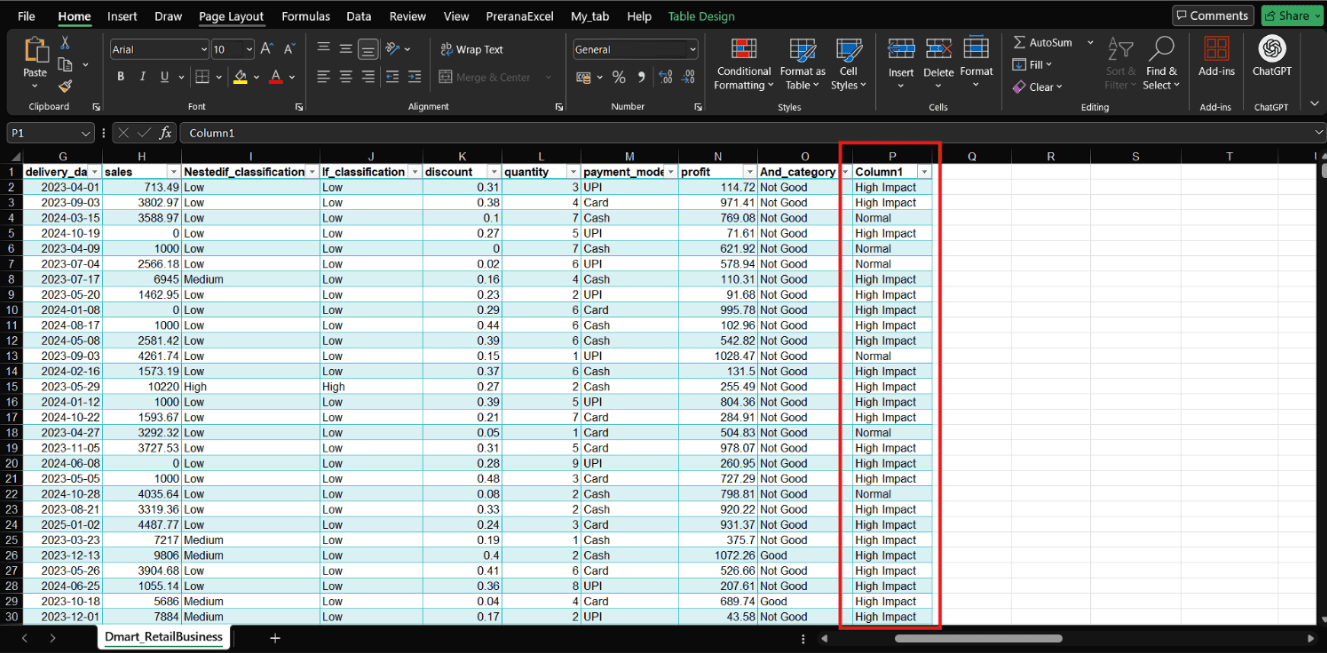
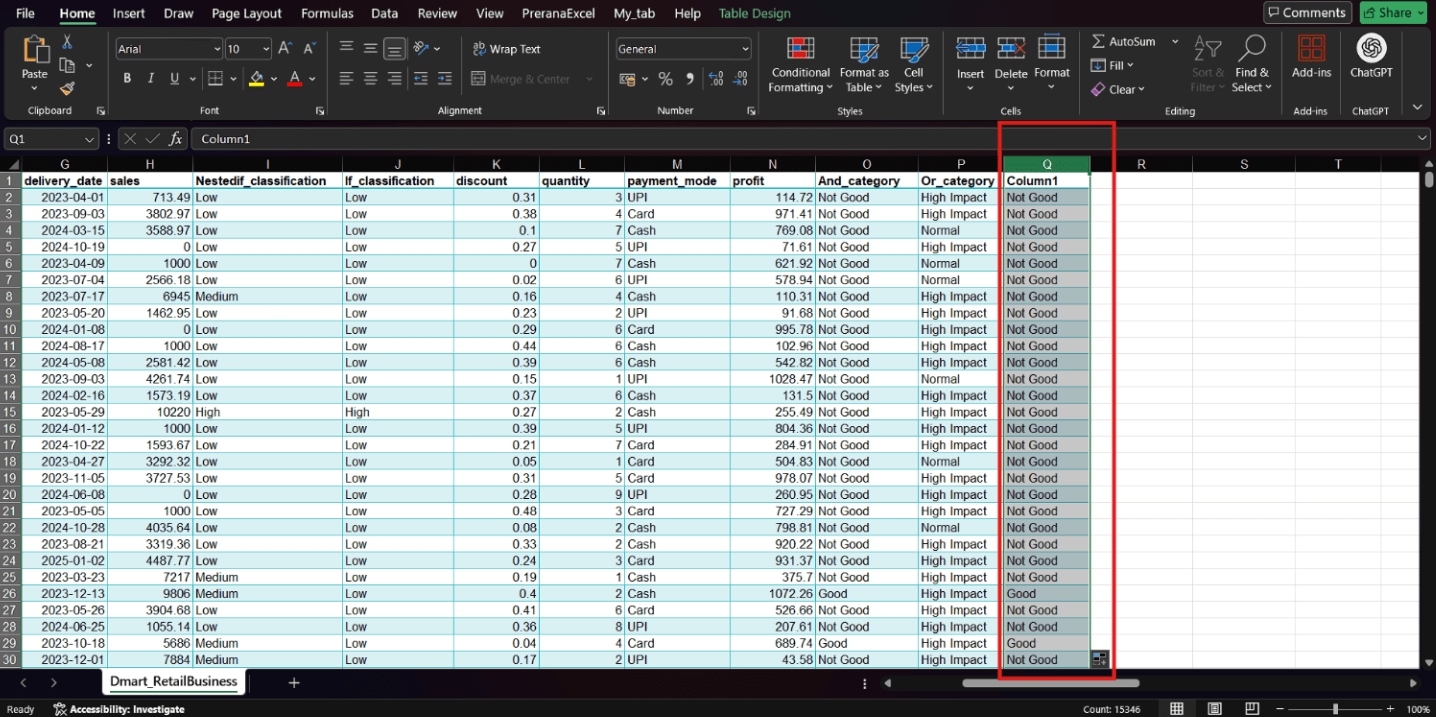
Using NOT Function
Use the NOT function to reverse a condition.
Select another empty cell
1
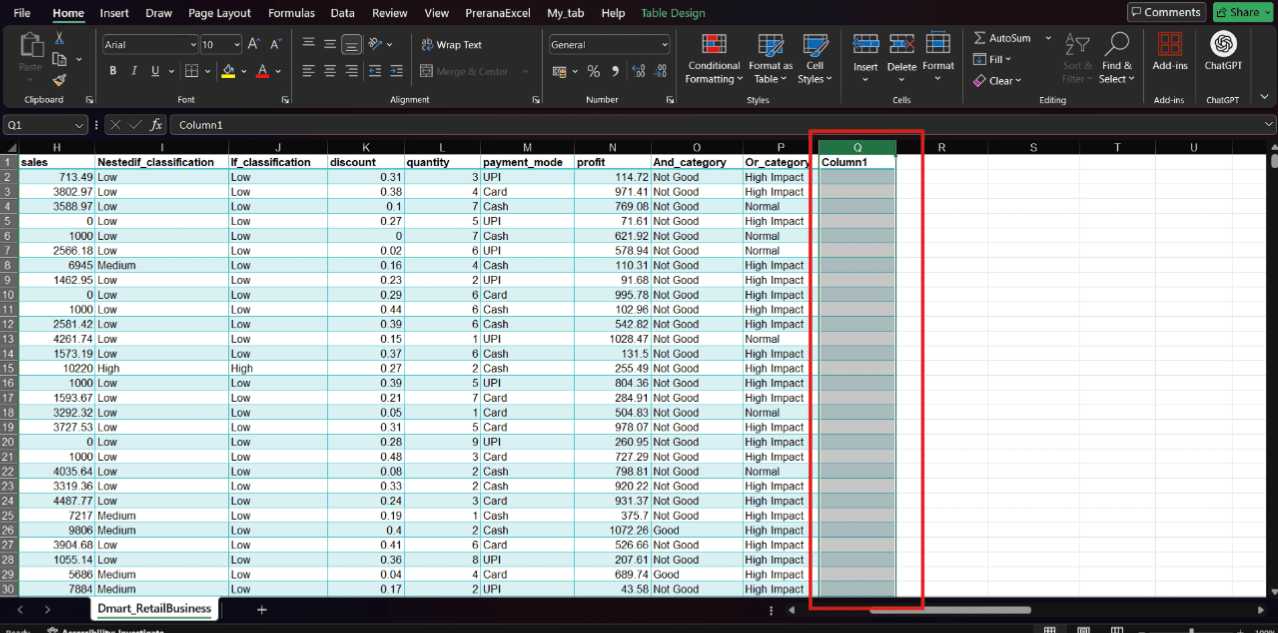
Enter the formula:
2
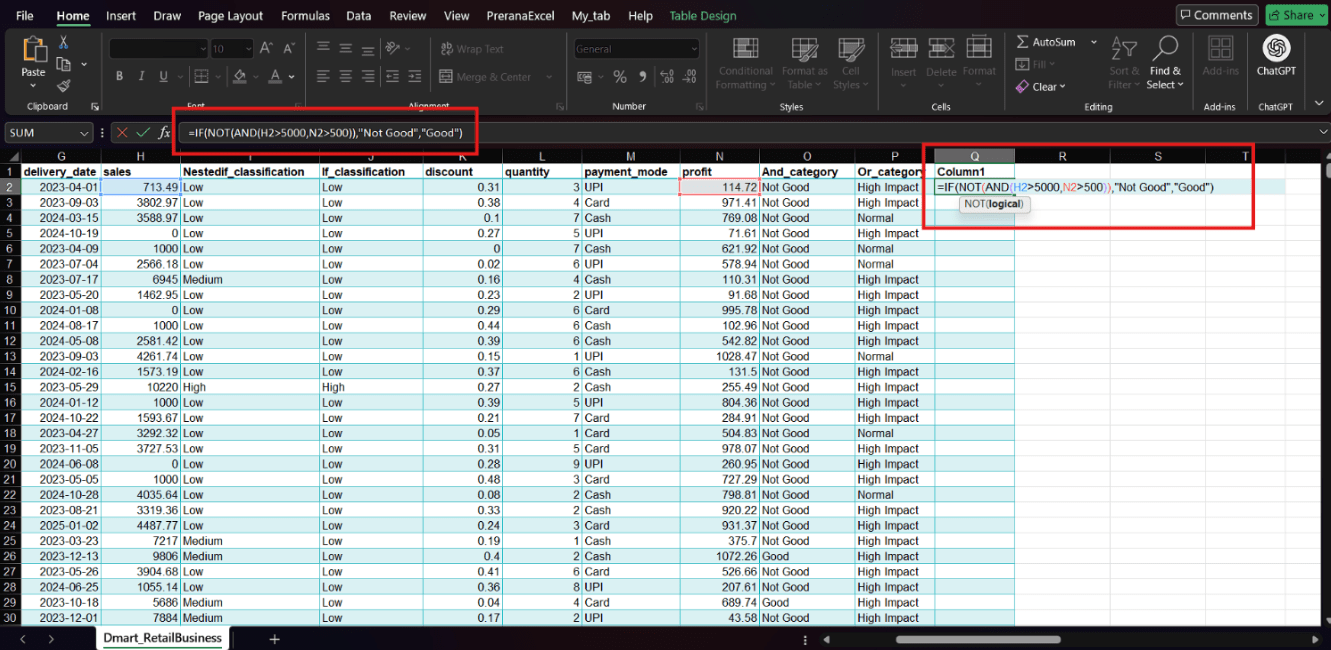
Press Enter
3
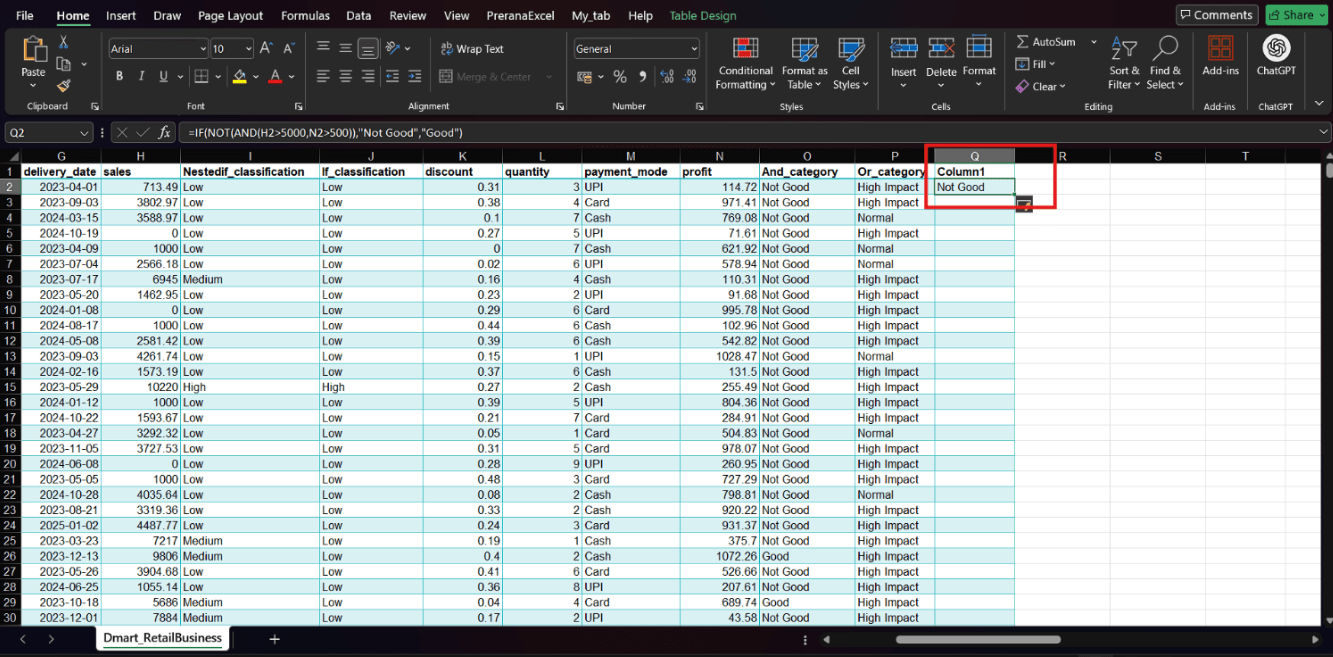
Drag the fill handle down to apply it to all rows.
4
Task 3: Handle Missing and Error Values Using IFERROR
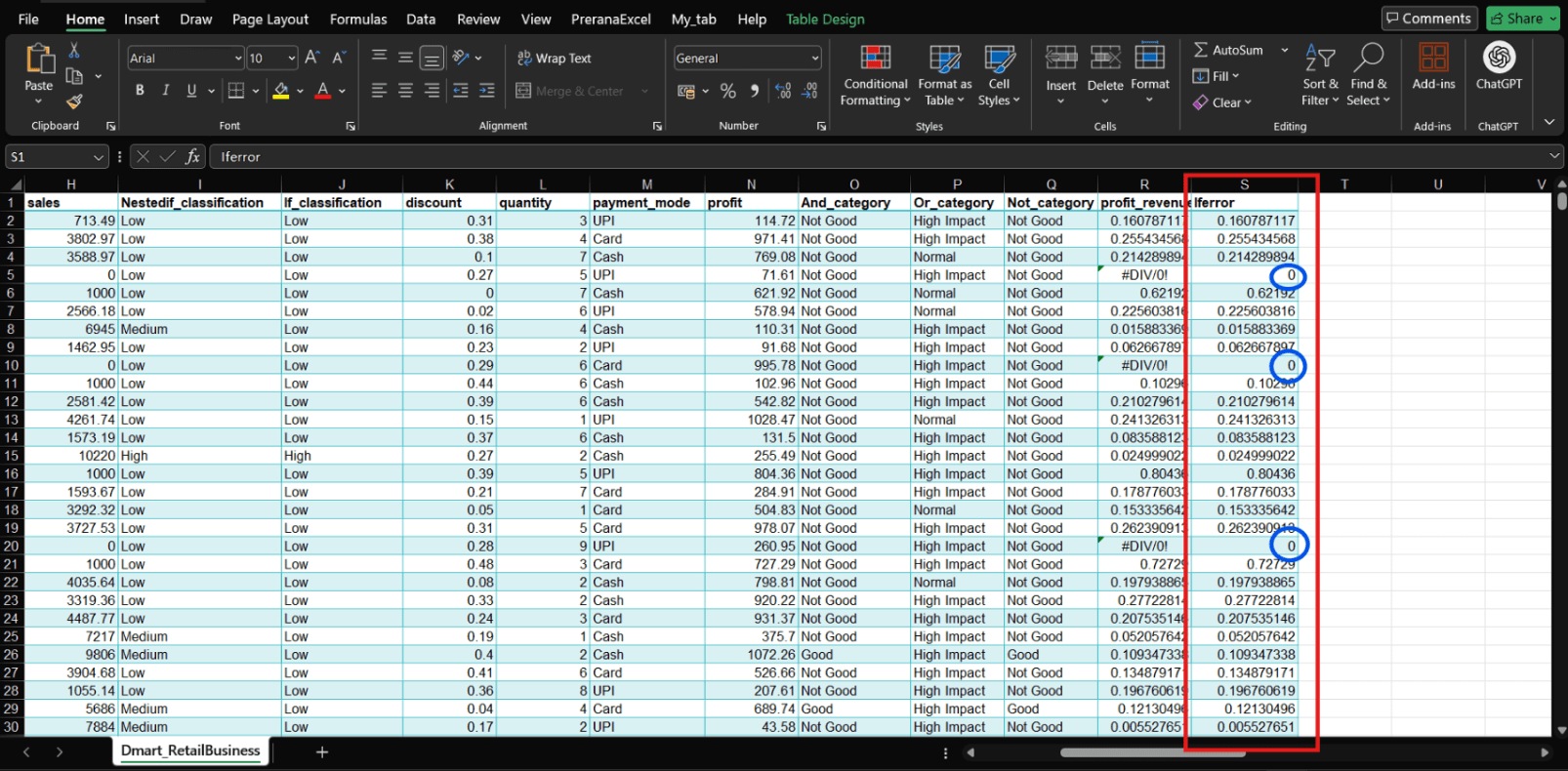
During analysis, datasets often contain missing values or formula errors.
These errors can make reports look unprofessional and confusing.
How Can we handle errors ?
This question smoothly leads to using the IFERROR Function.
Our task is to handle such errors using the IFERROR function.
Choose a cell where your formula result will appear
1
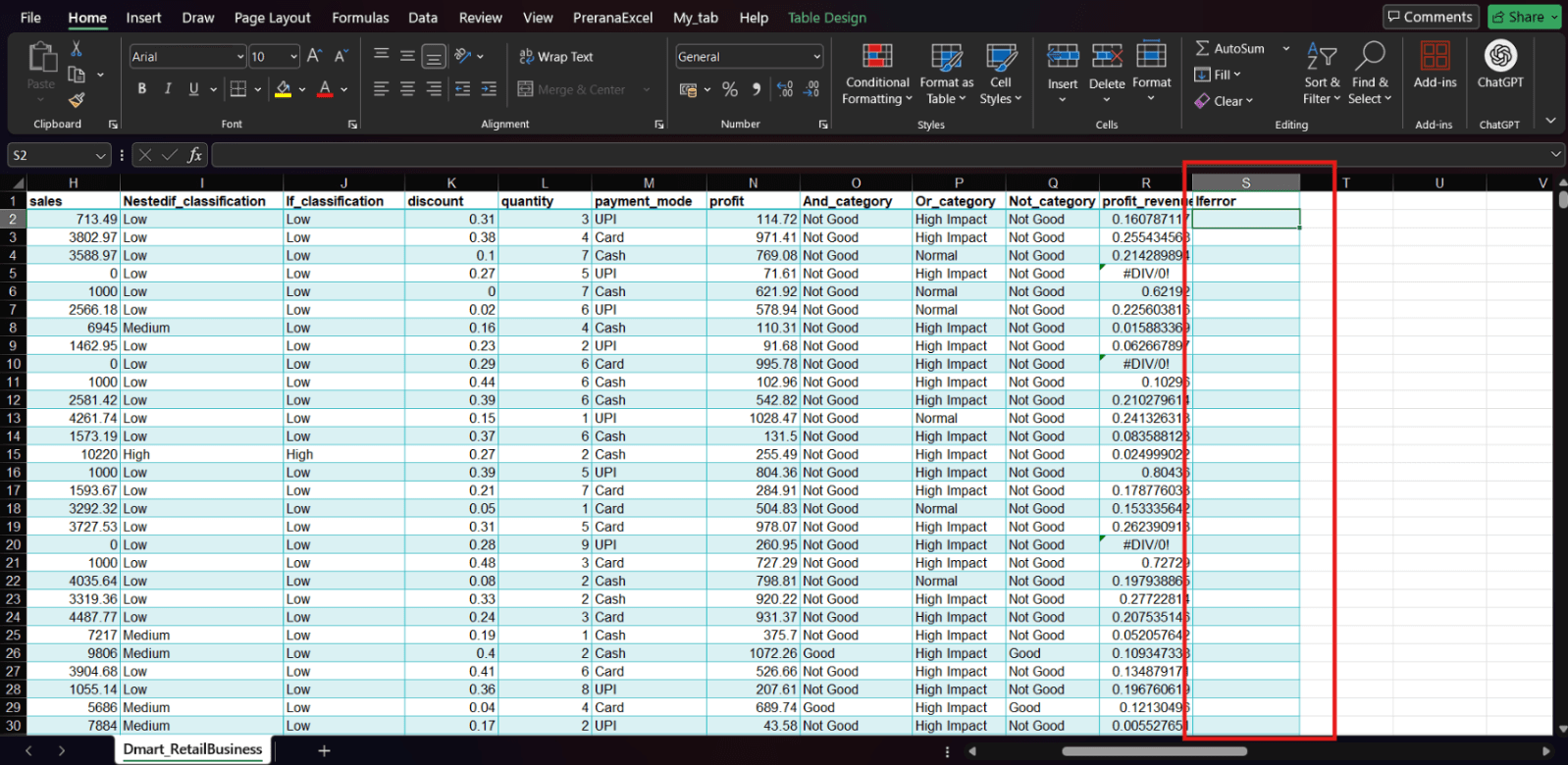
Wrap your original formula inside IFERROR:
2
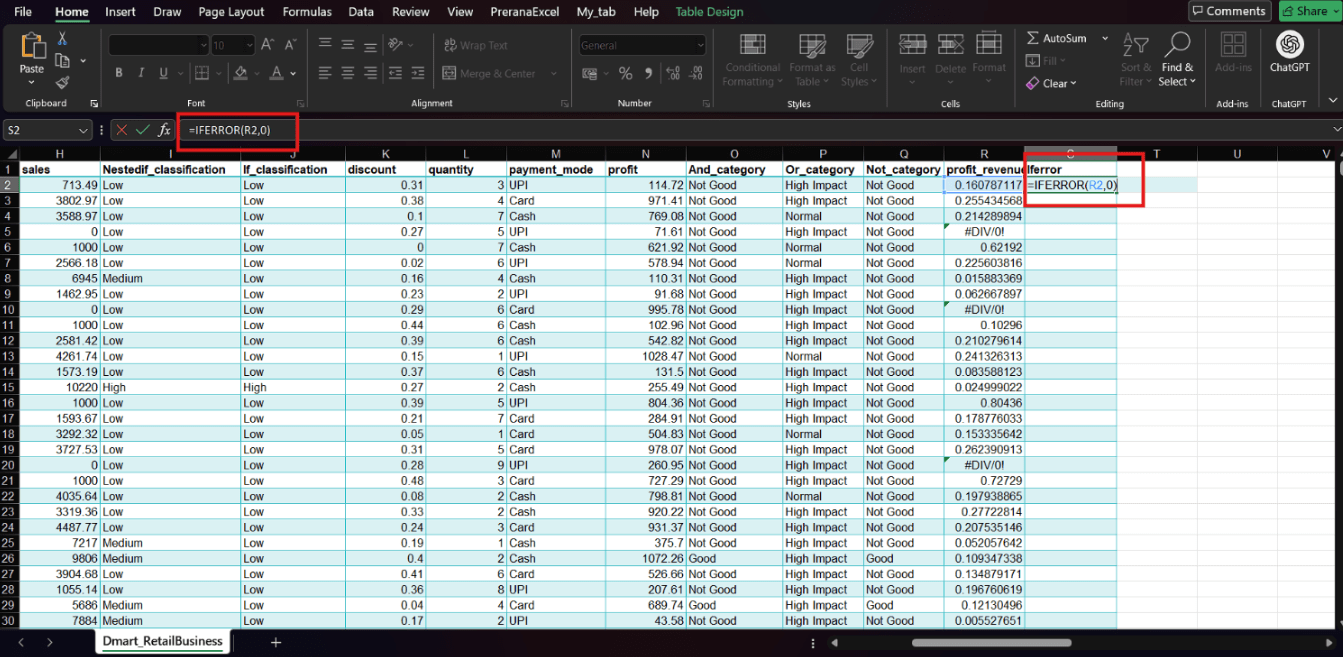
Press Enter to get the result.
3
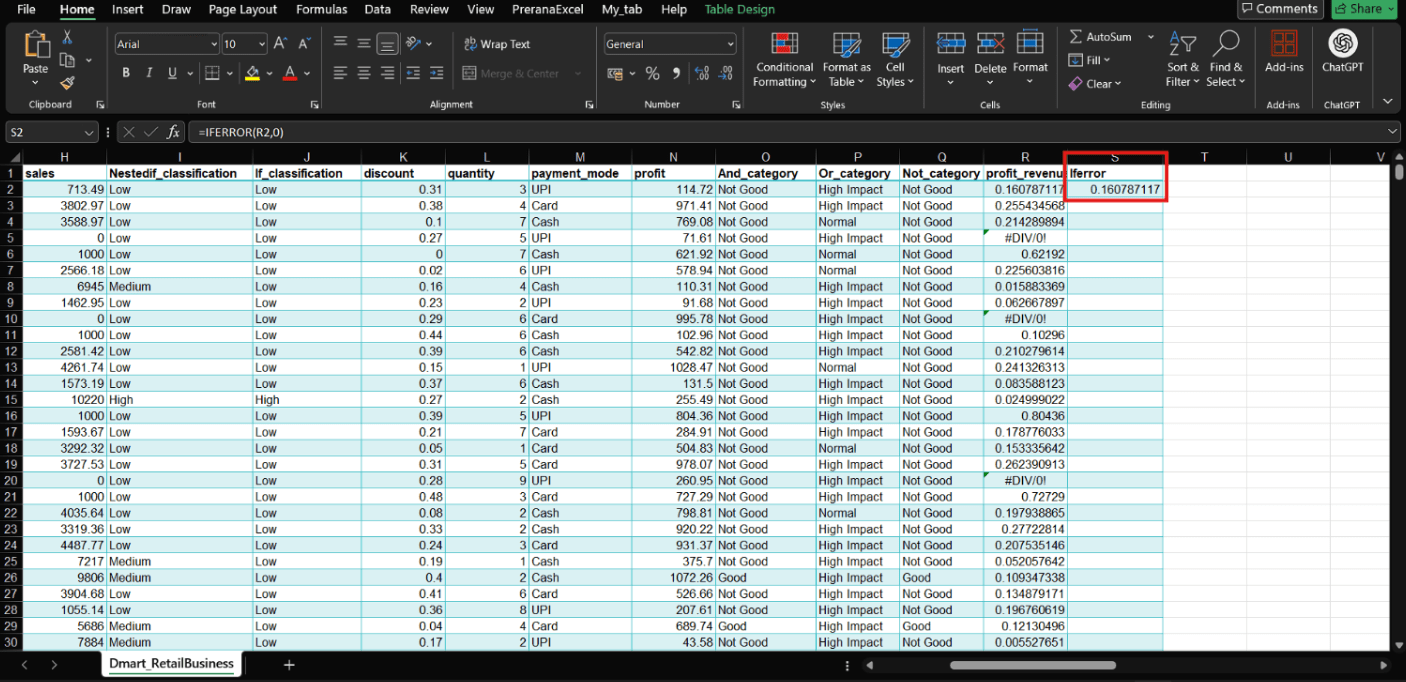
Drag the fill handle down to apply the formula to all rows.
4
Git Push
git push origin branchNameGreat job!
You have successfully completed the Logical Functions and Decision-Making Lab.
In this lab, you have:
1) Classified sales performance using IF conditions
2) Applied nested IF for detailed categorization
3) Used logical operators (AND, OR, NOT) for advanced decision-making
4) Handled missing and error values using IFERROR
You have now transformed raw data into intelligent, decision-ready information, which is a critical step in real-world business analytics.
Checkpoint
Next-Lab Preparation
Hey! Don't forget to prepare for next lab
1) SUMIF Function
2) AGGREGATE Function